




AppBrain's verdict
- Last updated
- April 8, 2024
- Size
- 59.8 MB
User feedback
Ratings and reviews on the App StoreComments on MicroSNAP for iOS
We don't have enough comments to show example comments. Please check back later.
Store listing
By ACCU-SCOPE INC., from the App StoreDescription by ACCU-SCOPE INC. Written by the developer, not by AppBrain. Click to read.
MicroSNAP and EXC-100 WiFi-enabled microscopes only allow one mobile device connection at a time. When multiple people want to use the same microscope, please disconnect from the camera’s WiFi signal before the next user can operate the camera.
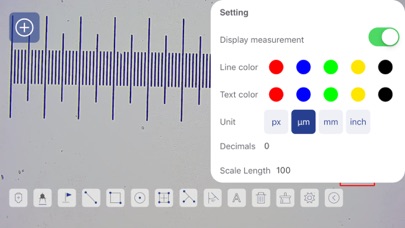
Using MicroSNAP is a “snap”! Plug-in the microscope – the camera gets its power directly from the microscope. Turn the microscope light on by rotating the light intensity control knob – you will hear a click and then see light coming up from the bottom of the microscope. To connect to the microscope, launch the MicroSNAP app, press the [-] button and use the camera on your phone or tablet to scan the QR code on the microscope. Alternatively, you can open the WiFi settings on your mobile device and choose the “MicroSNAP-xxx” network. You may see a message about no internet connection – this is OK as your mobile device is connected to the WiFi camera and not the internet. Next, tap the MicroSNAP icon on your mobile device and you are ready to start using the camera. Even if someone wants to view the sample using the eyepieces of the microscope, you will still see what they see on your mobile device.
IMPORTANT: Always unplug the microscope when not in use.
For more detailed information about the MicroSNAP app for mobile devices and the MicroSNAP app for Windows PC, please visit our Support page https://accu-scope.com/support/instruction-manuals, and scroll down to Manuals – Current Cameras.
Safety and technology
Found in the app by AppBrain- Price
- Free
- App size
- 59.8 MB
- Content rating
- Everyone
Technologies used by MicroSNAP
Releases
Updates seen on the App Store- Version
- 1.0.2
- Launched
- January 2024
No changelog data
Alternatives
Similar apps and more from ACCU-SCOPE INC.Alternatives to MicroSNAP






Rankings
App Store top chartsApp Store Rankings for MicroSNAP
About the app and developer
About MicroSNAP
MicroSNAP is an utilities app developed by ACCU-SCOPE INC.
What is the rating of MicroSNAP?
MicroSNAP has no ratings yet.
Is MicroSNAP free?
MicroSNAP is free. The app size is 59.84 MB. The latest version available is 1.0.2. The last update was on April 8, 2024.
What are the requirements for MicroSNAP?
The app has a content rating of Everyone. The app has been available on the App Store since January 2024.
MicroSNAP is made and published by ACCU-SCOPE INC. AppBrain is an independent app data site and isn't affiliated with ACCU-SCOPE INC. The app name, icon, screenshots and description belong to ACCU-SCOPE INC. and are shown as published on the App Store.
Developer information for ACCU-SCOPE INC.
Address:
Frequently asked questions about MicroSNAP
Is MicroSNAP free?
Yes. MicroSNAP is free on the App Store.
Is MicroSNAP still available?
Yes. MicroSNAP is on the App Store, and the last update we saw was on April 8, 2024.
How large is MicroSNAP?
MicroSNAP is 59.84 MB.
Is MicroSNAP suitable for children?
App Store rates the content of MicroSNAP as suitable for everyone.
Who made MicroSNAP?
MicroSNAP was developed by ACCU-SCOPE INC. It is listed in the utilities category on the App Store.
What are the best alternatives to MicroSNAP?
People looking at MicroSNAP also look at these utilities apps: M-Scope, Scientific Calculator Elite, Voltcraft SEM6000, Calsy: Smart, quick, simple., CavernSeer.