

Midco My Account
Midco My Account is made and published by Midcontinent Communications Inc. AppBrain is an independent app data site and isn't affiliated with Midcontinent Communications Inc. The app name, icon, screenshots and description belong to Midcontinent Communications Inc. and are shown as published on the App Store.
AppBrain's verdict
Established- Rating on App Store
- 2.13
- 8 ratings
- Last updated
- August 4, 2026
It doesn't have enough ratings yet to judge what users think.
Rankings
App Store top chartsApp Store Rankings for Midco My Account
Competitors
Similar apps and more from Midcontinent Communications Inc.Alternatives to Midco My Account




More from Midcontinent Communications Inc.




Releases
Updates seen on the App Store- Version
- 5.0.78
- Launched
- June 2016
No changelog data
User feedback
Ratings and reviews on the App StoreComments on Midco My Account for iOS
We don't have enough comments to show example comments. Please check back later.
Technology
Found in the app by AppBrain- Price
- Free
- App size
- 36.0 MB
- Content rating
- Everyone
Technologies used by Midco My Account
About the app and developer
About Midco My Account
Midco My Account is an utilities app developed by Midcontinent Communications Inc.
What is the rating of Midco My Account?
Midco My Account is rated 2.13 out of 5 stars, based on 8 ratings.
Is Midco My Account free?
Midco My Account is free. The app size is 36.04 MB. The latest version available is 5.0.78. The last update was on August 4, 2026.
What are the requirements for Midco My Account?
The app has a content rating of Everyone. The app has been available on the App Store since June 2016.
Developer information for Midcontinent Communications Inc.
Midcontinent Communications Inc.
Address:
Store listing
By Midcontinent Communications Inc., from the App Store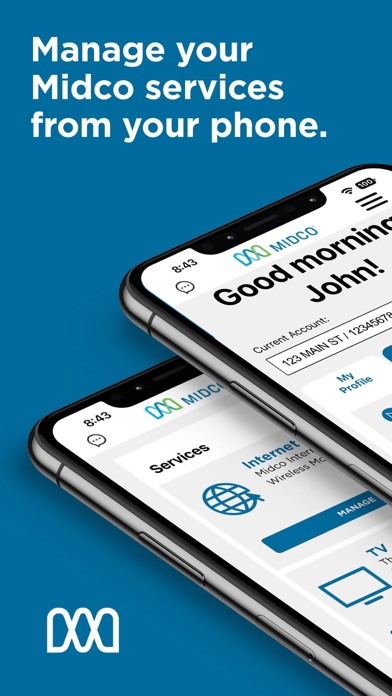


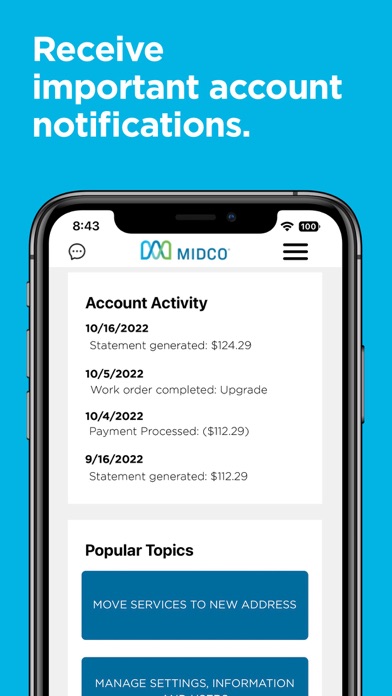
Description by Midcontinent Communications Inc. Written by the developer, not by AppBrain. Click to read.
– View your statement and pay your bill.
– Manage your account details, users and profile.
– Get important account notifications.
– Explore your current service plans and equipment.
– Troubleshoot or reboot your equipment.
– Reset your password and security PIN.
– Manage your auto pay and paperless billing settings.
– See current service outage updates.
– Add upcoming appointments to your calendar.
– Access troubleshooting tips.
– And more!
Just download the app and log in with your My Account information to get started.
– Streamlined navigation. Intuitive design.
Maneuvering your way around the app is simpler than ever. From the main dashboard, you can access the navigation bar to easily manage all your Midco account information.
– Quick customer support.
Connect with our support team directly from My Account. Click the speech bubble icon in the upper left corner of your screen to live chat with a customer service representative. Or if you prefer, you can text or call.
– Appointment scheduling.
When you have an upcoming Midco service or install appointment, you can now save it to your device calendar. Customers can modify appointments in the app and cancel service call appointments.
– More accurate outage updates.
If we detect a Midco service outage in your area, it will appear on your main dashboard.
Have questions or need support? Reach out at Midco.com/Contact.