

mimiCopy - Slow Down Player
mimiCopy - Slow Down Player is made and published by ART Teknika Inc. AppBrain is an independent app data site and isn't affiliated with ART Teknika Inc. The app name, icon, screenshots and description belong to ART Teknika Inc. and are shown as published on the App Store.
AppBrain's verdict
Established- Best rank
- #16
- Top Paid, Japan
- Rating on App Store
- 4.20
- 10 ratings
- Last updated
- November 17, 2020
It doesn't have enough ratings yet to judge what users think. Its best ranking is #16 in Top Paid, Music in Japan.
Rankings
App Store top charts- Highest rank
- #16
- Chart
- Top Paid
- Music
- Country
- Japan
App Store Rankings for mimiCopy - Slow Down Player
Top rankings
| Rank | Country | Category | List |
|---|---|---|---|
| 16 | Japan | Music | Top Paid |
| 39 | South Korea | Music | Top Paid |
Ranking history in Japan
Competitors
Similar apps and more from ART Teknika Inc.Alternatives to mimiCopy - Slow Down Player




More from ART Teknika Inc.


Releases
Updates seen on the App Store- Version
- 1.7.2
- Launched
- December 2010
No changelog data
User feedback
Ratings and reviews on the App StoreComments on mimiCopy - Slow Down Player for iOS
We don't have enough comments to show example comments. Please check back later.
Technology
Found in the app by AppBrain- Price
- $4.99
- App size
- 5.73 MB
- Content rating
- Everyone
Technologies used by mimiCopy - Slow Down Player
About the app and developer
About mimiCopy - Slow Down Player
mimiCopy - Slow Down Player is a music app developed by ART Teknika Inc.
User Ratings
mimiCopy - Slow Down Player is rated 4.20 out of 5 stars. The rating is based on 10 ratings.
App Information
mimiCopy - Slow Down Player costs $4.99. The app size is 5.73 MB. The latest version available is 1.7.2. The last update was on November 17, 2020.
Technical Requirements
The app has a content rating of Everyone. The app has been available on the App Store since December 2010.
Developer information for ART Teknika Inc.
Address:
Store listing
By ART Teknika Inc., from the App Store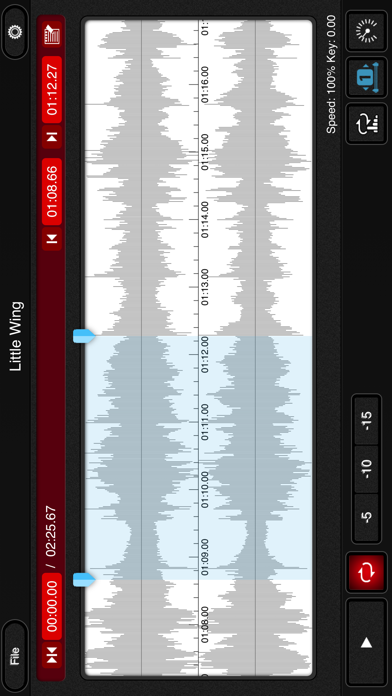
Description by ART Teknika Inc. Written by the developer, not by AppBrain. Click to read.
mimiCopy is a music player that helps guitarists and other musicians 'learn by ear' a track of their choice. You can playback at slower speed without any change in pitch, or use the waveform view to skip to a particular segment or set a loop. You can also load your favorite track from your iPod library!
Main features
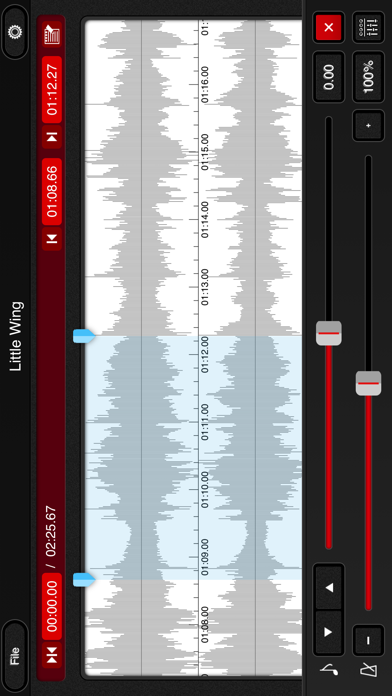
- Time stretch function for playing back at different speeds without any change in pitch.
Ideal for slow playback of fast phrases.
(Features the high-quality time stretch engine(*1))
(speed controlrange:25%-200%)
- pitch shift function. Adjustment range: ±1 octave
- Waveform view for easily skipping to a desired segment or setting a (A-B)loop.
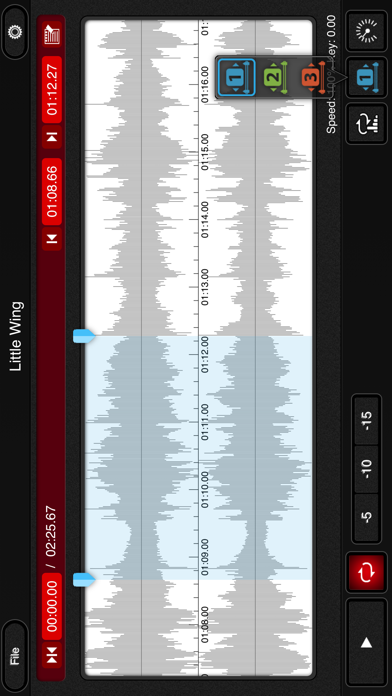
- Simple (A-B)loop setup by tapping the start and end positions during playback. Loop intervals can be set to three locations.
- Quick rewind function for going back to replay just the few seconds that you've missed.
- Supports importing of tracks from your iPod library.(*2)
- File import via WiFi or USB.
- Option to disable Auto-Lock while the main view is open.
- Universal app (supports iPhone, iPod touch, and iPad).
- Memo function.
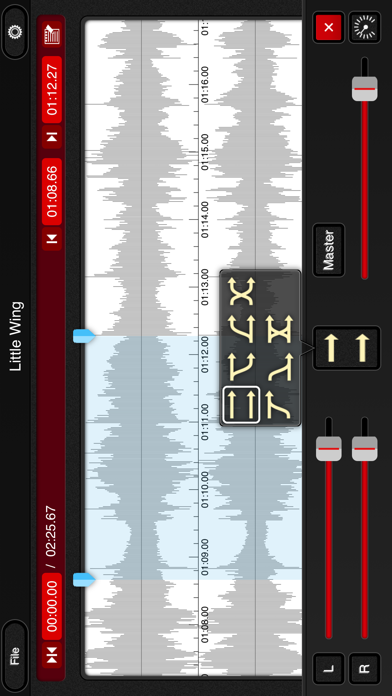
- Flexible audio routing. mimiCopy has its own volume control. It can also adjust the right and left volume. or can change the right and left channel.
- Intuitive and hassle-free interface.
Let mimiCopy be your handy sidekick in your music life.
* Some functions are features of the Pro version. Pro version users must register (registration is free).
Suggested Usage
- Transcribe speeches, interviews, conferences, etc.
- Enjoy seminars and podcasts at faster (or slower) speed.
(High-quality time stretch engine makes listening easier than with iPod's generic 1/2x and 2x playback)
---
If mimiCopy shows "unknown error", try following:
http://support.apple.com/kb/HT4211?viewlocale=en_US
---
When the dialog of opening cannot be closed, please force the app to close or reboot your device. .
Force the app to close:
1. From the Home screen, double-click the Home button to display recently used apps.
2. Tap and hold the app until a red minus appears. Tap the red minus to quit the app.
3. Tap on the Home screen, above, to return.
----
Became a fan of mimiCopy on Facebook!
http://www.facebook.com/mimiCopyApp
(*1)Featuring the time stretch engine by P SOFTHOUSE Co.,Ltd.
(*2)DRM protected files(Song bought from iTunes) are not supported. iTunes Plus files are supported. Other files may not be supported depending on the encoding format.