It doesn't have enough ratings yet to judge what users think.
Mini Clock - Focus & Pomodoro is made and published by
细清 陈.
AppBrain is an independent app data site and isn't affiliated with 细清 陈.
The app name, icon, screenshots and description belong to 细清 陈 and are shown as
published on the App Store.
About Mini Clock - Focus & Pomodoro
Mini Clock - Focus & Pomodoro is an utilities app developed by 细清 陈.
User Ratings
Mini Clock - Focus & Pomodoro is rated 3.00 out of 5 stars. The rating is based on 2 ratings.
App Information
Mini Clock - Focus & Pomodoro is freely available from the App Store. The app size is 16.74 MB. The latest version available is 1.1.1. The last update was on May 26, 2026.
Technical Requirements
The app has a content rating of Everyone. The app has been available on the App Store since December 2020.
Description by 细清 陈(from the App Store)
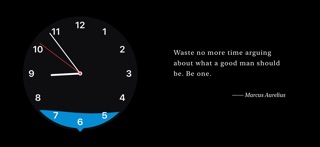
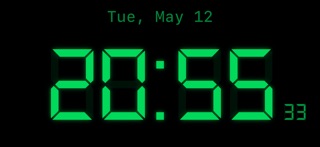
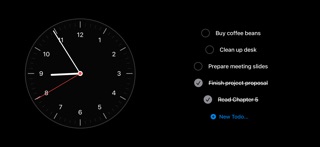
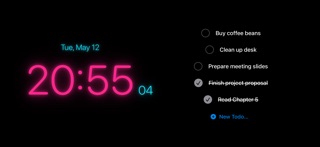
Turn your iPhone or iPad into a clean desk clock and focus space. Mini Clock combines 10 clock faces, a Pomodoro timer, to-dos, widgets, and white noise for study, work, and desk setups.
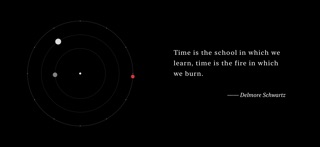
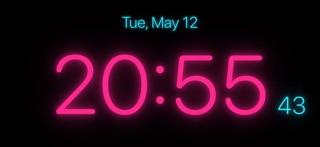
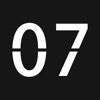
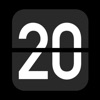
◆ 10 Clock Styles Wave pointer, digital, flip, LED, minimal, classic, retro, orbit, solar, and neon — each carefully designed for different moods and settings. Reverse clock mode lets time flow backward.
◆ Pomodoro Focus Timer Built-in Pomodoro timer with customizable work and break intervals. Get notified when each session ends to keep your rhythm going.
◆ To-Do Integration Reads directly from iOS Reminders. View and manage your tasks right on the clock face — no app switching, no interruptions.
◆ Ambient Sounds & Quotes Rain, white noise, and fireplace sounds create an immersive atmosphere. Enjoy typewriter-style quote displays in English and Chinese, or add your own custom quotes.
◆ Home Screen Widgets Multiple widget sizes automatically sync with your chosen clock style. See time and quotes at a glance on your Home Screen.
◆ Landscape & iPad Support Improved landscape and iPad layouts make the clock, to-dos, and quotes feel better on larger screens and desk setups.
◆ Three Theme Modes Default, to-do, and minimal themes — switch between them to match your workflow.
◆ Privacy First No account required. Your core data stays on your device. Reminders access is used only to display and manage your to-dos.
◆ One-Time Purchase Free to use with basic features. Remove ads or unlock all themes with a single purchase — no subscriptions, no hidden fees.
Each subscription will automatically renew 3 days before the expiration date for
the same time period. Subscriptions can be cancelled at any time before the renewal.