



AppBrain's verdict
- Rating on App Store
- 5.00
- 1 ratings
- Last updated
- November 12, 2026
- Size
- 55.6 MB
It doesn't have enough ratings yet to judge what users think.
User feedback
Ratings and reviews on the App StoreComments on Miracast for iOS
We don't have enough comments to show example comments. Please check back later.
Store listing
By Haruto Nakamura, from the App StoreDescription by Haruto Nakamura Written by the developer, not by AppBrain. Click to read.
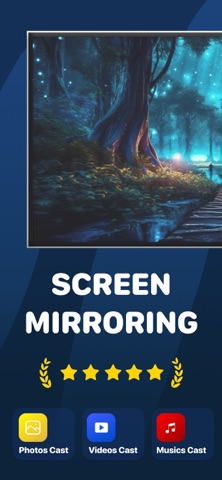
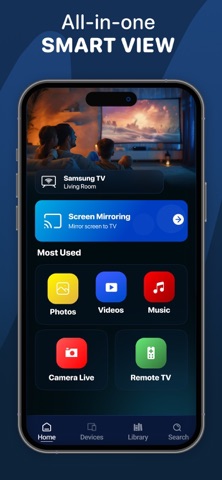
Mirror your screen, cast videos and photos, and control your Smart TV from one easy-to-use app.
Miracast lets you wirelessly connect your device to compatible Smart TVs and streaming devices for presentations, entertainment, and everyday viewing.
— DISCLAIMER —
This application is an independent third-party app and is not affiliated with, endorsed by, sponsored by, or approved by any television manufacturer or streaming device brand.
Compatibility with Smart TVs and streaming features may vary depending on device model, operating system version, and network environment.
— KEY FEATURES —
SCREEN MIRRORING
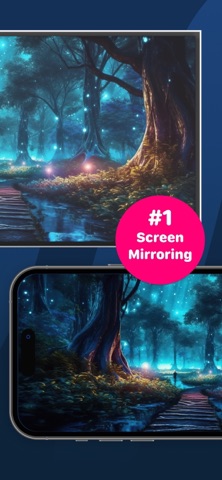
• Mirror your screen to compatible Smart TVs in real time
• Smooth, low-latency wireless screen casting
• Enjoy HD quality for presentations, apps, games, and more
VIDEO & MEDIA CASTING
• Cast videos and local media files to your TV
• Stream online web videos directly from your browser
• Display photos and albums on the big screen
• Play music wirelessly on compatible devices
SMART REMOTE
• Control volume, playback, navigation, and channels
• Easy-to-use remote designed for Smart TVs
• Fast and responsive controls
SMART TV DISCOVERY
• Automatically detect compatible devices on the same Wi-Fi network
• Quick setup and easy connection
• Switch between devices anytime
WHY USERS LOVE MIRACAST
• Easy wireless setup
• No cables or additional hardware required
• Works with many compatible Smart TVs and streaming devices
• Fast, stable, and reliable performance
• Simple and intuitive interface
— HOW IT WORKS —
1. Connect your device and TV to the same Wi-Fi network.
2. Open Miracast and select your compatible TV.
3. Choose Screen Mirroring, Video Cast, Photo Cast, or Remote Control.
4. Enjoy your content instantly on the big screen.
SUPPORTED DEVICES
Compatible with many Smart TVs and streaming devices that support wireless casting and screen mirroring technologies. Available features may vary depending on device capabilities.
— SUBSCRIPTION DETAILS —
• Payment will be charged to your Apple ID account at confirmation of purchase.
• Subscription automatically renews unless auto-renew is turned off at least 24 hours before the end of the current period.
• Your account will be charged for renewal within 24 hours prior to the end of the current period.
• You can manage subscriptions and turn off auto-renewal in your Account Settings after purchase.
• Any unused portion of a free trial period will be forfeited when you purchase a subscription.
Privacy Policy: https://cast-to-lg-tv.web.app/cast-to-lg-tv/privacy.html
Terms of Use: https://cast-to-lg-tv.web.app/cast-to-lg-tv/term.html
Safety and technology
Found in the app by AppBrain- Price
- Free
- App size
- 55.6 MB
- Content rating
- Everyone
Technologies used by Miracast
Releases
Updates seen on the App Store- Version
- 1.0.4
- Launched
- March 2026
No changelog data
Alternatives
Similar apps and more from Haruto NakamuraMore from Haruto Nakamura

Rankings
App Store top chartsApp Store Rankings for Miracast
About the app and developer
About Miracast
Miracast is an utilities app developed by Haruto Nakamura.
User Ratings
Miracast is rated 5.00 out of 5 stars. The rating is based on one rating ratings.
App Information
Miracast is freely available from the App Store. The app size is 55.63 MB. The latest version available is 1.0.4. The last update was on November 12, 2026.
Technical Requirements
The app has a content rating of Everyone. The app has been available on the App Store since March 2026.
Miracast is made and published by Haruto Nakamura. AppBrain is an independent app data site and isn't affiliated with Haruto Nakamura. The app name, icon, screenshots and description belong to Haruto Nakamura and are shown as published on the App Store.
Developer information for Haruto Nakamura
Address:
Frequently asked questions about Miracast
Is Miracast free?
Yes. Miracast is free on the App Store.
Is Miracast still available?
Yes. Miracast is on the App Store, and the last update we saw was on November 12, 2026.
How large is Miracast?
Miracast is 55.63 MB.
Is Miracast suitable for children?
App Store rates the content of Miracast as suitable for everyone.
How do people rate Miracast?
Miracast has one rating of 5.00 stars on the App Store.
Who made Miracast?
Miracast was developed by Haruto Nakamura. It is listed in the utilities category on the App Store.