

Mirror Screen: Cast to TV App
Mirror Screen: Cast to TV App is made and published by Lina Buziene. AppBrain is an independent app data site and isn't affiliated with Lina Buziene. The app name, icon, screenshots and description belong to Lina Buziene and are shown as published on the App Store.
AppBrain's verdict
Well rated- Rating on App Store
- 4.47
- 119 ratings
- Last updated
- August 15, 2025
Users rate it well: 4.5 stars from 119 ratings.
Rankings
App Store top chartsApp Store Rankings for Mirror Screen: Cast to TV App
Competitors
Similar apps and more from Lina BuzieneMore from Lina Buziene

Releases
Updates seen on the App Store- Version
- 1.1
- Launched
- August 2025
No changelog data
User feedback
Ratings and reviews on the App StoreComments on Mirror Screen: Cast to TV App for iOS
We don't have enough comments to show example comments. Please check back later.
Technology
Found in the app by AppBrain- Price
- Free
- App size
- 54.8 MB
- Content rating
- Everyone
Technologies used by Mirror Screen: Cast to TV App
About the app and developer
About Mirror Screen: Cast to TV App
Mirror Screen: Cast to TV App is an entertainment app developed by Lina Buziene.
User Ratings
Mirror Screen: Cast to TV App is rated 4.47 out of 5 stars. The rating is based on 120 ratings.
App Information
Mirror Screen: Cast to TV App is freely available from the App Store. The app size is 54.82 MB. The latest version available is 1.1. The last update was on August 15, 2025.
Technical Requirements
The app has a content rating of Everyone. The app has been available on the App Store since August 2025.
Developer information for Lina Buziene
Address:
Store listing
By Lina Buziene, from the App Store



Description by Lina Buziene Written by the developer, not by AppBrain. Click to read.
Enjoy music, videos, photos, and other media from your iPhone on the big screen with seamless screen mirroring.
How to Use the App:
Ensure your iPhone and TV are connected to the same Wi-Fi network.
Launch the app and select your TV to establish a connection.
Grant permission for your TV to link with your iPhone.
Tap "Start Mirroring" to begin streaming your screen to the TV.
Key Features:
No TV app installation required - Works directly with compatible smart TVs.
Wireless mirroring - Stream apps, games, and media from your iPhone to the TV over Wi-Fi.
Automatic device detection - Finds cast-enabled devices on your network.
Media casting - Share photos, videos, and music from your iPhone/iPad to the TV.
Web video casting - Send online videos directly to your TV.
No extra hardware - Works without cables or additional devices.
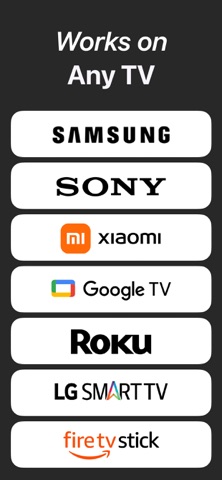
Wide compatibility - Supports Samsung TV, LG TV, Roku, Web Video Caster, and most smart TVs in full resolution.
Note: For successful mirroring, ensure both devices are on the same Wi-Fi network. Disable VPNs and proxies for a stable connection.
Disclaimer: This app is not officially affiliated with or endorsed by the TV brands and apps mentioned above.
Contact us: benjaminweze0934@icloud.com
Privacy Policy: https://docs.google.com/document/d/1NjcWdBMZFgcHoLPP8Gp-2raXE9uFfQlTQDoFUMcKK10/edit?usp=sharing
Terms of Use: https://docs.google.com/document/d/1aeYzY1bRuMPK4W70tXKTUnCNmDiVX0oKrt8mMdk8u9Y/edit?usp=sharing