

MiScreen-Air
MiScreen-Air is made and published by RISO KAGAKU CORPORATION. AppBrain is an independent app data site and isn't affiliated with RISO KAGAKU CORPORATION. The app name, icon, screenshots and description belong to RISO KAGAKU CORPORATION and are shown as published on the App Store.
AppBrain's verdict
- Last updated
- July 17, 2024
Rankings
App Store top chartsApp Store Rankings for MiScreen-Air
Competitors
Similar apps and more from RISO KAGAKU CORPORATIONAlternatives to MiScreen-Air


More from RISO KAGAKU CORPORATION


Releases
Updates seen on the App Store- Version
- 1.0
- Launched
- July 2024
No changelog data
User feedback
Ratings and reviews on the App StoreComments on MiScreen-Air for iOS
We don't have enough comments to show example comments. Please check back later.
Technology
Found in the app by AppBrain- Price
- Free
- App size
- 5.80 MB
- Content rating
- Everyone
Technologies used by MiScreen-Air
About the app and developer
About MiScreen-Air
MiScreen-Air is an utilities app developed by RISO KAGAKU CORPORATION.
User Ratings
The app has no ratings yet.
App Information
MiScreen-Air is freely available from the App Store. The app size is 5.80 MB. The latest version available is 1.0. The last update was on July 17, 2024.
Technical Requirements
The app has a content rating of Everyone. The app has been available on the App Store since July 2024.
Developer information for RISO KAGAKU CORPORATION
Address:
Frequently asked questions about MiScreen-Air
Is MiScreen-Air free?
Yes. MiScreen-Air is free on the App Store.
Is MiScreen-Air still available?
Yes. MiScreen-Air is on the App Store, and the last update we saw was on July 17, 2024.
How large is MiScreen-Air?
MiScreen-Air is 5.80 MB.
Is MiScreen-Air suitable for children?
App Store rates the content of MiScreen-Air as suitable for everyone.
Who made MiScreen-Air?
MiScreen-Air was developed by RISO KAGAKU CORPORATION. It is listed in the utilities category on the App Store.
What are the best alternatives to MiScreen-Air?
People looking at MiScreen-Air also look at these utilities apps: Super Converter Pro!, 名札交換, memoir, My Indio, Counter - CountDownAndUp-.
Store listing
By RISO KAGAKU CORPORATION, from the App Store


Description by RISO KAGAKU CORPORATION Written by the developer, not by AppBrain. Click to read.
[Supported Image File Formats]
The following formats can be loaded:
BMP
JPEG
PNG
AI (trimmed to artboard size, PDF must be included when saving)
[Main Features]
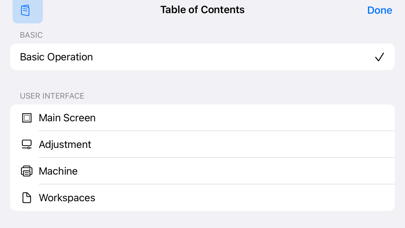
You can select and load image files from your mobile device.
Adjust the plate-making image while previewing and send it to the plate-making machine.
Black and White Conversion:
Adjust the threshold for converting the loaded image to black and white, and the degree of dilation for trapping processing.
Image Placement:
Adjust the size, position, and rotation of the image.
Copy Placement:
Arrange multiple copies of the same image in a tiled pattern, specifying the number and spacing.
[Requirements for Using MiScreen-Air]
Mobile Device (Tablet/Smartphone)
iOS/iPadOS 15,16,17
Screen Printing Machine
MiScreen a4
Device Server
To use this application, you need to connect MiScreen a4 to the same wireless LAN as your mobile device. By connecting a device server to the USB port of MiScreen a4, you can connect to a wireless LAN router.
The following device servers have been tested:
DS-700 (manufactured by Silex Technology, Inc.)
DS-700AC (manufactured by Silex Technology, Inc.)
[Supported Languages]
Japanese, English
(If the display language of the OS is not Japanese, it will be displayed in English.)