

Mobel bell ringing simulator
Mobel bell ringing simulator is made and published by AbelSim. AppBrain is an independent app data site and isn't affiliated with AbelSim. The app name, icon, screenshots and description belong to AbelSim and are shown as published on the App Store.
AppBrain's verdict
Established- Best rank
- #15
- Top Paid, United Kingdom
- Rating on App Store
- 4.82
- 22 ratings
- Last updated
- December 1, 2024
It doesn't have enough ratings yet to judge what users think. Its best ranking is #15 in Top Paid, Music in United Kingdom.
Rankings
App Store top charts- Highest rank
- #15
- Chart
- Top Paid
- Music
- Country
- United Kingdom
App Store Rankings for Mobel bell ringing simulator
Top rankings
| Rank | Country | Category | List |
|---|---|---|---|
| 15 | United Kingdom | Music | Top Paid |
Ranking history in United Kingdom
Competitors
Similar apps and more from AbelSimAlternatives to Mobel bell ringing simulator







Releases
Updates seen on the App Store- Version
- 2.4.4
- Launched
- October 2010
No changelog data
User feedback
Ratings and reviews on the App StoreComments on Mobel bell ringing simulator for iOS
We don't have enough comments to show example comments. Please check back later.
Technology
Found in the app by AppBrain- Price
- $5.99
- App size
- 9.81 MB
- Content rating
- Everyone
Technologies used by Mobel bell ringing simulator
About the app and developer
About Mobel bell ringing simulator
Mobel bell ringing simulator is a music app developed by AbelSim.
What is the rating of Mobel bell ringing simulator?
Mobel bell ringing simulator is rated 4.82 out of 5 stars, based on 22 ratings.
Is Mobel bell ringing simulator free?
Mobel bell ringing simulator costs $5.99. The app size is 9.81 MB. The latest version available is 2.4.4. The last update was on December 1, 2024.
What are the requirements for Mobel bell ringing simulator?
The app has a content rating of Everyone. The app has been available on the App Store since October 2010.
Developer information for AbelSim
Address:
Frequently asked questions about Mobel bell ringing simulator
Is Mobel bell ringing simulator free?
No. Mobel bell ringing simulator costs $5.99 on the App Store.
Is Mobel bell ringing simulator still available?
Yes. Mobel bell ringing simulator is on the App Store, and the last update we saw was on December 1, 2024.
How large is Mobel bell ringing simulator?
Mobel bell ringing simulator is 9.81 MB.
Is Mobel bell ringing simulator suitable for children?
App Store rates the content of Mobel bell ringing simulator as suitable for everyone.
How do people rate Mobel bell ringing simulator?
Mobel bell ringing simulator scores 4.82 out of 5 stars, from 22 ratings on the App Store.
Who made Mobel bell ringing simulator?
Mobel bell ringing simulator was developed by AbelSim. It is listed in the music category on the App Store.
What are the best alternatives to Mobel bell ringing simulator?
People looking at Mobel bell ringing simulator also look at these music apps: Pipe Organ, Bagpipe Tutorial - Bagpipes, ChoraLine, Kalimba: Instrumental Songs, Tape Cassette 2.
Store listing
By AbelSim, from the App Store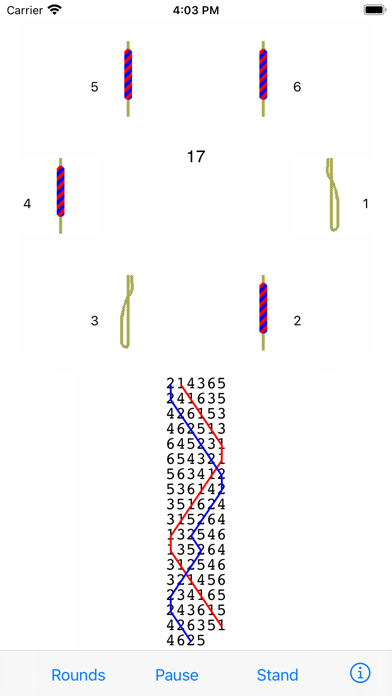
Description by AbelSim Written by the developer, not by AppBrain. Click to read.
Practise any method on 4 to 16 bells.
Ring plain courses, or touches that Mobel creates (including spliced). Add your own touches (compositions).
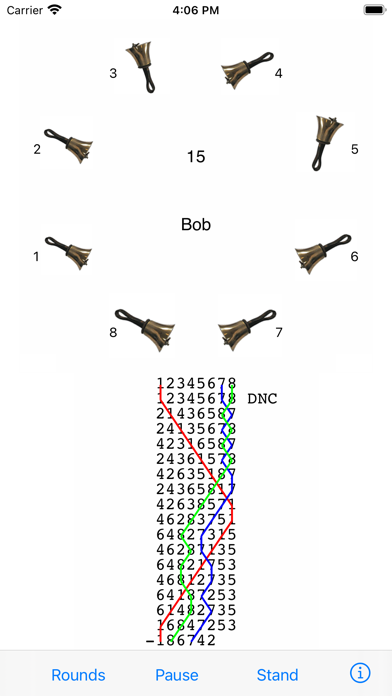
Ring any bell; handbell ringers can ring any pair.
Mobel rings the other bells, and speaks any calls.
Conduct: put in bobs and/or singles yourself.
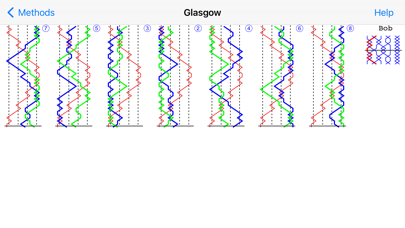
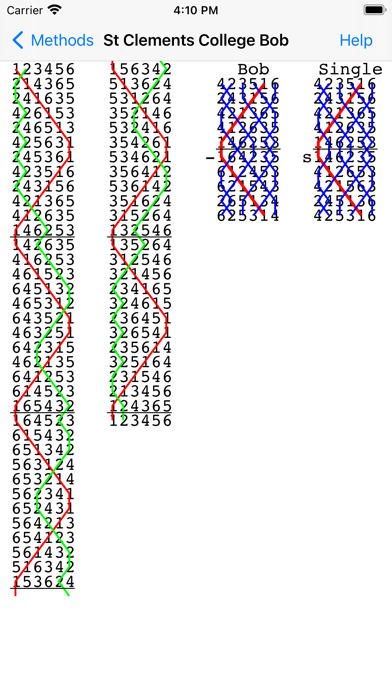
See the blue line diagram for any method or composition that you have added.
Line styles with or without the underlying bell numbers, or as a grid.
Lines for bobs and singles.
Pinch to zoom the diagram.
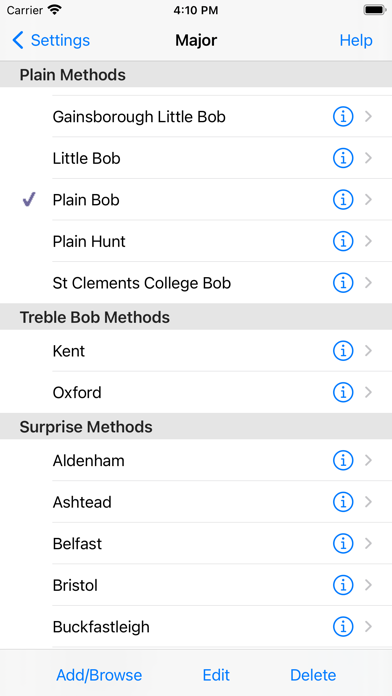
Select from 20,000 methods in the Central Council library.
Change the speed of the ringing.
Ring with or without a handstroke gap.
Have Mobel wait if you hesitate - or continue in perfect rhythm.
Edit methods and calls to create new methods or doubles variations.
Basic instructions for using Mobel on iPhone and iPad:
- Tap a bell to select it for ringing.
- Tap Start to start the bells ringing rounds.
- Then tap Go to ring the current composition and method.
- Tap the bottom of the screen to ring the bell you selected.
- For handbells, tap right and left to ring a pair.
- Conducting: tap the top of the screen for a bob or single.
- Tap Show to see the blue line for the current method.
- Then double tap to change line style, or pinch to zoom.
- Tap the info (i) button to view and change settings.
- Tap the Help buttons for further information.
From iOS 13.4 onward you can also ring using a keyboard on iPad/iPhone.
Mobel comes from AbelSim, producer of the world's best-selling change ringing simulators: Abel for Windows PCs and Mabel for Apple Mac (see www.abelsim.co.uk).
Mobel is not intended for handbell tune ringers: it rings changes, not tunes.
The latest version runs on iOS 12 and later. Earlier versions of Mobel are still available for previous versions of iOS.