
Mobile Print Util
Mobile Print Util is made and published by Sam Ath OUCH. AppBrain is an independent app data site and isn't affiliated with Sam Ath OUCH. The app name, icon, screenshots and description belong to Sam Ath OUCH and are shown as published on the App Store.
AppBrain's verdict
Established- Rating on App Store
- 5.00
- 2 ratings
- Last updated
- December 13, 2021
It doesn't have enough ratings yet to judge what users think.
Rankings
App Store top chartsApp Store Rankings for Mobile Print Util
Competitors
Similar apps and more from Sam Ath OUCHAlternatives to Mobile Print Util







Releases
Updates seen on the App Store- Version
- 1.2.4
- Launched
- June 2020
No changelog data
User feedback
Ratings and reviews on the App StoreComments on Mobile Print Util for iOS
We don't have enough comments to show example comments. Please check back later.
Technology
Found in the app by AppBrain- Price
- Free
- App size
- 14.0 MB
- Content rating
- Everyone
Technologies used by Mobile Print Util
About the app and developer
About Mobile Print Util
Mobile Print Util is an utilities app developed by Sam Ath OUCH.
User Ratings
Mobile Print Util is rated 5.00 out of 5 stars. The rating is based on 2 ratings.
App Information
Mobile Print Util is freely available from the App Store. The app size is 14.03 MB. The latest version available is 1.2.4. The last update was on December 13, 2021.
Technical Requirements
The app has a content rating of Everyone. The app has been available on the App Store since June 2020.
Developer information for Sam Ath OUCH
Address:
Store listing
By Sam Ath OUCH, from the App Store


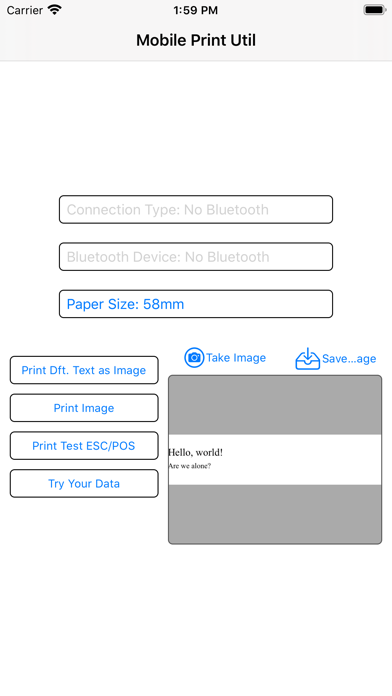
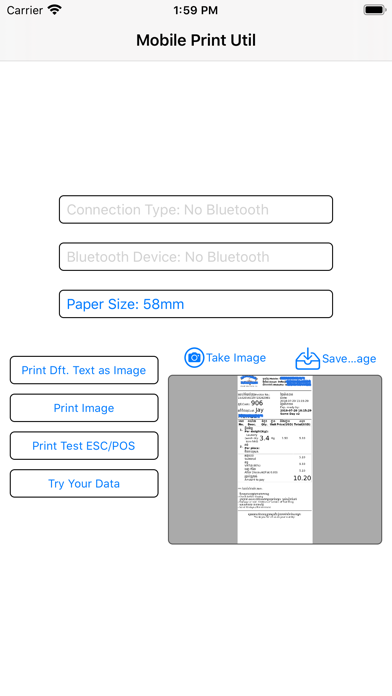
Description by Sam Ath OUCH Written by the developer, not by AppBrain. Click to read.
Usage:
- To print an image by using the tag #imagurl# and #/imageurl# with an URL to the image:
#imageurl#https://YOUR-DOMAIN.COM/image.png#/imageurl#
- To print a multilingual content by using the heading tag #mling# following by other supported tags and/or HTML:
#mling##sl#Yet another test!#/sl#
- To print a multilingual content encoded using base64-UTF-8 HTML by using the heading tag #deb64#, let's disclose the readable content below: #deb64#PGI+TGV0J3MgZ2l2ZSBhIHRyeS4uLjwvYj48YnIvPg0KPGI+U8OzbG8gdW4gcGVxdWXDsW8
- To print directly supported ESC/POS tags/characters without image:
#escps##sl#Hello, world!#lf##ss#Are we alone?#lf#
The utility works the same way printing image and/or content from your device by calling from web. Once installed and configured, try the preconfigured links from our web at
https://www.mobileprintutil.com/linktest.htm
The app should work with most ESC/POS thermal printers with Bluetooth.
Any problem please kindly let us know.