

Money Focus is made and published by LINKLINKS LTD. AppBrain is an independent app data site and isn't affiliated with LINKLINKS LTD. The app name, icon, screenshots and description belong to LINKLINKS LTD and are shown as published on the App Store.
AppBrain's verdict
Established- Rating on App Store
- 4.19
- 72 ratings
- Last updated
- June 29, 2026
It doesn't have enough ratings yet to judge what users think.
Rankings
App Store top chartsApp Store Rankings for Money Focus
Competitors
Similar apps and more from LINKLINKS LTDAlternatives to Money Focus







More from LINKLINKS LTD


Releases
Updates seen on the App Store- Version
- 7.0.1
- Launched
- January 2017
No changelog data
User feedback
Ratings and reviews on the App StoreComments on Money Focus for iOS
We don't have enough comments to show example comments. Please check back later.
Technology
Found in the app by AppBrain- Price
- Free
- App size
- 46.2 MB
- Content rating
- Everyone
Technologies used by Money Focus
About the app and developer
About Money Focus
Money Focus is a finance app developed by LINKLINKS LTD.
What is the rating of Money Focus?
Money Focus is rated 4.19 out of 5 stars, based on 72 ratings.
Is Money Focus free?
Money Focus is free. The app size is 46.22 MB. The latest version available is 7.0.1. The last update was on June 29, 2026.
What are the requirements for Money Focus?
The app has a content rating of Everyone. The app has been available on the App Store since January 2017.
Developer information for LINKLINKS LTD
Address:
Frequently asked questions about Money Focus
Is Money Focus free?
Yes. Money Focus is free on the App Store.
Is Money Focus still available?
Yes. Money Focus is on the App Store, and the last update we saw was on June 29, 2026.
How large is Money Focus?
Money Focus is 46.22 MB.
Is Money Focus suitable for children?
App Store rates the content of Money Focus as suitable for everyone.
How do people rate Money Focus?
Money Focus scores 4.19 out of 5 stars, from 72 ratings on the App Store.
Who made Money Focus?
Money Focus was developed by LINKLINKS LTD. It is listed in the finance category on the App Store.
What are the best alternatives to Money Focus?
People looking at Money Focus also look at these finance apps: Money Monitor: Expense Tracker, Foreseenly™ Cash Flow Forecast, Money Monitor Pro, Balance Forecasting, Kualto - Forecast Budgeting.
Store listing
By LINKLINKS LTD, from the App Store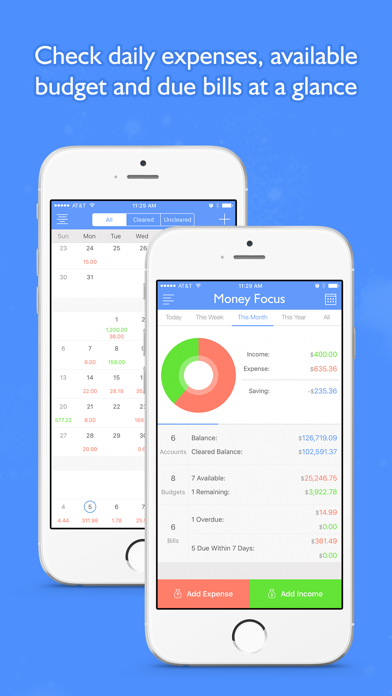
Description by LINKLINKS LTD Written by the developer, not by AppBrain. Click to read.
Be good at managing money matters will make your life relaxed and well-organized.
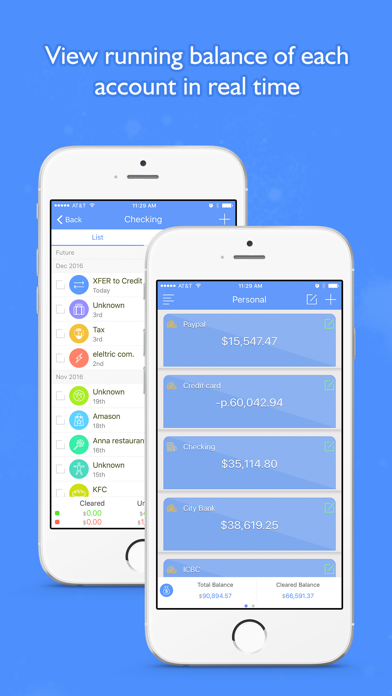
Check your Accounts transactions and balance;
Check Transactions under a Category;
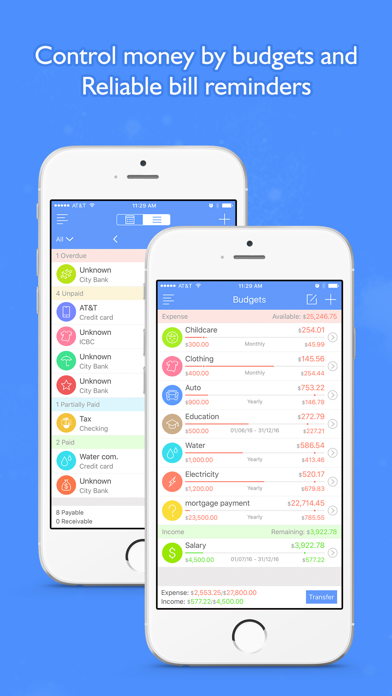
Create Budgets and track transactions under them;
Track income and expense Bills and make sure they are paid on time.
View Transactions by date.
It supports multiple profiles; you can track yours, family members or business finance separately.
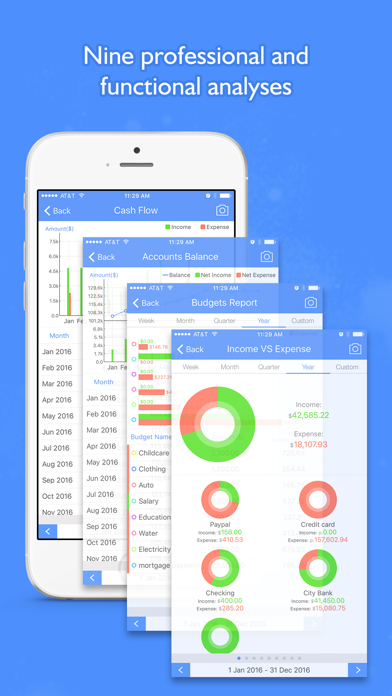
It can list your transaction by daily, weekly, monthly or yearly, and generate kinds of reports, so you can see clearly about your earnings and spending.
Key Features:
⁃ Add a transaction with photo of receipt, payees, account, category, budget, check number, and date.
⁃ Track total accounts balance and balance of each account.
⁃ Check transactions of each account.
⁃ Create categories and sub-categories.
⁃ Check transactions and amounts under a category.
⁃ Create budgets and transaction their transactions.
⁃ Calendar and list view of bills.
⁃ Mark bills as fully or partially paid.
⁃ Create bills reminders to make sure they are paid on time.
⁃ Calendar and list view of Bills.
⁃ Track income and expense bills with or without a repeat cycle.
⁃ Show all transactions by daily, weekly, monthly and yearly.
⁃ Copy transaction to quick add a new one.
⁃ Hide or show cleared transactions.
⁃ Add repeat and one time transactions.
⁃ Mark transaction as cleared or not.
⁃ Dividing one transaction to multiple.
⁃ Built-in calculator or default keyboard to enter amount.
⁃ Check total accounts balance chart view.
⁃ Supports multiple currencies.
⁃ Search transactions by payee, category, account, amount or note.
⁃ Over view of recently finance status.
⁃ Nine finance reports.
⁃ Supports multiple groups, manage your personal, family member and business finance separately.
⁃ Passcode protection.
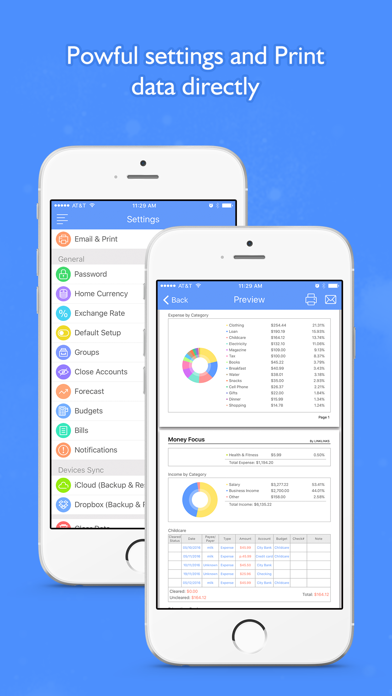
⁃ Share data by email.
⁃ Supports AirPrint.
⁃ iCloud backup and restore.
⁃ Dropbox backup and restore.
⁃ Create multiple reminders.
⁃ Refresh exchange rate or change them manually.
⁃ Supports Today Widget.
⁃ Supports Apple Watch.
⁃ Supports universal version (available on both iPhone and iPad).
Payment:
Payment will be charged to iTunes Account at confirmation of purchase.
Subscribe semiannual. You will be charged in your local currency at the prevailing exchange rate as defined by iTunes."
Purchase semiannual subscription for all features for USD$2.99.
Auto Renew:
Once subscribes, your account will be charged USD$2.99/semiannual, based on your previous subscription, for renewal within 24-hours before the end of the current period.
Change Subscription Type:
If you want to change your subscription type, Open the "Settings" app. Tap your name, then tap "Subscribe." Tap the name of the subscription you want to change. If different types of subscriptions are available, a list will be displayed. Tap the desired option.Tap "Buy".
Share Subscription:
If you want to share a subscription with family, please open the Settings app, tap your name and Subscriptions. Then tap the name of the subscription that you can share with family, scroll down and turn on Share with Family.
Cancel Subscription:
Subscriptions are managed by your Apple account and auto-renewal can be turned off at least 24 hours before the end of the current period, in Account Settings after purchase.
By completing your subscription, you agree to app's Term of Use & Privacy Policy.
Term of Use:https://www.thelinklinks.com/term.html
Privacy Policy:https://www.thelinklinks.com/privacypolicy.html
If you have any question or want to add more units, please email to linklinksapp@tom.com.