MoneyMaster PSB is a finance app developed by Gkala MoneyMaster PSB.
User Ratings
MoneyMaster PSB is rated 2.36 out of 5 stars. The rating is based on 22 ratings.
App Information
MoneyMaster PSB is FREE to download. The download size is 60.24 MB. The latest version available is 1.1.3. The last update was on April 8, 2026.
Technical Requirements
The app has a content rating of High Maturity. The app has been available on the App Store since December 2023.
Description
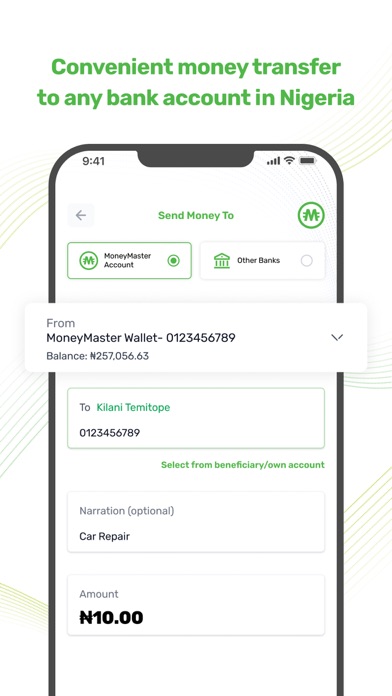
MoneyMaster Payment Service Bank (MMPSB) is a leading digital bank in Nigeria that offers a broad range of services that include mobile wallets, savings account, individual current account and business account. Through these accounts, our customers can deposit and withdraw funds, send money, buy airtime and data, purchase or renew cable TV subscriptions, and pay utility bills, such as electricity and water, all from the palm of your hand.
We support businesses by offering them bespoke seamless payment solutions, tailored collection services and vendor payment management.
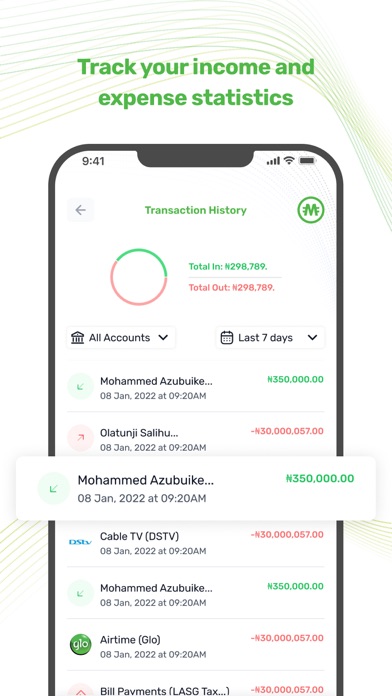
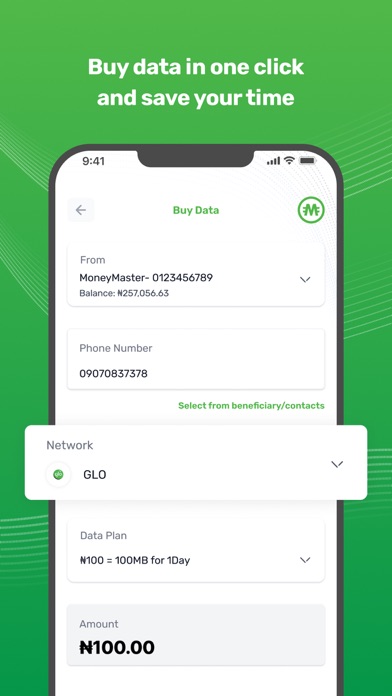
Registration: • Glo Customers: Simply enter your active Glo phone number to get started; no additional documents are required. If you wish to increase your transaction limits, you can provide your BVN (Bank Verification Number) for further validation. • Non-Glo Customers: You can open an account by using the phone number registered in your BVN profile. Enter your BVN, and you're good to go. Both Glo and non-Glo customers must use their BVN phone number for BVN validation, whether for account opening or limit adjustments. Types of Accounts: • Glo Customers: You can open a tier-2 mobile wallet without the need for additional validation. After BVN validation, customers from all Mobile Money Operators (MMOs) can open Savings and Current accounts. Savings and Current accounts come with a mobile wallet and default Tier-3 transaction limits. You can customize your transaction limits in the App settings. Services: 1. Fund Your Account: • Via Mobile Banking App: Open your existing mobile banking app, select the "send" or "transfer funds" option, enter the recipient's phone number without the first '0' (e.g., 805557xxxx), choose 'MoneyMaster PSB' as the recipient bank, enter your PIN, and submit. • At a Gloworld Shop: Visit your nearest Gloworld shop and deposit cash at the cashier's desk to fund your wallet. 2. Send & Receive Money: You can send money to any bank account or mobile wallet in Nigeria by providing the beneficiary's bank account number and bank name. To receive funds, simply share your phone number without the first zero as your account number. Alternatively, you can share your 10-digit savings or current account number (NUBAN) with the sender. 3. Withdraw Cash: To withdraw cash, visit your nearest Gloworld location. From your app, select 'withdraw,' enter the 6-digit agent code displayed at the cashier's desk, specify the amount, input your Transaction PIN, and you're done. Collect your cash from the cashier. 4. Buy Airtime & Data: You can purchase airtime for any mobile network operator in Nigeria and buy data packs directly from the app. We provide a pop-up menu for easy selection of data bundles for each operator. 5. Cable TV: Access the cable TV icon on the app, choose your service provider, select your plan, enter your customer ID (smartcard number), and submit. 6. Electricity: Navigate to the electricity icon on the app's homepage, select your biller, enter your meter number, specify the amount, input your PIN, and submit. For added convenience, you can save beneficiaries for future transactions. Check your most recent or historical transactions through the 'Transaction' button in the app's footer menu. To learn more about MoneyMaster PSB , please visit our website (https://moneymasterpsb.com/) or follow us on social media: • Facebook: https://www.facebook.com/profile.php?id=61552839581320&mibextid=LQQJ4d • Twitter: https://twitter.com/Moneymasterpsb • Instagram: https://www.instagram.com/moneymasterpsb/
Each subscription will automatically renew 3 days before the expiration date for
the same time period. Subscriptions can be cancelled at any time before the renewal.