

Monosemy: Notes, Sketches, AI
Monosemy: Notes, Sketches, AI is made and published by Monote Labs Co., Ltd. AppBrain is an independent app data site and isn't affiliated with Monote Labs Co., Ltd. The app name, icon, screenshots and description belong to Monote Labs Co., Ltd. and are shown as published on the App Store.
AppBrain's verdict
- Last updated
- October 31, 2026
Rankings
App Store top chartsApp Store Rankings for Monosemy: Notes, Sketches, AI
Competitors
Similar apps and more from Monote Labs Co., Ltd.Alternatives to Monosemy: Notes, Sketches, AI


Also available on Google Play

Releases
Updates seen on the App Store- Version
- 1.0.26
- Launched
- September 2026
No changelog data
User feedback
Ratings and reviews on the App StoreComments on Monosemy: Notes, Sketches, AI for iOS
We don't have enough comments to show example comments. Please check back later.
Technology
Found in the app by AppBrain- Price
- Free
- App size
- 297.9 MB
- Content rating
- High
Technologies used by Monosemy: Notes, Sketches, AI
About the app and developer
About Monosemy: Notes, Sketches, AI
Monosemy: Notes, Sketches, AI is a productivity app developed by Monote Labs Co., Ltd.
User Ratings
The app has no ratings yet.
App Information
Monosemy: Notes, Sketches, AI is freely available from the App Store. The app size is 297.91 MB. The latest version available is 1.0.26. The last update was on October 31, 2026.
Technical Requirements
The app has a content rating of High Maturity. The app has been available on the App Store since September 2026.
Developer information for Monote Labs Co., Ltd.
Address:
Store listing
By Monote Labs Co., Ltd., from the App Store


Description by Monote Labs Co., Ltd. Written by the developer, not by AppBrain. Click to read.
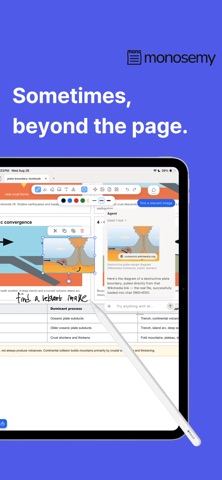
Using AI should not mean stopping to rewrite your thoughts as a separate prompt. Monosemy reads the context of questions, equations, sketches, and materials on the page, then brings search results, calculations, tables, graphs, and working tools directly into your note.
AI that starts with your handwriting
• Search the web from questions written by hand and get organized answers.
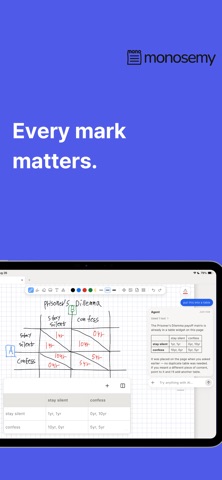
• Solve equations and view step-by-step solutions.
• Organize handwritten content into tables.
• Create function graphs directly from your notes.
• Use your notes and imported materials as context for AI search.
Tools that work on the page
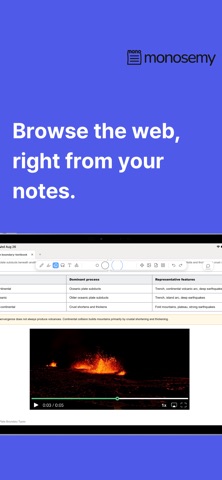
• View search results and browse the web without leaving your note.
• Use calculators, math tools, tables, and graphs alongside your handwriting.
• Add maps, calendars, to-dos, timers, and memos to the page.
• Pass results between connected tools to continue your work.
Bring the materials you already use
• Import, read, and annotate PDFs.
• Import PowerPoint and Word documents.
• Add images and documents to your notes.
• Combine handwriting, sketches, materials, and AI results on one page.
• Search handwriting and content across your notes.
In Monosemy, AI is not somewhere you go after taking notes. It becomes part of the page as you write and draw.