

Moongate: Klipper Control
Moongate: Klipper Control is made and published by Paul Sharman. AppBrain is an independent app data site and isn't affiliated with Paul Sharman. The app name, icon, screenshots and description belong to Paul Sharman and are shown as published on the App Store.
AppBrain's verdict
- Last updated
- October 26, 2026
Rankings
App Store top chartsApp Store Rankings for Moongate: Klipper Control
Competitors
Similar apps and more from Paul SharmanAlternatives to Moongate: Klipper Control




Also available on Google Play

Releases
Updates seen on the App Store- Version
- 0.9.78
- Launched
- July 2026
No changelog data
User feedback
Ratings and reviews on the App StoreComments on Moongate: Klipper Control for iOS
We don't have enough comments to show example comments. Please check back later.
Technology
Found in the app by AppBrain- Price
- Free
- App size
- 39.0 MB
- Content rating
- Everyone
Technologies used by Moongate: Klipper Control
About the app and developer
About Moongate: Klipper Control
Moongate: Klipper Control is an utilities app developed by Paul Sharman.
What is the rating of Moongate: Klipper Control?
Moongate: Klipper Control has no ratings yet.
Is Moongate: Klipper Control free?
Moongate: Klipper Control is free. The app size is 39.01 MB. The latest version available is 0.9.78. The last update was on October 26, 2026.
What are the requirements for Moongate: Klipper Control?
The app has a content rating of Everyone. The app has been available on the App Store since July 2026.
Developer information for Paul Sharman
Address:
Store listing
By Paul Sharman, from the App Store




Description by Paul Sharman Written by the developer, not by AppBrain. Click to read.
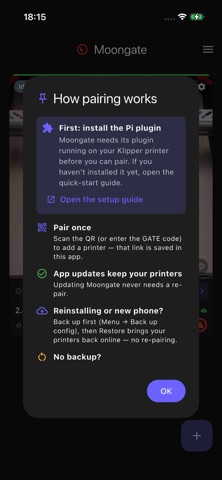
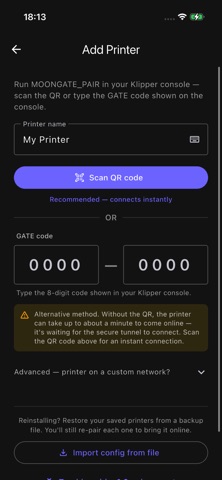
It connects straight to your own Raspberry Pi running Klipper and Moonraker. Pair once by scanning a QR code, and Moongate reaches your printer directly on your Wi-Fi, or securely over an encrypted tunnel when you are away.
No account, no email, no password. Sign-in is anonymous, and there are no ads, no analytics, and no tracking.
Features:
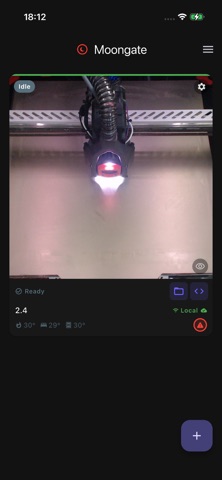
- One dashboard for your whole fleet, with live webcam, temperatures, and print progress
- The full Mainsail or Fluidd web interface built in
- Start, pause, and stop prints, plus a double-tap emergency stop
- A Control panel for each printer: heater targets, homing, jogging, extrude and retract, and your macros as labelled buttons with their own icons, colours and parameters, arranged the way you want
- A Klipper-aware config editor that suggests section and option names, checks values before you save, and edits macro G-code inline, plus a console with command completions
- A file browser for your printer that hides backup clutter so your real config files stand out
- Power machines on and off (smart plug or Klipper macro)
- Preheat and heat-soak from the dashboard
- Optional push notifications for print started, finished, and failed
- App lock with Face ID, Touch ID, or a PIN
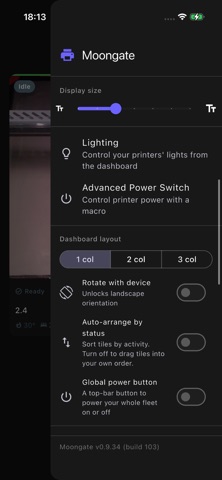
- Custom themes, drag-to-arrange tiles, and an adjustable display size
- Back up and restore your setup
- Available in 9 languages
Moongate is free and source available. You host everything yourself, and your printers stay yours.
Note: Moongate needs the free Moongate plugin installed on your printer's Raspberry Pi. Setup guide: github.com/PEEKYPAUL/Moongate