

Morpho Convert Currency & Unit
Morpho Convert Currency & Unit is made and published by Think Tap Work. AppBrain is an independent app data site and isn't affiliated with Think Tap Work. The app name, icon, screenshots and description belong to Think Tap Work and are shown as published on the App Store.
AppBrain's verdict
EstablishedLoved by users- Rating on App Store
- 4.65
- 195 ratings
- Last updated
- October 9, 2026
Users love it: 4.6 stars from 195 ratings.
Rankings
App Store top chartsApp Store Rankings for Morpho Convert Currency & Unit
Competitors
Similar apps and more from Think Tap WorkAlternatives to Morpho Convert Currency & Unit




More from Think Tap Work


Releases
Updates seen on the App Store- Version
- 3.4
- Launched
- March 2021
No changelog data
User feedback
Ratings and reviews on the App StoreComments on Morpho Convert Currency & Unit for iOS
We don't have enough comments to show example comments. Please check back later.
Technology
Found in the app by AppBrain- Price
- Free
- App size
- 95.0 MB
- Content rating
- Everyone
Technologies used by Morpho Convert Currency & Unit
About the app and developer
About Morpho Convert Currency & Unit
Morpho Convert Currency & Unit is an utilities app developed by Think Tap Work.
User Ratings
Morpho Convert Currency & Unit is rated 4.65 out of 5 stars. The rating is based on 200 ratings.
App Information
Morpho Convert Currency & Unit is freely available from the App Store. The app size is 95.02 MB. The latest version available is 3.4. The last update was on October 9, 2026.
Technical Requirements
The app has a content rating of Everyone. The app has been available on the App Store since March 2021.
Developer information for Think Tap Work
Address:
Store listing
By Think Tap Work, from the App Store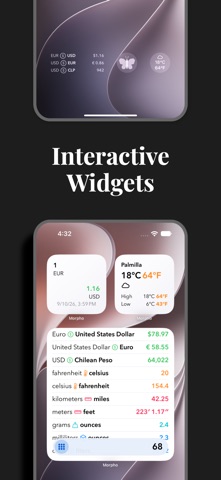




Description by Think Tap Work Written by the developer, not by AppBrain. Click to read.
Add all of your most-used conversions to the home screen so that you see what you want–and only what you want.
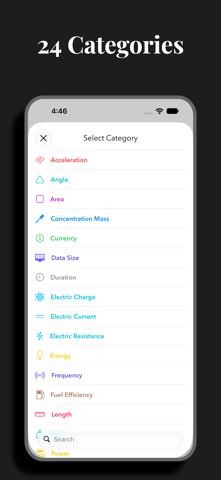
• Choose from 311 units and 174 currencies in 24 categories.
• Countries: view and add common units of measure from 256 countries and regions. Quickly view electrical information, calling codes, driving side, languages, and time zones to help plan your trip.
• Custom Units: Define specialized units for your profession or hobby, or add an uncommon unit that is not yet officially supported.
• Speak results: Select from 38 languages in Settings. Long-press a conversion and choose a language to have the result spoken to you.
• It's universal: iPhone, iPad, Mac, and Apple Watch. We have you covered no matter where you need a conversion.
• Long press for more: copy result, copy the full text of the conversion, or quickly add a reverse conversion.
• Conversions widget: new, interactive widget lets you convert your favorites instantly.
• Currency widget: use the currency widget to stay on top of changes throughout the day from your Home Screen or Lock Screen.
• Complications: launch Morpho from a complication, or use a currency complication to always have the latest exchange rate.
• Weather: instant temperature, wind speed, and precipitation amount conversions with Weather integration.
• Siri: get the full list of conversions using your voice.
• Shortcuts: work currency conversions into your custom shortcuts.
• Quick Notes: add values or countries to your Quick Notes.
• Keyboard support: make full use of your hardware keyboard.
• Hand Off, URL schemes, and multiple windows: enjoy.
• Support for dynamic type sizes and VoiceOver.
If you choose to purchase a Morpho Pro subscription, payment will be charged to your iTunes account, and your account will be charged for renewal 24 hours prior to the end of the current period. Auto-renewal may be turned off at any time by going to your settings in the iTunes Store after purchase.
Terms of use: https://thinktapwork.com/tos.html