

Morse Code Ringtone
Morse Code Ringtone is made and published by HotPaw Productions. AppBrain is an independent app data site and isn't affiliated with HotPaw Productions. The app name, icon, screenshots and description belong to HotPaw Productions and are shown as published on the App Store.
AppBrain's verdict
Established- Rating on App Store
- 2.75
- 20 ratings
- Last updated
- January 5, 2023
It doesn't have enough ratings yet to judge what users think.
Rankings
App Store top chartsApp Store Rankings for Morse Code Ringtone
Competitors
Similar apps and more from HotPaw ProductionsAlternatives to Morse Code Ringtone







More from HotPaw Productions








Releases
Updates seen on the App Store- Version
- 1.6.2
- Launched
- April 2012
No changelog data
User feedback
Ratings and reviews on the App StoreComments on Morse Code Ringtone for iOS
We don't have enough comments to show example comments. Please check back later.
Technology
Found in the app by AppBrain- Price
- $4.99
- App size
- 984.0 KB
- Content rating
- Everyone
Technologies used by Morse Code Ringtone
About the app and developer
About Morse Code Ringtone
Morse Code Ringtone is an utilities app developed by HotPaw Productions.
What is the rating of Morse Code Ringtone?
Morse Code Ringtone is rated 2.75 out of 5 stars, based on 20 ratings.
Is Morse Code Ringtone free?
Morse Code Ringtone costs $4.99. The app size is 984.00 kB. The latest version available is 1.6.2. The last update was on January 5, 2023.
What are the requirements for Morse Code Ringtone?
The app has a content rating of Everyone. The app has been available on the App Store since April 2012.
Developer information for HotPaw Productions
Address:
Store listing
By HotPaw Productions, from the App Store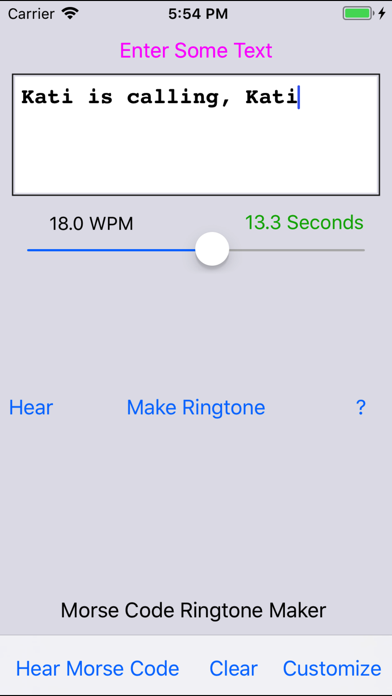
Description by HotPaw Productions Written by the developer, not by AppBrain. Click to read.
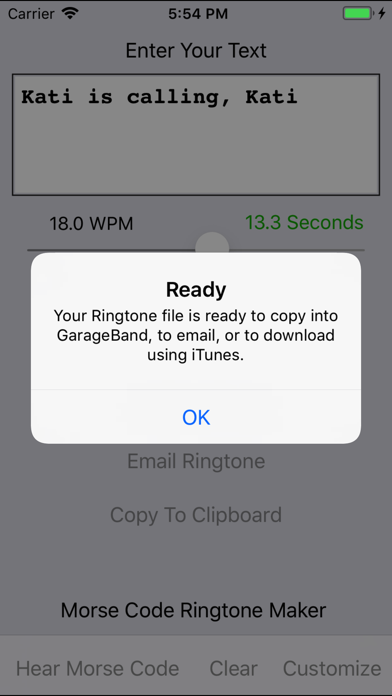
You can email your new Morse Code ringtone file to yourself or a friend, and use iTunes on a Mac or PC to install the ringtone file to your iPhone. Using a Mac, simply connect your iPhone, wait until it appears in the File browser, and drag-and-drop the new ringtone file to the icon of your device.
This app allows pasting your new Morse Code ringtone sound directly into an iOS GarageBand track, thus allowing one to create a ringtone directly on a iOS device, without having to Sync with iTunes. (Note that using GarageBand on iOS to install a ringtone is not a simple one-step process. GarageBand requires a user to navigate and find several obscure looking buttons over multiple steps in order to create and install a new ringtone.)
Once the new ringtone file is on your iPhone, you can use the Settings app in order to select your new custom ringtone.
With Morse Code Ringtone Maker, you can customize the text and the Morse Code/CW speed (combined up to 30 seconds), as well as the the tone frequency. The Words-Per-Minute (WPM) speed is variable from 5 to 40 WPM. The tone frequency is customizable from 300 to 1200 Hz. On the customization page, you can additionally configure Farnsworth timing where the dots and dashes for each letter come even faster than the WPM of the letters. For different timbres, select Sinewaves, Square-waves or Triangle-waves for your tone sound.