

Motion Blur Effect
Motion Blur Effect is made and published by Hardik Dhameliya. AppBrain is an independent app data site and isn't affiliated with Hardik Dhameliya. The app name, icon, screenshots and description belong to Hardik Dhameliya and are shown as published on the App Store.
AppBrain's verdict
- Rating on App Store
- 5.00
- 4 ratings
- Last updated
- June 4, 2026
It doesn't have enough ratings yet to judge what users think.
Rankings
App Store top chartsApp Store Rankings for Motion Blur Effect
Competitors
Similar apps and more from Hardik DhameliyaAlternatives to Motion Blur Effect


More from Hardik Dhameliya


Releases
Updates seen on the App Store- Version
- 2.2
- Launched
- October 2022
No changelog data
User feedback
Ratings and reviews on the App StoreComments on Motion Blur Effect for iOS
We don't have enough comments to show example comments. Please check back later.
Technology
Found in the app by AppBrain- Price
- Free
- App size
- 41.3 MB
- Content rating
- Everyone
Technologies used by Motion Blur Effect
About the app and developer
About Motion Blur Effect
Motion Blur Effect is a photo & video app developed by Hardik Dhameliya.
What is the rating of Motion Blur Effect?
Motion Blur Effect is rated 5.00 out of 5 stars, based on 4 ratings.
Is Motion Blur Effect free?
Motion Blur Effect is free. The app size is 41.30 MB. The latest version available is 2.2. The last update was on June 4, 2026.
What are the requirements for Motion Blur Effect?
The app has a content rating of Everyone. The app has been available on the App Store since October 2022.
Developer information for Hardik Dhameliya
Address:
Frequently asked questions about Motion Blur Effect
Is Motion Blur Effect free?
Yes. Motion Blur Effect is free on the App Store.
Is Motion Blur Effect still available?
Yes. Motion Blur Effect is on the App Store, and the last update we saw was on June 4, 2026.
How large is Motion Blur Effect?
Motion Blur Effect is 41.30 MB.
Is Motion Blur Effect suitable for children?
App Store rates the content of Motion Blur Effect as suitable for everyone.
How do people rate Motion Blur Effect?
Motion Blur Effect scores 5.00 out of 5 stars, from 4 ratings on the App Store.
Who made Motion Blur Effect?
Motion Blur Effect was developed by Hardik Dhameliya. It is listed in the photo & video category on the App Store.
What are the best alternatives to Motion Blur Effect?
People looking at Motion Blur Effect also look at these photo & video apps: Motion Blur: Smart Mosaic, Photo Blur Effect Editor App, Photos Search Text, Blurry Face, Photo Background Blur: Blurify.
Store listing
By Hardik Dhameliya, from the App Store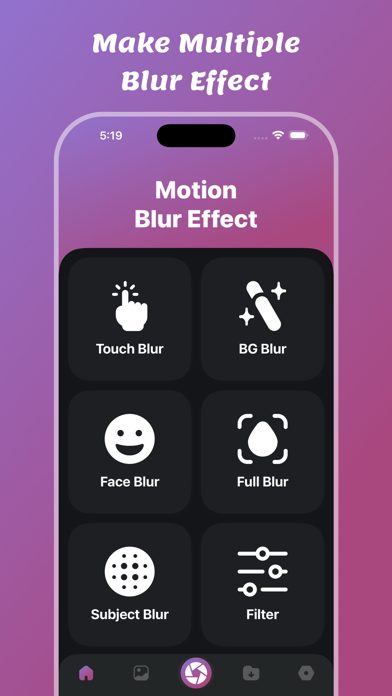


Description by Hardik Dhameliya Written by the developer, not by AppBrain. Click to read.
You need to convert your photo to motion blur photo then use this Motion Blur Effect app.
Motion Blur Effect app provides blur effects for Gaussian, Motion, Zoom, Pixel, Dot, Dilation, Vignette, Pinch, Sepia, Box Blur etc
Users can convert their image to filtered images.
Users can capture image using camera, gallery & Files.
Users can save hit blur effect photo in saved files.
Users can delete and share saved blur effect photos.
Transform your photos with stunning blur effects using Touch Blur! Whether you want to blur the background, faces, or the entire image, this app makes it simple and intuitive. Perfect for enhancing portraits, adding depth to landscapes, or creating artistic effects.
Key Features:
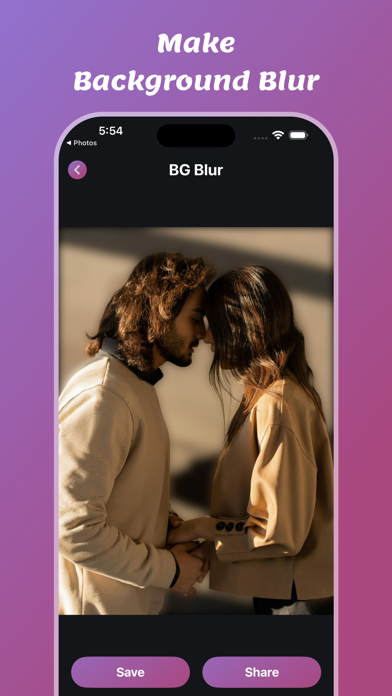
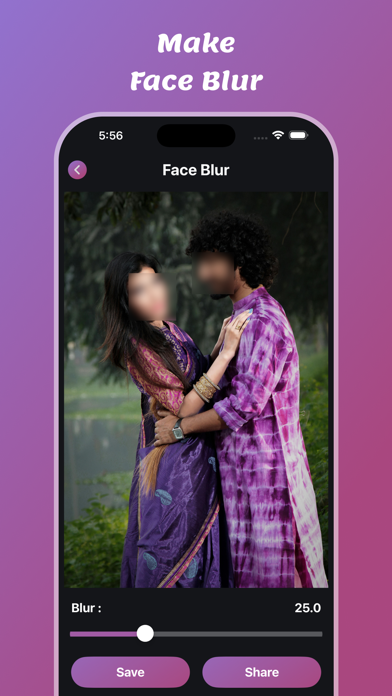
- BG Blur Effect – Blur the background while keeping the subject in focus. - Background Blur Effect – Create a professional DSLR-style background blur. - Face Blur Effect – Hide faces or sensitive information with a smooth blur. - Full Blur Effect – Blur the entire image for aesthetic or privacy reasons. - Subject Blur Effect – Focus on the background while blurring the main subject.
Features:
- Make good blur effect to your photos
- There are also ready-to-listen preset mixes.
- Use multiple motion effects
- List of all your saved photos
- Delete your saved photos
- Share and Save your updated photos.
Blur Effects:
- Touch Blur Effect
- BG Blur Effect
- Background Blur Effect
- Face Blur Effect
- Full Blur Effect
- Subject Blur Effect
- Filter Image
- Make Font to Images
- Crop photo
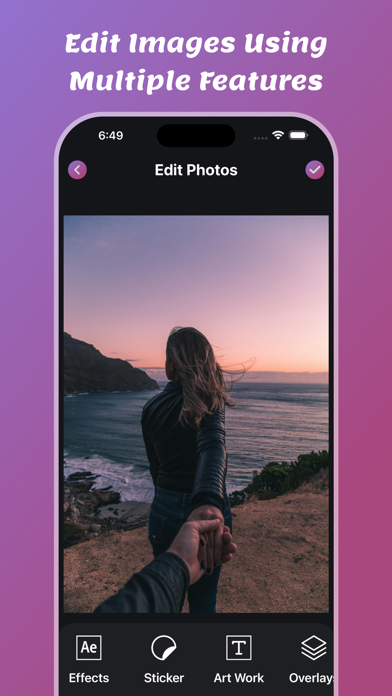
- Edit Images
- Add Stickers
- Add TextArt
- Add Background Overlays
- Make Borders
- Draw Lines
- Share & Save Photos
Blur Filters :
- Gaussian Blur Effect
- Motion Blur Effect
- Zoom Blur Effect
- Pixel Blur Effect
- Dot Blur Effect
- Dilation Blur Effect
- Vignette Blur Effect
- Pinch Blur Effect
- Sepia Blur Effect
- Box Blur Effect
If you need to make your photo background blur then this Motion Blur Effect app is provide best multiple effects.
Use multiple blur effect and save or share to other users.
Save your converted blur photos in saved list.
Download and enjoy the Motion Blur Effect app.
Privacy Policy: https://softapps.in/App_Privacy.html
Terms of use: https://softapps.in/App_TOS.html