

MotiveWave Mobile: Trading
MotiveWave Mobile: Trading is made and published by MotiveWave Software. AppBrain is an independent app data site and isn't affiliated with MotiveWave Software. The app name, icon, screenshots and description belong to MotiveWave Software and are shown as published on the App Store.
AppBrain's verdict
- Rating on App Store
- 3.39
- 28 ratings
- Last updated
- October 18, 2026
- Size
- 36.4 MB
It doesn't have enough ratings yet to judge what users think. Its best ranking is #35 in Top Grossing, Finance in Finland.
User feedback
Ratings and reviews on the App StoreComments on MotiveWave Mobile: Trading for iOS
We don't have enough comments to show example comments. Please check back later.
Store listing
By MotiveWave Software, from the App Store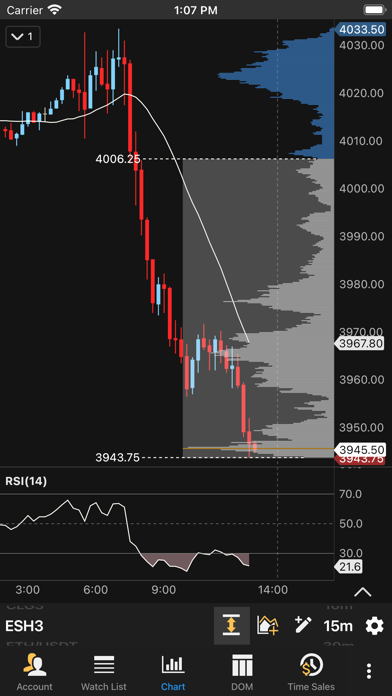
Description by MotiveWave Software Written by the developer, not by AppBrain. Click to read.
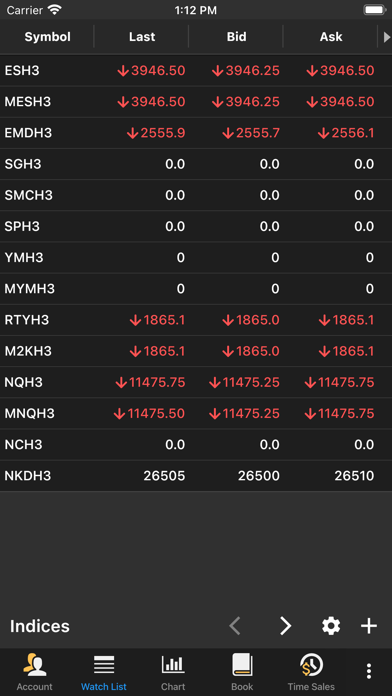
The mobile application supports multiple broker connections within the same Workspace or you can create separate Workspaces for each broker.
The application supports two layout modes:
Phone - optimized layout (portrait mode) that shows a single screen at a time
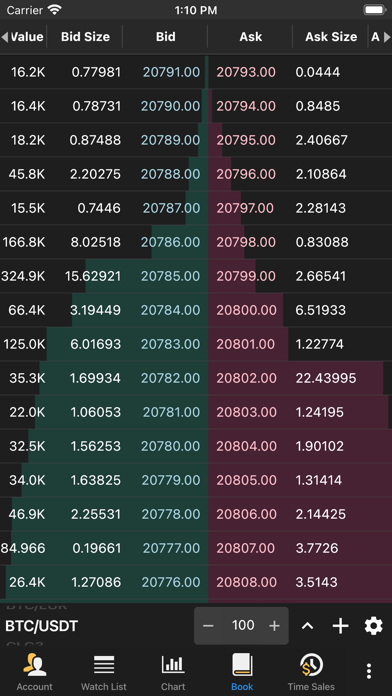
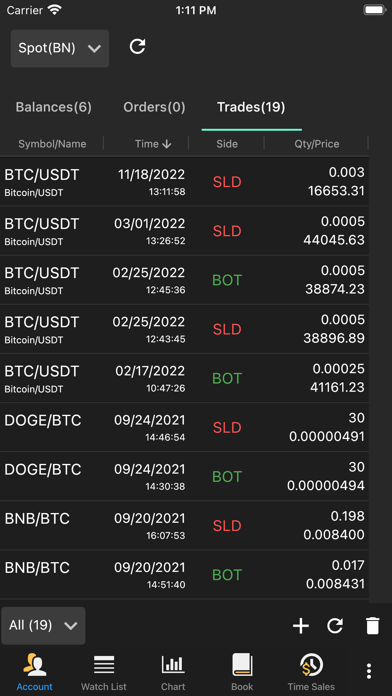
Tablet - Docking framework for displaying multiple docks (charts, watch lists, account info, order book, Time/Sales and Depth of Market)
As an incredibly feature-rich trading platform, here are some of the highlights below showing the capabilities that you can find in our trading software.
Our trading software is available in 4 different editions to meet your charting and trading needs.
Key Features (available features will depend on edition):
4 Supported Brokers:
(CQG, OANDA, Rithmic, TD-Ameritrade)
Multiple Brokers/Data Feeds per Workspace
Chart Tools:
Trend Line, Horizontal and Vertical Line, Price and Time Labels, Fork, Modified Schiff Fork, Channel, Time and Price Range, Arrows, Support and Resistance Areas, P&L Calculator/PL Targets, Cycle, Time Cycle, Wedges, Angles, Curves, Regression Tools, Circles, Triangle, Quad Polygon, Sine Wave, Quadrant Lines, Tirone Levels, Speed Lines, Cross Line
Fibonacci: Retracement, Extension, Expansion, Circle, Arc, Fan, Regression Tools, Customizable Ratio Presets.
Callouts (Balloon, Line, Box), Annotation, Note, Comment, Ellipse, Boxes, Arrows, Shapes, Numbers, Letters
170+ Built-in Studies/Indicators
Indicator on Indicator:
Use one indicator as an input for another
Chart Linking:
Link Instrument - All charts have same instrument
Link Bar Size - All charts have the same bar size
Multiple Chart Bar Types:
OHLC bars, HLC bars, Candlesticks, Trend Candlesticks, Hollow Candlesticks, Heikin-Ashi, Percent Change, Line, Square Line, Bars, No Bars
Non-Linear and Second-Based Bars:
Tick, Range, Renko, Hybrid Renko, Volume, Point & Figure, Reversal
Second-Based Bars (Requires Historical Tick Data)
Time Frame Visibility Options:
Time frame visibility enables you to specify the bar sizes where a component is visible. For example, show a Trend Line only on bar sizes smaller than or equal to 1 hour.
Order Flow Tools and Studies:
Volume Profile and VWAP Studies
Order Flow Studies: TPO, Volume Imprint, Depth of Market, Bid/Ask Volume, Order Heatmap, Big Trades, Delta Volume, Cumulative Delta
TPO and Volume Profile Components
Time and Sales
Harmonic Tools:
Bull/Bear versions of Gartley, Butterfly, Crab, Deep Crab, Bat, Alternate Bat, Shark, Cypher, AB=CD, Alternate AB=CD, 5-0, 3 Drives
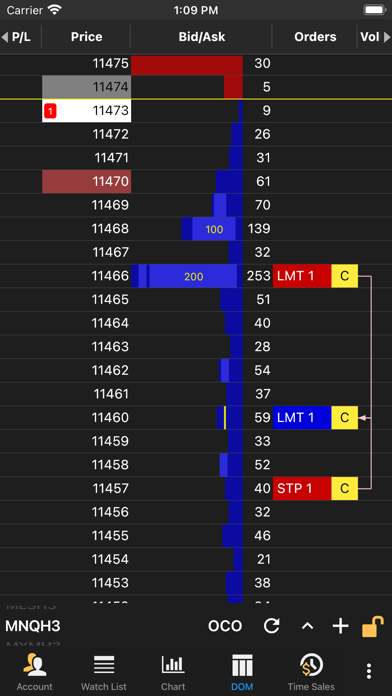
Advanced DOM (Depth of Market):
Track recent trades at the bid and ask
Track pulling and stacking
Volume profile (with separate bid and ask volume profiles)
Market by Order, which will display individual order sizes in the book (currently Rithmic only)
Full Market Depth beyond 10 levels
Position in Queue
Trading:
Trading directly from a chart or the chart axis
Trading from the Trade Panel
Trading from the DOM
Privacy Policy: https://www.motivewave.com/company/privacy_policy.htm
Terms of Service: https://www.motivewave.com/company/terms_of_service.htm
Safety and technology
Found in the app by AppBrain- Price
- Free
- App size
- 36.4 MB
- Content rating
- High
Technologies used by MotiveWave Mobile: Trading
Releases
Updates seen on the App Store- Version
- 1.1.1
- Launched
- March 2023
No changelog data
Alternatives
Similar apps and more from MotiveWave SoftwareAlternatives to MotiveWave Mobile: Trading





Also available on Google Play

Rankings
App Store top charts- Highest rank
- #35
- Chart
- Top Grossing
- Finance
- Country
- Finland
About the app and developer
About MotiveWave Mobile: Trading
MotiveWave Mobile: Trading is a finance app developed by MotiveWave Software.
User Ratings
MotiveWave Mobile: Trading is rated 3.39 out of 5 stars. The rating is based on 28 ratings.
App Information
MotiveWave Mobile: Trading is freely available from the App Store. The app size is 36.44 MB. The latest version available is 1.1.1. The last update was on October 18, 2026.
Technical Requirements
The app has a content rating of High Maturity. The app has been available on the App Store since March 2023.
Developer information for MotiveWave Software
Address: