AppBrain
AppBrain
  • Apps
  • Apps being viewed right now Trending apps today Most popular apps All-time most installed apps Top rated apps iPhone and iPad apps
  • Intelligence ▾
    Intelligence overview → Track any Android app or your whole market
    Track & analyze
    Keyword Tracker & OptimizerTrack & improve Play rankings App Performance ReportOne-off PDF for any app StatisticsFree Android & Play market stats
    Promote your app
    Featured Apps App Links
  • Intelligence
  • Pricing
  • Dashboard
  • Sign up
  • Log in
App Store Apps > Photo & Video > MovStash - Blur Video Editor
MovStash - Blur Video Editor icon

MovStash - Blur Video Editor

6.4
REAFO CO., LTD.
4.21
2,512 reviews
Free

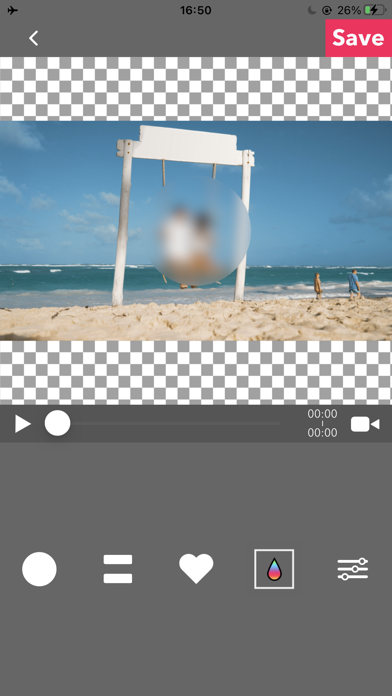
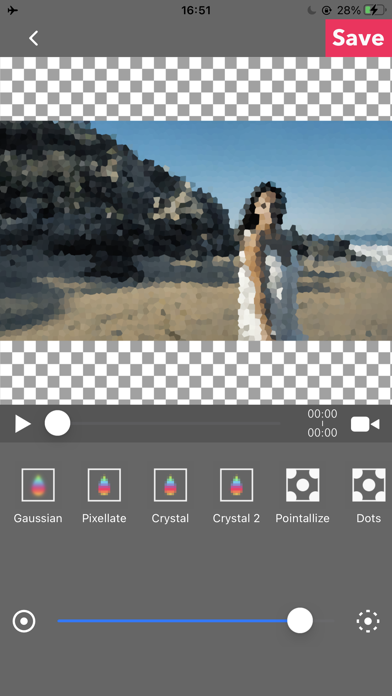
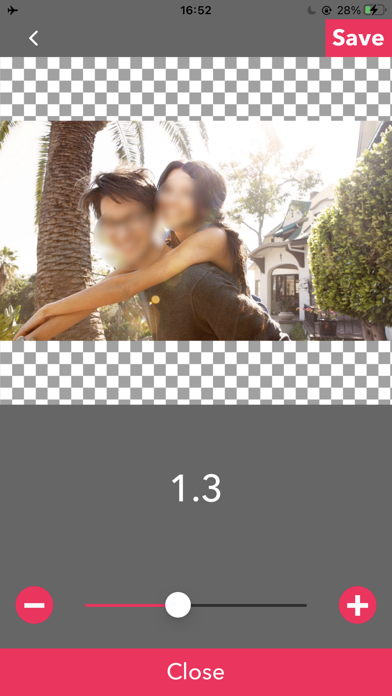
MovStash - Blur Video Editor Screenshot 1 of 7
MovStash - Blur Video Editor Screenshot 2 of 7
MovStash - Blur Video Editor Screenshot 3 of 7
MovStash - Blur Video Editor Screenshot 4 of 7
MovStash - Blur Video Editor Screenshot 5 of 7
MovStash - Blur Video Editor Screenshot 6 of 7
MovStash - Blur Video Editor Screenshot 7 of 7
Screenshots by REAFO CO., LTD., from the the App Store listing
View on the App Store

AppBrain's verdict

EstablishedWell rated
Rating on App Store
4.21
2,512 ratings
Last updated
August 3, 2026
Size
49.3 MB

Users rate it well: 4.2 stars from 2,512 ratings.

Official page on the App Store

User feedback

Ratings and reviews on the App Store

Comments on MovStash - Blur Video Editor for iOS

We don't have enough comments to show example comments. Please check back later.

Store listing

By REAFO CO., LTD., from the App Store
Description by REAFO CO., LTD. Written by the developer, not by AppBrain. Click to read.
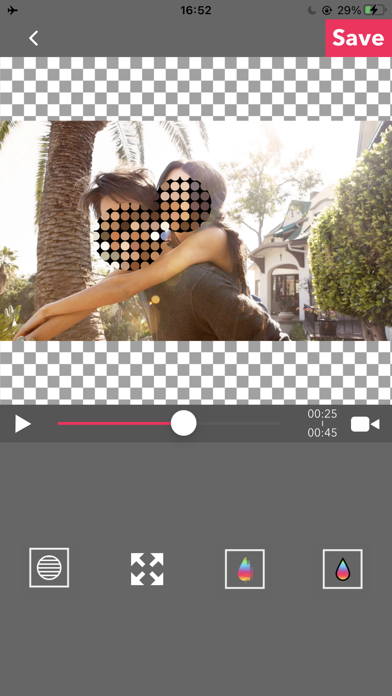
This app is for making mosaic/blur video.

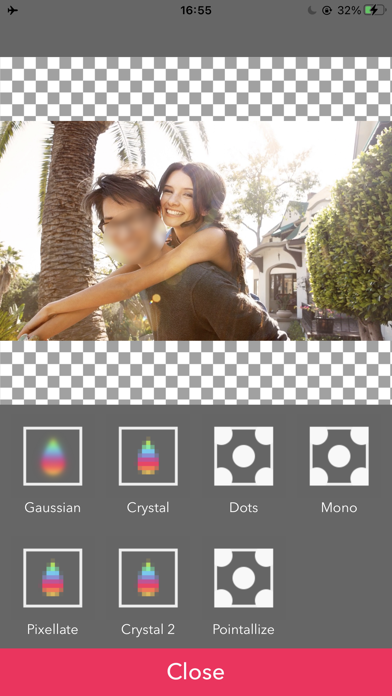
You can choose 4 types of blur.

■Simple mode.
Simple mode is for Blur to the specified area and all duration of the video.
-- How to edit mosaic/blur --
Position :Drag mosaic/blur area directory or screen using with one finger.
Size :Pinch mosaic/blur area directory or screen using with two fingers.
Blurriness:Parallel swipe mosaic/blur area or screen using with two fingers.

■Timeline mode.
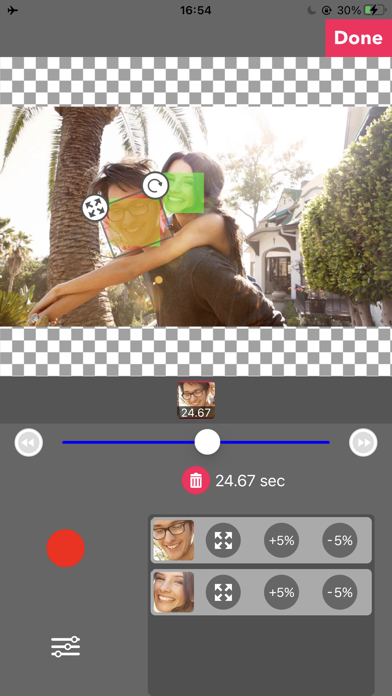
Timeline mode is you can blur to the specified area in a specified time range of the video.

-- How to use basics. --
1. Select the video.
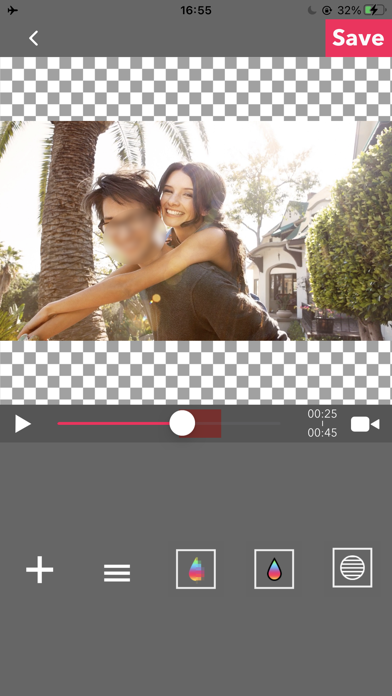
2. Press [+] button to add a new blur area.
3. Drag the red area to the place you want to blur.
4. Press [OK].
5. [≡] button is to show the list of blur areas. you can edit again after you've done once.
6. Adjust blur types and level, and then press [save] to render the video with blur.

-- How to set the time range
1. Press [+] button to add a new blur area.
2. Slide the slider to the time that is started blur.
3. Drag the red area to the place you want to blur.
4. Slide the slider to the time that is ended blur.
5. Drag the red area to the place you want to blur.
6. You can see three thumbnails under the slider. Tap the last one and press the trash bin button to delete.
7. Then the blur area is only showed up in the time range.
8. Press [OK] to do it.
-- How to change the shape of blur area
1. Tap the red area which is located under the slider.
2. Select the shape you want to.

■Face tracking mode
App blur faces that are recognized.
Face tracking mode is not a perfect solution to blur faces so be careful.

-- How to use --
・Faces are recognized automatically after you select a video.
・You can adjust blurs size/level/type and inverse area or nor.
・Press [save] to export it.

Safety and technology

Found in the app by AppBrain
Price
Free
App size
49.3 MB
Content rating
Everyone

Technologies used by MovStash - Blur Video Editor

Releases

Updates seen on the App Store
Version
6.4
Launched
November 2015

No changelog data

Alternatives

Similar apps and more from REAFO CO., LTD.

Alternatives to MovStash - Blur Video Editor

Blur Video & Mosaic icon Blur Video & Mosaic
GIGABUBBLE INC.
4.5
Free
4.4K ratings
Blur-Video icon Blur-Video
Alan Cushway
4.8
Free
14.0K ratings
Ultralight: Photo Video Editor icon Ultralight: Photo Video Editor
Uova Oy
4.7
Free
43.7K ratings
Andalusi AI Design Photo Video icon Andalusi AI Design Photo Video
AppChief Ltd
4.5
Free
14.2K ratings
Vont - Text on Videos icon Vont - Text on Videos
youthhr
4.6
Free
17.0K ratings
LUMINS - Light Photo Editor icon LUMINS - Light Photo Editor
AI Photo Editor Lab SRL
4.3
Free
2.1K ratings
Perfect Video Editor, Collage icon Perfect Video Editor, Collage
Beijing Perfect Frame Technology Co., Ltd.
4.5
Free
6.9K ratings
24FPS: Aesthetic Video Effects icon 24FPS: Aesthetic Video Effects
Polarrcan Software Inc
4.6
Free
11.4K ratings

More from REAFO CO., LTD.

RFV - Rotate & Flip Video icon RFV - Rotate & Flip Video
REAFO CO., LTD.
3.9
Free
586 ratings
PicGizmo - Resize & HEIC 2 JPG icon PicGizmo - Resize & HEIC 2 JPG
REAFO CO., LTD.
4.5
Free
404 ratings
VSilencer - Remove Audio icon VSilencer - Remove Audio
REAFO CO., LTD.
4.7
Free
265 ratings
PicStash - Blur & Mosaic Image icon PicStash - Blur & Mosaic Image
REAFO CO., LTD.
4.3
Free
261 ratings
Video Speed Editor - VBooster icon Video Speed Editor - VBooster
REAFO CO., LTD.
4.7
Free
163 ratings
MovP4 - MP4 Converter icon MovP4 - MP4 Converter
REAFO CO., LTD.
3.5
Free
84 ratings
Player Gear - Speed Changer icon Player Gear - Speed Changer
REAFO CO., LTD.
4.6
Free
77 ratings
RevMov - Reverse Video Editor icon RevMov - Reverse Video Editor
REAFO CO., LTD.
4.7
Free
68 ratings

Rankings

App Store top charts

App Store Rankings for MovStash - Blur Video Editor

This app is not ranked

About the app and developer

About MovStash - Blur Video Editor

MovStash - Blur Video Editor is a photo & video app developed by REAFO CO., LTD.

User Ratings

MovStash - Blur Video Editor is rated 4.21 out of 5 stars. The rating is based on 2.5 thousand ratings.

App Information

MovStash - Blur Video Editor is freely available from the App Store. The app size is 49.33 MB. The latest version available is 6.4. The last update was on August 3, 2026.

Technical Requirements

The app has a content rating of Everyone. The app has been available on the App Store since November 2015.

MovStash - Blur Video Editor is made and published by REAFO CO., LTD. AppBrain is an independent app data site and isn't affiliated with REAFO CO., LTD. The app name, icon, screenshots and description belong to REAFO CO., LTD. and are shown as published on the App Store.

Developer information for REAFO CO., LTD.

REAFO CO., LTD.

Address:

Share MovStash - Blur Video Editor

Price drops on Google Play Apps other people are watching Today's trending apps Top new apps Popular Photo & Video Apps
Blur Video & Mosaic icon Blur Video & Mosaic
Blur-Video icon Blur-Video
Ultralight: Photo Video Editor icon Ultralight: Photo Video Editor
Andalusi AI Design Photo Video icon Andalusi AI Design Photo Video
Vont - Text on Videos icon Vont - Text on Videos
LUMINS - Light Photo Editor icon LUMINS - Light Photo Editor
Perfect Video Editor, Collage icon Perfect Video Editor, Collage
24FPS: Aesthetic Video Effects icon 24FPS: Aesthetic Video Effects
Overview Alternatives Reviews Rankings Technology
AppBrain Intelligence premium content

Subscribe now to get full and unlimited access to AppBrain Intelligence. You'll have access to:

  • App Intelligence dashboard (performance timeline, competitor comparison, country rankings, insight cards)
  • Detailed ranking data per app
  • Full timeline per developer
  • Device market shares data per country
  • Unlimited keyword tracking
1 Month

$75/mo
(billed every month)

SAVE 0%
Subscribe
3 Months

$65/mo
($195 billed every 3 months)

SAVE 13%
Subscribe
1 Year

$57.50/mo
($690 billed every year)

SAVE 23%
Subscribe
Each subscription will automatically renew 3 days before the expiration date for the same time period. Subscriptions can be cancelled at any time before the renewal.

AppBrain is an app data site, we track rankings, ratings, installs for all apps and games on Google Play and the App Store. AppBrain doesn't host app files or APKs, all install links go directly to the official store. All trademarks are owned by their respective owners.

More apps

  • Top Android apps being viewed
  • FlixMovies - Movies & TV Shows
  • View LaxasFit Plus
  • fomo

App statistics

  • Android statistics
  • Google Play Developer stats
  • Trending Android Apps
  • Trending iOS apps
  • Top popular Apps
  • Buy the best Android phone
  • Buy & sell app businesses

About AppBrain

  • Contact
  • Privacy
  • Documentation
  • DMCA takedowns
  • Blog
  • Tips to improve your Android promotional campaign
© 2010-2026 - AppBrain