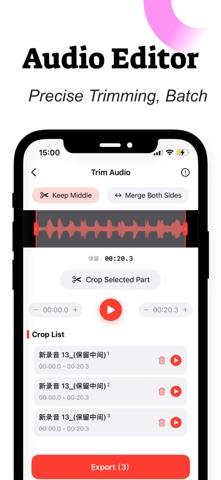
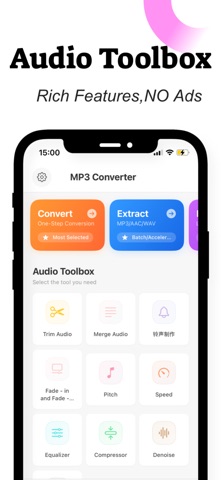
MP3 Converter & Extract Audio is an overall app developed by Chengdu Shark Fin Network Technology Co., Ltd..
Download Statistics
User Ratings
MP3 Converter & Extract Audio is rated 4.88 out of 5 stars. The rating is based on 16 ratings.
App Information
MP3 Converter & Extract Audio is FREE to download. The APK download size is 117.52 MB. The latest version available is 1.3.5. The last update was on July 27, 2026.
Technical Requirements
The app has a content rating of Everyone. The app has been available on Google Play June 2025.
Description
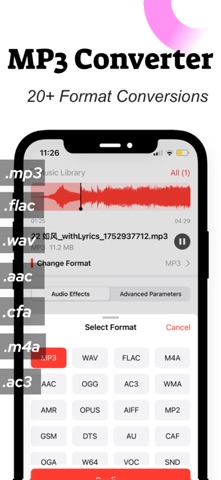
**MP3 Converter: Supports Over 20 Audio Conversion Functions**
Easily extract high-quality audio from various video formats with precision. Simple and fast operation meets all your audio saving and personalized setting needs!
**Flexible Output Options** Extract audio and save it in popular formats like **MP3** and **AAC**, compatible with multiple devices such as smartphones and computers for seamless playback.
**User-Friendly Experience** With a simple and intuitive interface, complete conversions in three steps: **Import Video → Select Format → One-Click Extraction**. Novices can quickly get started.
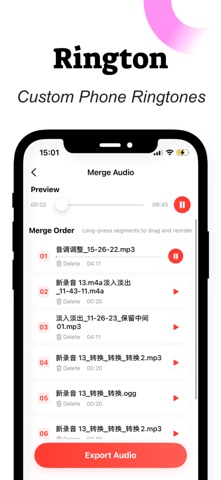
**Personalized Settings** Save extracted audio directly to your phone or set it as a ringtone with one click to customize your unique sound.
**Why Choose Us?**
**Efficient and Stable**:
Advanced encoding technology ensures fast conversion speeds while preserving audio quality without loss.
**Lightweight and Easy to Use**:
No complicated settings required—install and use immediately, saving time and effort.
**Multi-Scenario Adaptation**:
Suitable for audio conversion, course recordings, and other scenarios, meeting diverse needs.
**Download Now to Unlock a New Audio Conversion Experience!
By becoming a premium member, you can unlock all paid features, enjoy future free updates, and be assured of no ads.
If you choose to subscribe, it will be automatically renewed through your iTunes account. Your Apple iTunes account will be charged within 24 hours before the expiration date, and upon successful payment, the subscription period will be extended by one subscription cycle. To cancel the renewal, please manually turn off the automatic renewal function in the Apple ID settings management at least 24 hours before the end of the current subscription period. During the trial period, if you do not cancel the subscription, it will be automatically activated and charged at the end of the trial period. This service is subject to your independent choice of whether to cancel. If you choose not to cancel, the renewal service for the next billing cycle will be activated for you.
Each subscription will automatically renew 3 days before the expiration date for
the same time period. Subscriptions can be cancelled at any time before the renewal.