

MS50G Editor is made and published by Nobuhito Muto. AppBrain is an independent app data site and isn't affiliated with Nobuhito Muto. The app name, icon, screenshots and description belong to Nobuhito Muto and are shown as published on the App Store.
AppBrain's verdict
- Last updated
- July 9, 2026
Rankings
App Store top chartsApp Store Rankings for MS50G Editor
Competitors
Similar apps and more from Nobuhito MutoAlternatives to MS50G Editor


Releases
Updates seen on the App Store- Version
- 1.6.0
- Launched
- March 2026
No changelog data
User feedback
Ratings and reviews on the App StoreComments on MS50G Editor for iOS
We don't have enough comments to show example comments. Please check back later.
Technology
Found in the app by AppBrain- Price
- Free
- App size
- 12.1 MB
- Content rating
- Everyone
Technologies used by MS50G Editor
About the app and developer
About MS50G Editor
MS50G Editor is a music app developed by Nobuhito Muto.
What is the rating of MS50G Editor?
MS50G Editor has no ratings yet.
Is MS50G Editor free?
MS50G Editor is free. The app size is 12.05 MB. The latest version available is 1.6.0. The last update was on July 9, 2026.
What are the requirements for MS50G Editor?
The app has a content rating of Everyone. The app has been available on the App Store since March 2026.
Developer information for Nobuhito Muto
Address:
Store listing
By Nobuhito Muto, from the App Store


Description by Nobuhito Muto Written by the developer, not by AppBrain. Click to read.
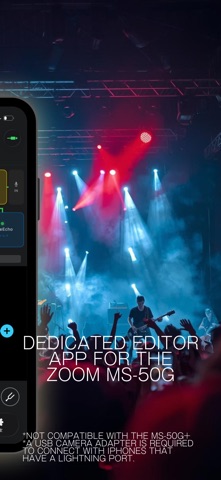
ZOOM discontinued their official editor for the original MS-50G long ago. MS50G Editor fills that gap — giving you full control over your pedal's patches right from your iPhone.
FEATURES
• Patch Editor
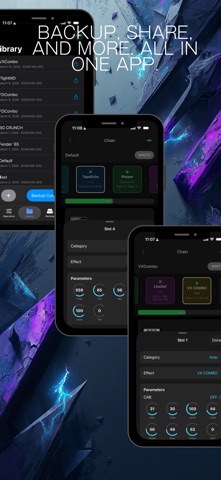
Edit all effect parameters visually with an intuitive interface. Fine-tune your tone without squinting at the tiny pedal screen.
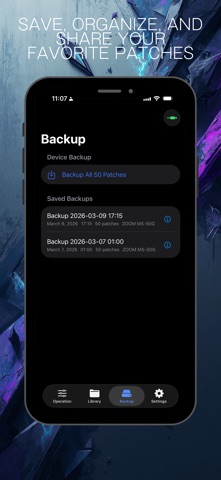
• Backup & Restore
Back up all 50 patches at once. Restore your entire setup or individual patches anytime. Never lose your custom sounds again.
• Real-Time MIDI Transfer
Send edited patches to your MS-50G and receive current settings via USB-MIDI SysEx communication. What you see is what you hear.
• Effect Library
Browse the complete MS-50G effect catalog. View detailed parameter information for every effect.
• Custom Presets
Save your favorite patch configurations as custom presets. Build and organize your personal tone library.
REQUIREMENTS
• ZOOM MS-50G with firmware v3.10
• USB-MIDI interface + Camera Connection Kit (Lightning or USB-C)
• iOS 16.0 or later
IMPORTANT NOTES
• This app is NOT affiliated with ZOOM Corporation.
• The ZOOM MS-50G+ is not supported (use ZOOM's official app instead).
• A powered Camera Connection Kit adapter or separate power supply for the MS-50G is recommended. USB bus power from iOS alone is not guaranteed.
• Effect type swapping within patches is not currently supported.
PRICING
Free download with a 1-week trial of all features. After the trial, a one-time purchase unlocks the patch transfer feature. Editing, browsing, and backup remain free.