mssh is made and published by
Jadesada Ponyium.
AppBrain is an independent app data site and isn't affiliated with Jadesada Ponyium.
The app name, icon, screenshots and description belong to Jadesada Ponyium and are shown as
published on the App Store.
About mssh
mssh is an utilities app developed by Jadesada Ponyium.
User Ratings
The app has no ratings yet.
App Information
mssh is freely available from the App Store. The app size is 10.00 MB. The latest version available is 1.2.2. The last update was on April 20, 2026.
Technical Requirements
The app has a content rating of Everyone. The app has been available on the App Store since April 2026.
Description by Jadesada Ponyium(from the App Store)
mSSH is a professional SSH and SFTP client for iPhone, iPad, and Mac.
Connect to your remote servers with password or key-based authentication (Ed25519, ECDSA, RSA). - Six terminal themes, saved command snippets, and cross-device iCloud sync - Everything you need to manage servers on the go.
Cross-Device Sync — Your connections, SSH keys, snippets, and settings sync across all your devices via iCloud. Private SSH keys sync optionally through end-to-end encrypted iCloud Keychain. On Mac, your existing ~/.ssh folder is imported automatically.
Terminal Themes & Fonts — Choose from six built-in themes: Default, Solarized Dark, Monokai, Nord, Dracula, and Tokyo Night. Pick your preferred font family and size (9–24pt), cursor style (block, bar, or underline), and blink behavior. Changes apply instantly.
Snippets — Save commands you run often (deploy scripts, log tailing, service restarts) and send them to any active session with one tap. Access snippets from the terminal toolbar or the iOS keyboard accessory bar.
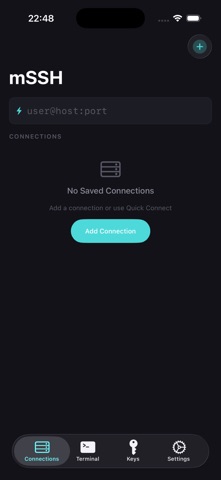
Connection Organization — Star favorites to pin them at the top. Group connections by environment (Production, Staging, Personal). Add color tags for visual scanning. Search across all connections by name, host, username, or group.
SSH Terminal — Full shell access with xterm-256color support. Manage multiple sessions with tabs. Split terminal view on iPad. Custom keyboard accessory bar with Esc, Tab, Ctrl, arrow keys, and quick-access snippets.
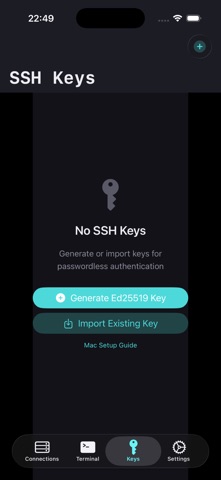
format. Generate Ed25519 keys directly in the app. Import keys by pasting PEM text or from your Mac's ~/.ssh folder. All private keys stored in the Keychain with hardware encryption.
SFTP File Browser — Browse remote filesystems, upload and download files, and manage directories with an intuitive touch interface.
Security — Face ID and Touch ID for app-level protection. All credentials in the Keychain, hardware-encrypted. Host key verification via Trust On First Use (TOFU) with SHA-256 fingerprints. No accounts, no telemetry, no ads.
Mac Support — Native macOS app with sidebar navigation. Import your ~/.ssh keys and config with one click. Sync connections from iPhone via iCloud.
Open Source — mSSH is open source at github.com/nirasnet/mssh. Built with SwiftTerm and Citadel.
Each subscription will automatically renew 3 days before the expiration date for
the same time period. Subscriptions can be cancelled at any time before the renewal.