

Mugen Player
Mugen Player is made and published by Koichiro Kamada. AppBrain is an independent app data site and isn't affiliated with Koichiro Kamada. The app name, icon, screenshots and description belong to Koichiro Kamada and are shown as published on the App Store.
AppBrain's verdict
Established- Rating on App Store
- 4.00
- 6 ratings
- Last updated
- October 12, 2026
- Size
- 34.5 MB
It doesn't have enough ratings yet to judge what users think.
User feedback
Ratings and reviews on the App StoreComments on Mugen Player for iOS
We don't have enough comments to show example comments. Please check back later.
Store listing
By Koichiro Kamada, from the App Store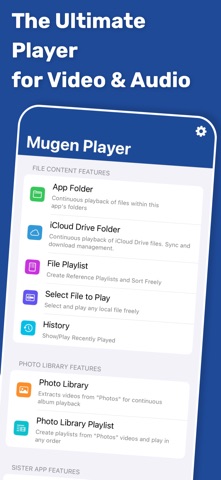



Description by Koichiro Kamada Written by the developer, not by AppBrain. Click to read.
An easy-to-use, ultra-lightweight player designed for smooth continuous media playback.
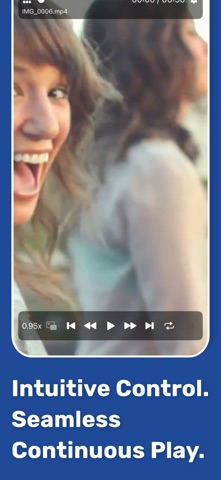
- Switch media instantly with intuitive swipe gestures and control playback with gestures such as short skips forward and back.
- Create playlists that mix video and audio, then play them continuously in the background.
- Resume playback or playlists naturally from where you left off.
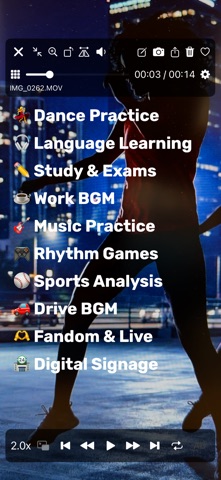
- Loop playback is ideal for in-store displays, demo videos, or background music.
- Supports earphones, headphones, car controllers, AirPlay, and flexible iPad screen and multitasking modes.
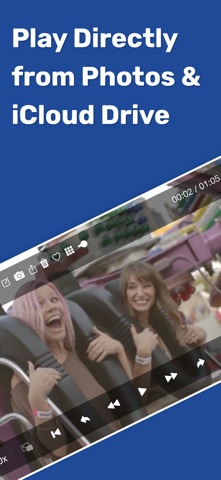
[Play Directly from Files]
- Select media from a wide range of locations using the standard iOS file interface.
- Play directly from the original location without creating unnecessary copies in the app.
- Select multiple files for continuous playback, with playback history saved automatically for quick access.
[Photo Library Playback]
- Play continuously by album and automatically select only videos.
- Supports all Photo Library videos, iCloud Shared Albums, and direct playback from iCloud Photo Library.
- Choose whether iCloud loading prioritizes speed or quality.
- Change playback order, filter by Favorites, toggle Favorites, and create or edit playlists.
[App Folder Playback]
- Play directly from the Mugen Player app folder without importing or registering files.
- Start continuous playback with a tap and sort by file name, size, or other attributes.
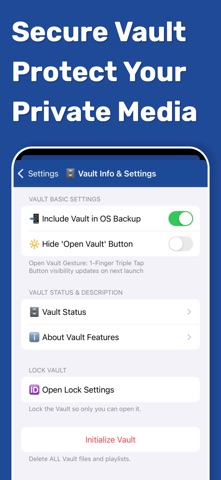
[Secure Vault]
- Store media in a protected area within the app.
- Restrict how the vault is opened, securely export items, and choose whether vault data is included in OS backups.
[Sister App Integration]
- Directly play recordings from Mugen Camera and Zero Camera.
- Installed apps and their folders are detected automatically, with no linking, importing, or registration required.
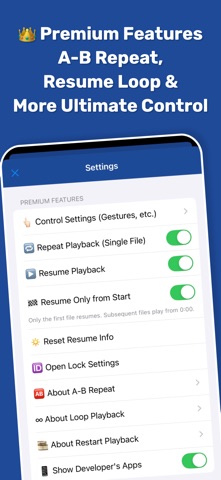
[Premium Features (Paid)]
- Hide advertisements
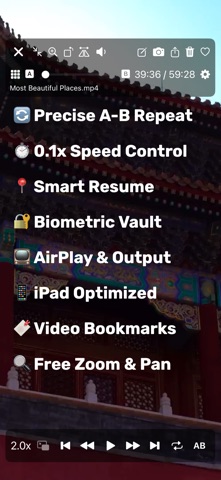
- Loop, normal repeat, and A-B repeat
- Resume and restart playback
- Customize gestures and button controls
- Lock with Face ID or Touch ID
See the in-app store for details.
[Supported File Formats]
- Supports formats natively playable by iOS and by the standard Files app.
Safety and technology
Found in the app by AppBrain- Price
- Free
- App size
- 34.5 MB
- Content rating
- Everyone
Technologies used by Mugen Player
Releases
Updates seen on the App Store- Version
- 5.27.1
- Launched
- August 2017
No changelog data
Alternatives
Similar apps and more from Koichiro KamadaAlternatives to Mugen Player






More from Koichiro Kamada


Rankings
App Store top chartsApp Store Rankings for Mugen Player
About the app and developer
About Mugen Player
Mugen Player is a photo & video app developed by Koichiro Kamada.
User Ratings
Mugen Player is rated 4.00 out of 5 stars. The rating is based on 6 ratings.
App Information
Mugen Player is freely available from the App Store. The app size is 34.54 MB. The latest version available is 5.27.1. The last update was on October 12, 2026.
Technical Requirements
The app has a content rating of Everyone. The app has been available on the App Store since August 2017.
Developer information for Koichiro Kamada
Address: