

MultipleOCR is made and published by Ryusuke Uchida. AppBrain is an independent app data site and isn't affiliated with Ryusuke Uchida. The app name, icon, screenshots and description belong to Ryusuke Uchida and are shown as published on the App Store.
AppBrain's verdict
- Last updated
- May 30, 2026
Rankings
App Store top chartsApp Store Rankings for MultipleOCR
Competitors
Similar apps and more from Ryusuke UchidaAlternatives to MultipleOCR







More from Ryusuke Uchida


Releases
Updates seen on the App Store- Version
- 1.1.0
- Launched
- August 2023
No changelog data
User feedback
Ratings and reviews on the App StoreComments on MultipleOCR for iOS
We don't have enough comments to show example comments. Please check back later.
Technology
Found in the app by AppBrain- Price
- Free
- App size
- 10.0 MB
- Content rating
- Everyone
Technologies used by MultipleOCR
About the app and developer
About MultipleOCR
MultipleOCR is an utilities app developed by Ryusuke Uchida.
What is the rating of MultipleOCR?
MultipleOCR has no ratings yet.
Is MultipleOCR free?
MultipleOCR is free. The app size is 10.02 MB. The latest version available is 1.1.0. The last update was on May 30, 2026.
What are the requirements for MultipleOCR?
The app has a content rating of Everyone. The app has been available on the App Store since August 2023.
Developer information for Ryusuke Uchida
Address:
Store listing
By Ryusuke Uchida, from the App Store

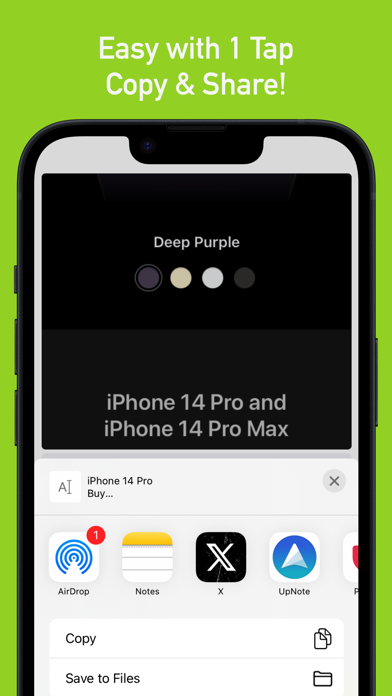

Description by Ryusuke Uchida Written by the developer, not by AppBrain. Click to read.
The read text can then be immediately "Copy" or "Share"!
This is especially useful when you want to convert a large number of screenshots into text!
Of course, it is also possible to read a Single Photo.
Simple design with minimal functions.
Large buttons for easy operation!
+++ Supported languages for reading
English, French, Italian, German, Spanish, Portuguese, Simplified Chinese, Traditional Chinese, Simplified Cantonese, Traditional Cantonese, Korean, Japanese, Russian, Ukrainian
(OCR uses the same technology as Apple's LiveText)
+++ Features +++
OCR (Recognize Text) function
Image zoom
Manual correction of read text
Swipe or tap to move to the next image
LiveText function in the image
Change delimiter for each reading
+++ Examples of use +++
1. To copy or share text quickly after recognizing it from a photo.
2. To copy text from apps that don't allow direct copying, like Youtube or Game Apps.
3. For processing large amounts of text for business purposes.
4. To input text from an image into conversational AI, like ChatGPT.
It may also be useful in other situations!
If you have any comments or requests for the app, please feel free to leave a review!
***Regarding Privacy***
The developer understands the importance of privacy and does not collect or transmit any of your document data to external parties.
The text recognition feature uses Apple's officially provided OCR.
This OCR does not use any servers and operates entirely on your iPhone or iPad, meaning it can be used even offline (without Wi-Fi) — a design that is mindful of your privacy.
Please note that once recognized data leaves this app (for example, when you copy recognized text and move it to another app), or regarding the security of the device itself, these fall outside the scope of this app's control, so please take care accordingly.