

Musk MIDI Keyboard
Musk MIDI Keyboard is made and published by Dr. Garbers Softwareentwicklung. AppBrain is an independent app data site and isn't affiliated with Dr. Garbers Softwareentwicklung. The app name, icon, screenshots and description belong to Dr. Garbers Softwareentwicklung and are shown as published on the App Store.
AppBrain's verdict
Established- Rating on App Store
- 3.00
- 2 ratings
- Last updated
- December 22, 2025
It doesn't have enough ratings yet to judge what users think.
Rankings
App Store top chartsApp Store Rankings for Musk MIDI Keyboard
Competitors
Similar apps and more from Dr. Garbers SoftwareentwicklungAlternatives to Musk MIDI Keyboard







More from Dr. Garbers Softwareentwicklung





Releases
Updates seen on the App Store- Version
- 2.10
- Launched
- December 2013
No changelog data
User feedback
Ratings and reviews on the App StoreComments on Musk MIDI Keyboard for iOS
We don't have enough comments to show example comments. Please check back later.
Technology
Found in the app by AppBrain- Price
- $1.99
- App size
- 22.0 MB
- Content rating
- Everyone
Technologies used by Musk MIDI Keyboard
About the app and developer
About Musk MIDI Keyboard
Musk MIDI Keyboard is a music app developed by Dr. Garbers Softwareentwicklung.
User Ratings
Musk MIDI Keyboard is rated 3.00 out of 5 stars. The rating is based on 2 ratings.
App Information
Musk MIDI Keyboard costs $1.99. The app size is 22.01 MB. The latest version available is 2.10. The last update was on December 22, 2025.
Technical Requirements
The app has a content rating of Everyone. The app has been available on the App Store since December 2013.
Developer information for Dr. Garbers Softwareentwicklung
Dr. Garbers Softwareentwicklung
Address:
Frequently asked questions about Musk MIDI Keyboard
Is Musk MIDI Keyboard free?
No. Musk MIDI Keyboard costs $1.99 on the App Store.
Is Musk MIDI Keyboard still available?
Yes. Musk MIDI Keyboard is on the App Store, and the last update we saw was on December 22, 2025.
How large is Musk MIDI Keyboard?
Musk MIDI Keyboard is 22.01 MB.
Is Musk MIDI Keyboard suitable for children?
App Store rates the content of Musk MIDI Keyboard as suitable for everyone.
How do people rate Musk MIDI Keyboard?
Musk MIDI Keyboard scores 3.00 out of 5 stars, from 2 ratings on the App Store.
Who made Musk MIDI Keyboard?
Musk MIDI Keyboard was developed by Dr. Garbers Softwareentwicklung. It is listed in the music category on the App Store.
What are the best alternatives to Musk MIDI Keyboard?
People looking at Musk MIDI Keyboard also look at these music apps: JAX Emporeor Grand Piano, Solo Harmony, Audio and Video Inspector, Portable ORG PRO, Drum-80.
Store listing
By Dr. Garbers Softwareentwicklung, from the App Store
Description by Dr. Garbers Softwareentwicklung Written by the developer, not by AppBrain. Click to read.
* Use the included General MIDI sound font or import your own sound libraries
* Play on the multi-touch keyboard (8 octaves)
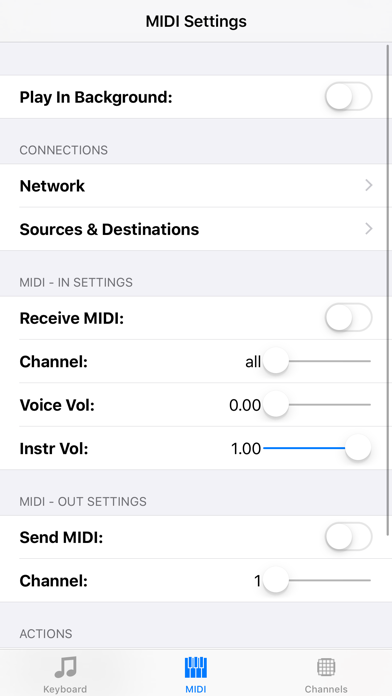
* Send notes to other MIDI apps or keyboards
* Receive notes from external MIDI sources
* Use installed Sounds in other apps using the built-in Audio Unit Extension.
* Track MIDI notes and channels on the keyboard
* Load sound libraries and change MIDI channels to different sounds
* Highlight individual channels visually and acoustically
* Let the app speak the pitch class (pitch class ) of the notes (C = 0 , C # = 1, ..., H = 11) in your own language. (Requires the iOS 7 voices)
The following MIDI sources and targets are supported and can be individually turned on and off:
* Network-MIDI (WiFi) : So you can connect the app to other devices (eg. Mac, iPhone, iPad)
* MIDI devices: you can connect your devices via Camera Connection Kit and USB-MIDI (e.g. a MIDI keyboard)
* Core MIDI-enabled apps : You can, for example, display the notes of a MIDI player and use the sounds of other apps.
* MIDI via Bluetooth (iOS8)
* Experimental MIDI via Gamekit support.
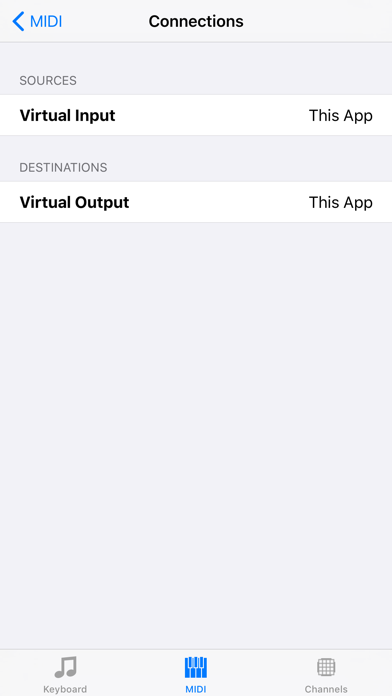
Full Core-MIDI support:
* Other apps publish their MIDI input and output ports: you activate the connection in this app. Active connections are reestablished, if possible, at app restart.
* This app publishes a MIDI input and output: you activate the link in another app or the other app automatically activates the connection.
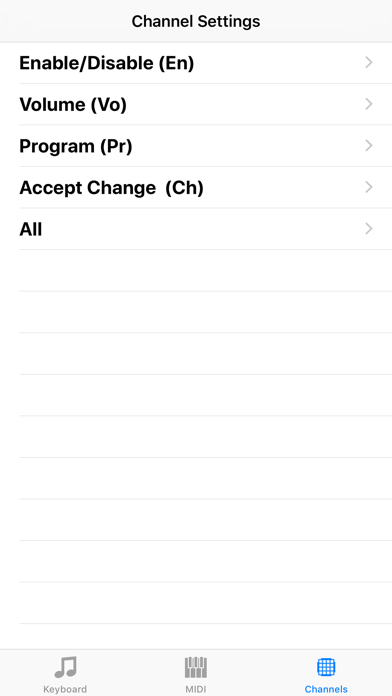
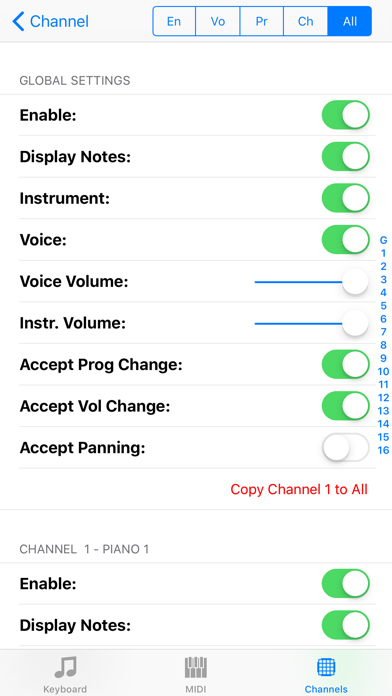
Setting and filter adjustment options (per channel):
* Show notes
* Hear notes
* Instrument sound
* Instrument and voice volume
* Accepting program and volume change commands (via MIDI input)
Import of sound libraries via:
* ITunes: transmission via Mac or PC
* ICloud: synchronizes the data on all your Apple devices. (Network connection required)
* Other Apps from the manufacturer this app: All of his apps access to the same iCloud directory. (No network connection required)
* Safari: search for a website that offers SoundFonts. Click on the file. Wait until it is downloaded. Then select this app in the "Open In" dialog.
* Mail: Select the attachment and select this app in the "Open In" dialog.
* Other apps: use the "Open In" dialog. (Dropbox, Google Drive, SkyDrive)
Supported file formats and extensions:
* Sound fonts (sf2)
* Downloadable Sounds (dls)
* Logic Pro EXS-24 instrument Files (exs)
* Audio Unit Presets (aupreset)
* Zip files (zip)
Inter-App-Audio, AudioBus 3 and Audio Unit support:
You can use the audio output of the app in other apps:
* Record a MIDI performance in Garageband, AudioShare or other apps.
* Add sound effects in GarageBand, VoiceSynth or other apps.
* Use a sound font as an Audio Unit in a host app. (Experimental)
Limitations:
* Speech output can not be sent to other apps.
* Playing many notes per second can push older devices to their limits. When you hear a scraping noise, try terminating other apps.
Have fun!