

Muska is made and published by Bonako. AppBrain is an independent app data site and isn't affiliated with Bonako. The app name, icon, screenshots and description belong to Bonako and are shown as published on the App Store.
AppBrain's verdict
Established- Rating on App Store
- 5.00
- 6 ratings
- Last updated
- March 27, 2024
It doesn't have enough ratings yet to judge what users think.
Rankings
App Store top chartsApp Store Rankings for Muska
Competitors
Similar apps and more from BonakoAlternatives to Muska



More from Bonako



Releases
Updates seen on the App Store- Version
- 1.3.9
- Launched
- August 2018
No changelog data
User feedback
Ratings and reviews on the App StoreComments on Muska for iOS
We don't have enough comments to show example comments. Please check back later.
Technology
Found in the app by AppBrain- Price
- Free
- App size
- 47.6 MB
- Content rating
- Everyone
Technologies used by Muska
About the app and developer
About Muska
Muska is a music app developed by Bonako.
User Ratings
Muska is rated 5.00 out of 5 stars. The rating is based on 6 ratings.
App Information
Muska is freely available from the App Store. The app size is 47.59 MB. The latest version available is 1.3.9. The last update was on March 27, 2024.
Technical Requirements
The app has a content rating of Everyone. The app has been available on the App Store since August 2018.
Developer information for Bonako
Address:
Store listing
By Bonako, from the App Store


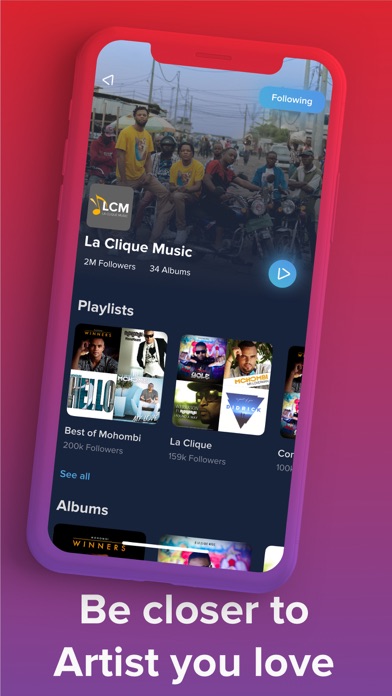
Description by Bonako Written by the developer, not by AppBrain. Click to read.
We've revamped all the applications, from the design to the core. so that we can bring you the best of African music in the best way.
New Graphics
Listen to the best African Music
New discover section
New functionalities and section to bring the best experience
New playlist tab with all best genres
Quickly search response
Download functionality
Listen to the best playlist in the playlist Tab
Love track and let Muska Suggest new ones for you
Expect more news soon
Do you Like it? Subscribe and never miss a Song
*** Manage your subscription directly from your iPhone ***
Subscriptions may be managed by the user and auto-renewal may be turned off by going to the user's Account Settings after purchase.
Go to your profile Tab, in MUSKA, and tap the "Settings" on the right side of you photo
The first option will be subscription, Tap and you will see the cancel subscription Option
Sign in with your iTunes ID.
Tap "View Apple ID" then "Manage App Subscriptions".
You will be able to see when your next payment is due, or cancel your automatic renewal.
*** You may cancel your subscription at any time ***
Renewal of your monthly Subscription is automatic
You can cancel this automatic renewal at any time, at least 24 hours before the end of the current subscription period.
Privacy Policy link: https://www.muskaapp.com/muskabackoffice/policy/en
Terms of Use link: https://www.muskaapp.com/muskabackoffice/terms/en