

My Little Train - AR is made and published by Tri-Software. AppBrain is an independent app data site and isn't affiliated with Tri-Software. The app name, icon, screenshots and description belong to Tri-Software and are shown as published on the App Store.
AppBrain's verdict
Removed- Rating on App Store
- 1.00
- 2 ratings
- Last updated
- March 8, 2019
My Little Train - AR is no longer on the App Store. It had too few ratings to say what users thought.
Competitors
Similar apps and more from Tri-SoftwareMore from Tri-Software




Releases
Updates seen on the App Store- Version
- 2.1
- Launched
- September 2017
No changelog data
User feedback
Ratings and reviews on the App StoreComments on My Little Train - AR for iOS
We don't have enough comments to show example comments. Please check back later.
Technology
Found in the app by AppBrain- Price
- $1.99
- App size
- 67.5 MB
- Content rating
- Everyone
Technologies used by My Little Train - AR
About the app and developer
About My Little Train - AR
My Little Train - AR was a games app developed by Tri-Software. It was removed from the App Store Oct 21, 2024.
User Ratings
My Little Train - AR was rated 1.00 out of 5 stars, based on 2 ratings.
App Information
My Little Train - AR cost $1.99. The app size was 67.50 MB. The last available version was 2.1. The last update was on March 8, 2019.
Technical Requirements
The app had a content rating of Everyone. The app had been available on the App Store since September 2017.
Developer information for Tri-Software
Address:
Store listing
By Tri-Software, from the App StoreSimilar apps



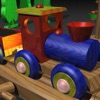




Description by Tri-Software Written by the developer, not by AppBrain. Click to read.
This is a great experience for the little once that love trains.
Build a railway where ever you want, inside or outside your house, make it as big as you want, the train can ride everywhere you choose.
See how My Little Train will go on as much as you want, you can follow him around, control his speed moving the lever up and down or pull the cord to hear the whistle.
You can also make it bigger or smaller using two fingers on the screen to pinch out/in.
Have fun with him!!