

My Masjid Community
My Masjid Community is made and published by TALENTED EARTH ORGANIZATION A/S. AppBrain is an independent app data site and isn't affiliated with TALENTED EARTH ORGANIZATION A/S. The app name, icon, screenshots and description belong to TALENTED EARTH ORGANIZATION A/S and are shown as published on the App Store.
AppBrain's verdict
Established- Rating on App Store
- 4.54
- 24 ratings
- Last updated
- September 8, 2026
It doesn't have enough ratings yet to judge what users think.
Rankings
App Store top chartsApp Store Rankings for My Masjid Community
Competitors
Similar apps and more from TALENTED EARTH ORGANIZATION A/SAlternatives to My Masjid Community





Releases
Updates seen on the App Store- Version
- 5.2
- Launched
- February 2019
No changelog data
User feedback
Ratings and reviews on the App StoreComments on My Masjid Community for iOS
We don't have enough comments to show example comments. Please check back later.
Technology
Found in the app by AppBrain- Price
- Free
- App size
- 68.3 MB
- Content rating
- Everyone
Technologies used by My Masjid Community
About the app and developer
About My Masjid Community
My Masjid Community is an utilities app developed by TALENTED EARTH ORGANIZATION A/S.
What is the rating of My Masjid Community?
My Masjid Community is rated 4.54 out of 5 stars, based on 24 ratings.
Is My Masjid Community free?
My Masjid Community is free. The app size is 68.29 MB. The latest version available is 5.2. The last update was on September 8, 2026.
What are the requirements for My Masjid Community?
The app has a content rating of Everyone. The app has been available on the App Store since February 2019.
Developer information for TALENTED EARTH ORGANIZATION A/S
TALENTED EARTH ORGANIZATION A/S
Address:
Frequently asked questions about My Masjid Community
Is My Masjid Community free?
Yes. My Masjid Community is free on the App Store.
Is My Masjid Community still available?
Yes. My Masjid Community is on the App Store, and the last update we saw was on September 8, 2026.
How large is My Masjid Community?
My Masjid Community is 68.29 MB.
Is My Masjid Community suitable for children?
App Store rates the content of My Masjid Community as suitable for everyone.
How do people rate My Masjid Community?
My Masjid Community scores 4.54 out of 5 stars, from 24 ratings on the App Store.
Who made My Masjid Community?
My Masjid Community was developed by TALENTED EARTH ORGANIZATION A/S. It is listed in the utilities category on the App Store.
What are the best alternatives to My Masjid Community?
People looking at My Masjid Community also look at these utilities apps: MitID, iPray: Adhan · Prayer · Qibla, Prayer Times - Qibla & Salah, Freja, Athan Utility.
Store listing
By TALENTED EARTH ORGANIZATION A/S, from the App Store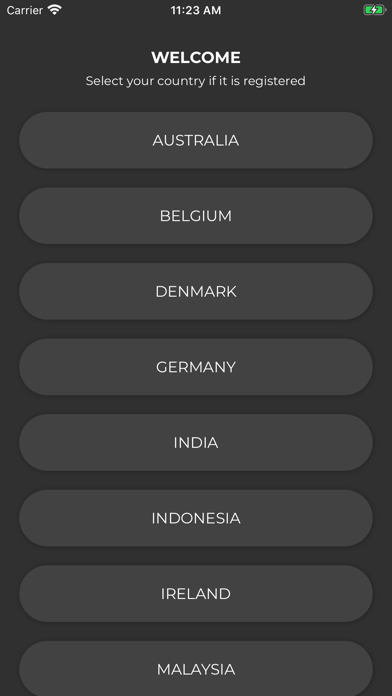

Description by TALENTED EARTH ORGANIZATION A/S Written by the developer, not by AppBrain. Click to read.
1. Masajid Selection based on your current Country and City
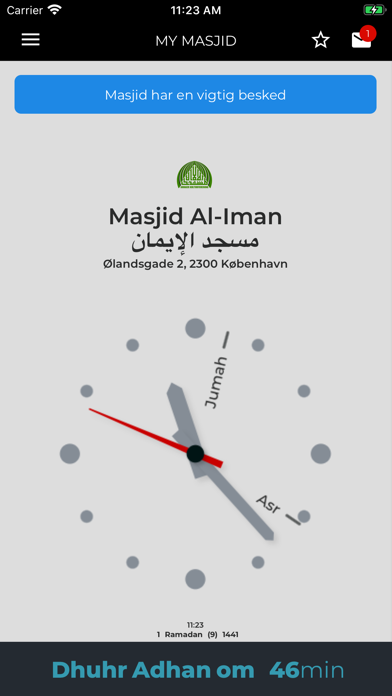
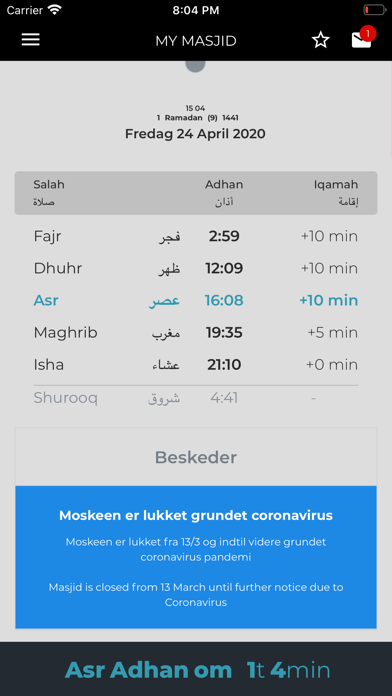
2. View Salah timings on Home screen (we call it Timings Screen). Here you should be able to see:
•Selected Masjid name and address
•Adhan and Jamaat timings for the Masjid selected
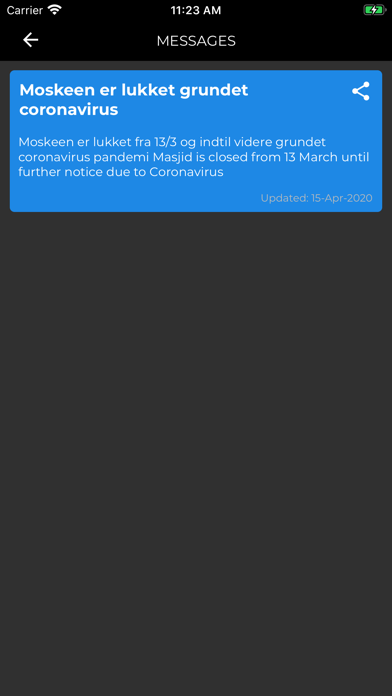
•Any important message(s) from masjid (we call it Alert messages, displayed with a blue background)
•Services and About information related to Selected Masjid (if specified from the admin panel)
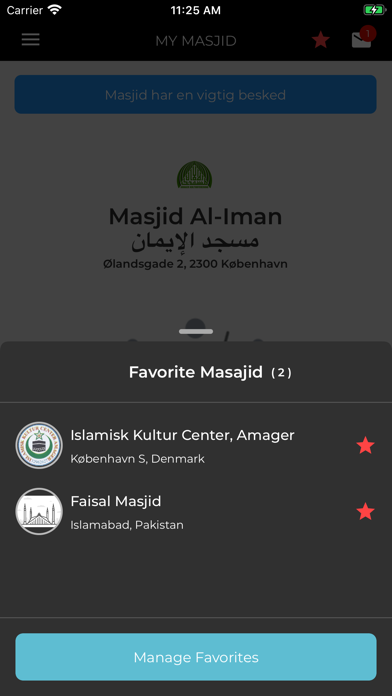
3. Mark a Masjid as Favorite / Unfavorite
4. Check Messages published from a Masjid (a number of messages are published via TEO Masjid for testing purposes)
· Check Messages count on Inbox icon
· The alert messages would have blue background (because they are important ones)
· Try Share a message
· Event messages type would allow you to save it in Calendar for a Reminder
· Messages could comprise of Image or Text
5. Switch between Masajid (favorites or via Select Masjid in Left Menu)
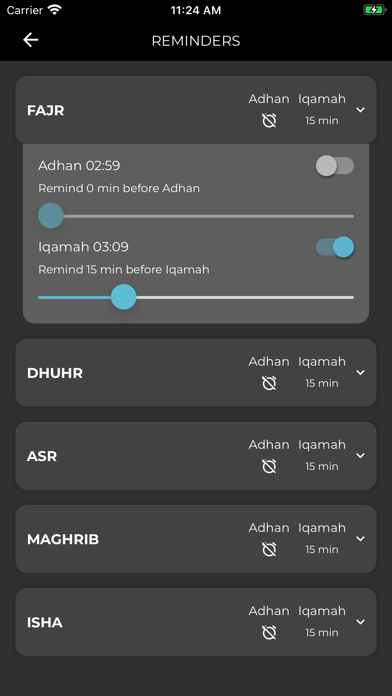
6. Set Reminders (Important ):
· Specify your preferred times to have notifications for Adhan and Iqamah
· Enable or disable reminders for certain salah
7. Set Reminders Sounds via Settings Menu Item
8. Provide at-least one Suggestion or Report a bug via Feedback Module
9. Try to Share app via Share app menu item
10. Try reading Privacy policy