

My Notes - Secure & Organised
My Notes - Secure & Organised is made and published by Rishik Dev. AppBrain is an independent app data site and isn't affiliated with Rishik Dev. The app name, icon, screenshots and description belong to Rishik Dev and are shown as published on the App Store.
AppBrain's verdict
- Rating on App Store
- 3.00
- 2 ratings
- Last updated
- December 27, 2022
It doesn't have enough ratings yet to judge what users think.
Rankings
App Store top chartsApp Store Rankings for My Notes - Secure & Organised
Competitors
Similar apps and more from Rishik DevAlternatives to My Notes - Secure & Organised







More from Rishik Dev


Releases
Updates seen on the App Store- Version
- 3.0
- Launched
- April 2022
No changelog data
User feedback
Ratings and reviews on the App StoreComments on My Notes - Secure & Organised for iOS
We don't have enough comments to show example comments. Please check back later.
Technology
Found in the app by AppBrain- Price
- Free
- App size
- 1.77 MB
- Content rating
- Everyone
Technologies used by My Notes - Secure & Organised
About the app and developer
About My Notes - Secure & Organised
My Notes - Secure & Organised is a productivity app developed by Rishik Dev.
User Ratings
My Notes - Secure & Organised is rated 3.00 out of 5 stars. The rating is based on 2 ratings.
App Information
My Notes - Secure & Organised is freely available from the App Store. The app size is 1.77 MB. The latest version available is 3.0. The last update was on December 27, 2022.
Technical Requirements
The app has a content rating of Everyone. The app has been available on the App Store since April 2022.
Developer information for Rishik Dev
Address:
Store listing
By Rishik Dev, from the App Store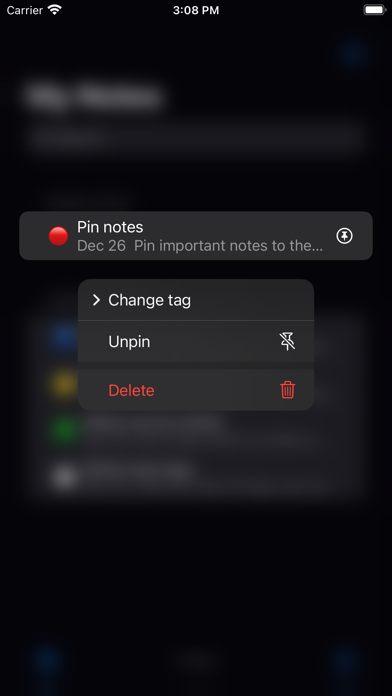





Description by Rishik Dev Written by the developer, not by AppBrain. Click to read.
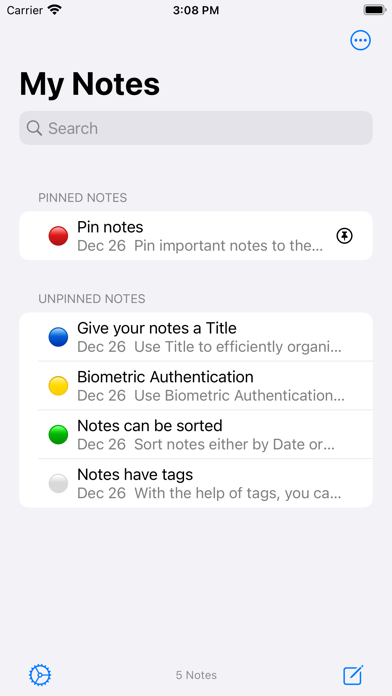
The aim of My Notes is to encourage people to take notes, jot down ideas, and, in general, write stuff. Let's talk about the features of My Notes.
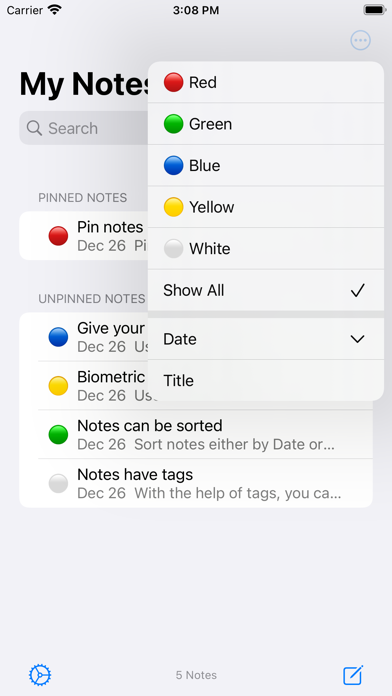
- With My Notes, you can create notes that are organised the way you like them. Choose from one of the five existing coloured tags and categorise your notes. You can also change the tags using the context menu.
- Tags can be used to filter your notes. View all the notes you have typed, or just the notes with which the selected filter is associated.
- Important notes can be pinned to the top of the list for quicker access
- Notes can be sorted either by Date or by Title in ascending as well as descending order
- My notes is secure as it does not have access to the internet. All your notes are stored on your device, and nothing is uploaded to any server.
- If you want even more security, you can turn on biometric authentication (Touch ID or Face ID) form the quick settings menu. This way, only you have access to your notes.
The best part about this application is that it is completely free! So, there is no reason for not trying out My Notes.