My Scans, best PDF Scanner App
My Scans, best PDF Scanner App is made and published by TOP APP d.o.o. AppBrain is an independent app data site and isn't affiliated with TOP APP d.o.o. The app name, icon, screenshots and description belong to TOP APP d.o.o. and are shown as published on the App Store.
AppBrain's verdict
EstablishedLoved by users- Rating on App Store
- 4.77
- 50,385 ratings
- Last updated
- February 3, 2026
- Size
- 112.9 MB
Users love it: 4.8 stars from 50,385 ratings. Its best ranking is #94 in Top Grossing, Productivity in Belgium.
User feedback
Ratings and reviews on the App StoreComments on My Scans, best PDF Scanner App for iOS
We don't have enough comments to show example comments. Please check back later.
Store listing
By TOP APP d.o.o., from the App StoreDescription by TOP APP d.o.o. Written by the developer, not by AppBrain. Click to read.
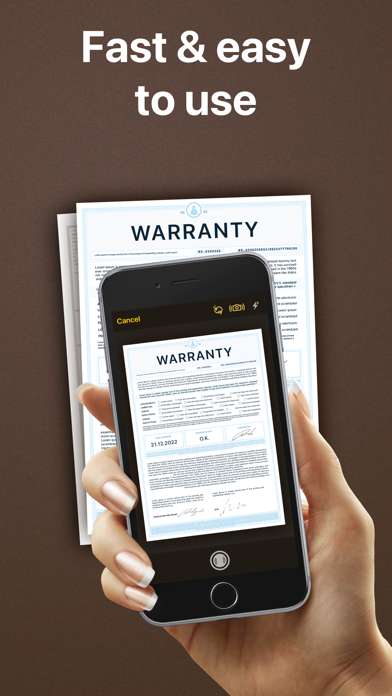
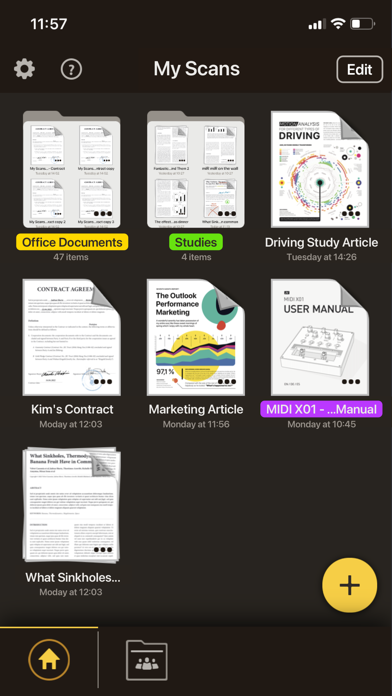
It is super simple to use. Just take a photo of a document, invoice, business card, bill, contract or memo and save it.
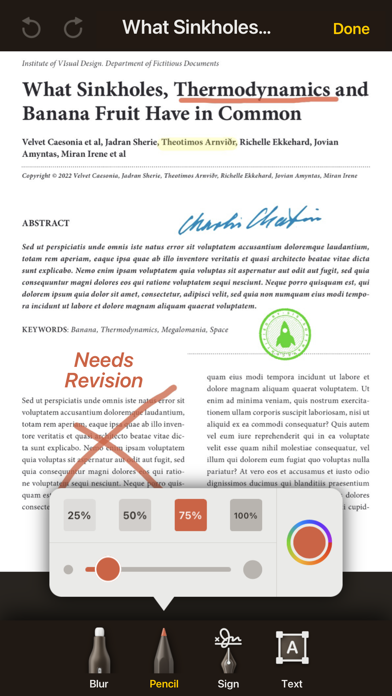
My Scans will do the rest. It detects edges and converts photos to a (searchable **) PDF document.
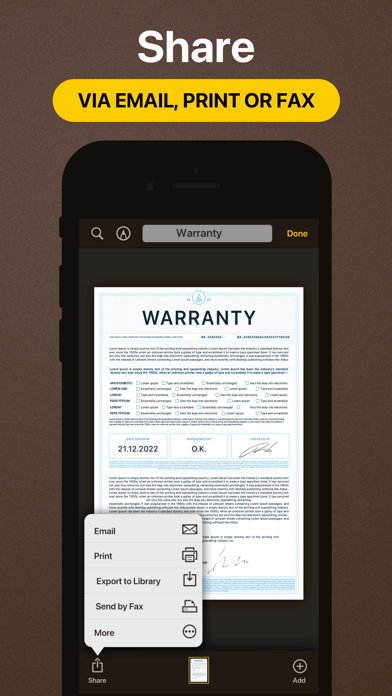
You can send documents by email or print them anytime you want **.
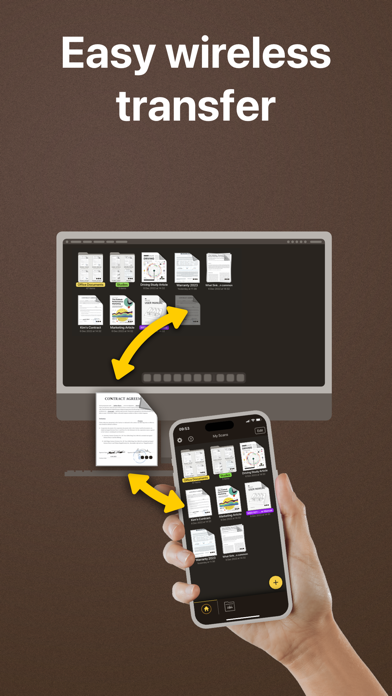
With My Scans Cloud you can synchronise documents between your devices, access files on your computer via a Web browser, collaborate with others using shared folders and share or receive files through Download and Receive links *.
From now on you will have all the documents you always need in your pocket!
Main features:
- Automatic document edge detection and crop
- Create searchable PDF document **
- Multiple pages in a single document
- Amazing file and folder organiser
- Share your documents as Images / PDFs **
- Print documents from the device **
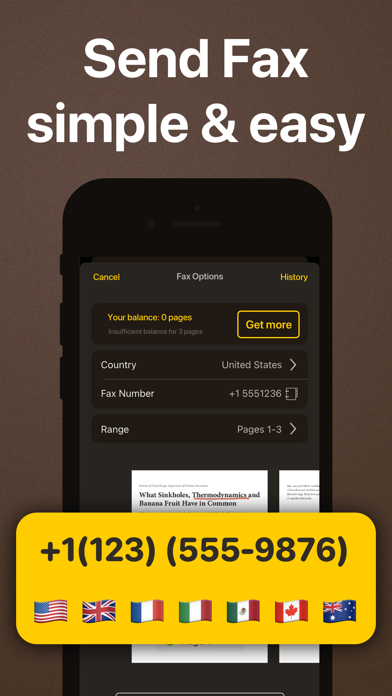
- Send fax **
- Search the document **
- Cloud collaboration (group documents) *
- Cloud sharing (share only link to files and folders) *
- Cloud backup *
- Cloud access documents via browser (no app needed) *
- Synced documents on multiple devices *
Top App Cloud features:
- Cloud collaboration (group projects)
- Cloud sharing (share only link to files and folders)
- Cloud backup
- Cloud access projects via browser (no app needed)
- Synced projects on multiple devices
Top App Cloud Subscription:
- $2.99/month or $19.99/year
- Payment will be charged to your iTunes Account at confirmation of purchase
- Subscription automatically renews unless auto-renew is turned off at least 24-hours before the end of the current period
- Account will be charged for renewal within 24-hours prior to the end of the current period, and identify the cost of the renewal
- Subscriptions may be managed by the user and auto-renewal may be turned off by going to the user's Account Settings after purchase
- No cancellation of the current subscription is allowed during active subscription period
- Terms of service: http://cloud.topapp.si/legal/tos
- Privacy policy: http://www.topapp.si/privacy-policy
* Only available if Top App Cloud service is enabled.
** Only available when My Scans Free is upgraded to full version
PLEASE READ THIS:
This version of My Scans is FREE so you can test it to see if this is what you are looking for.
Export functions are available with in-app purchase: “Upgrade to PRO” or when “Top App Cloud” is enabled.
If you find that you no longer need the app right now, all you have to do is delete it.
Please also bear in mind that it took a dedicated team of 5 people over a year to build this app and what we charge is a minimal fee. We kindly request that you do not give us 1 star feedback due to being a paid app.
Safety and technology
Found in the app by AppBrain- Price
- Free
- App size
- 112.9 MB
- Content rating
- Everyone
Technologies used by My Scans, best PDF Scanner App
Releases
Updates seen on the App Store- Version
- 5.10
- Launched
- July 2015
No changelog data
Alternatives
Similar apps and more from TOP APP d.o.o.Alternatives to My Scans, best PDF Scanner App
More from TOP APP d.o.o.
Rankings
App Store top charts- Highest rank
- #94
- Chart
- Top Grossing
- Productivity
- Country
- Belgium
About the app and developer
About My Scans, best PDF Scanner App
My Scans, best PDF Scanner App is a productivity app developed by TOP APP d.o.o.
User Ratings
My Scans, best PDF Scanner App is rated 4.77 out of 5 stars. The rating is based on 50 thousand ratings.
App Information
My Scans, best PDF Scanner App is freely available from the App Store. The app size is 112.88 MB. The latest version available is 5.10. The last update was on February 3, 2026.
Technical Requirements
The app has a content rating of Everyone. The app has been available on the App Store since July 2015.
Developer information for TOP APP d.o.o.
Address:
Frequently asked questions about My Scans, best PDF Scanner App
Is My Scans, best PDF Scanner App free?
Yes. My Scans, best PDF Scanner App is free on the App Store.
Is My Scans, best PDF Scanner App still available?
Yes. My Scans, best PDF Scanner App is on the App Store, and the last update we saw was on February 3, 2026.
How large is My Scans, best PDF Scanner App?
My Scans, best PDF Scanner App is 112.88 MB.
Is My Scans, best PDF Scanner App suitable for children?
App Store rates the content of My Scans, best PDF Scanner App as suitable for everyone.
How do people rate My Scans, best PDF Scanner App?
My Scans, best PDF Scanner App scores 4.77 out of 5 stars, from 50,385 ratings on the App Store.
Who made My Scans, best PDF Scanner App?
My Scans, best PDF Scanner App was developed by TOP APP d.o.o. It is listed in the productivity category on the App Store.
What are the best alternatives to My Scans, best PDF Scanner App?
People looking at My Scans, best PDF Scanner App also look at these productivity apps: Mobile Scanner App - Scan PDF, One Scan: PDF Doc Scanner, PDF Scanner Pro for Document, PDF Scanner・Document Scanner, Fill and Sign Documents: eSign.