

My Ship at Anchor
My Ship at Anchor is made and published by Frank Kalhoj. AppBrain is an independent app data site and isn't affiliated with Frank Kalhoj. The app name, icon, screenshots and description belong to Frank Kalhoj and are shown as published on the App Store.
AppBrain's verdict
- Last updated
- August 9, 2026
Rankings
App Store top chartsApp Store Rankings for My Ship at Anchor
Competitors
Similar apps and more from Frank KalhojMore from Frank Kalhoj






Releases
Updates seen on the App Store- Version
- 1.8
- Launched
- June 2026
No changelog data
User feedback
Ratings and reviews on the App StoreComments on My Ship at Anchor for iOS
We don't have enough comments to show example comments. Please check back later.
Technology
Found in the app by AppBrain- Price
- Free
- App size
- 11.1 MB
- Content rating
- Everyone
Technologies used by My Ship at Anchor
About the app and developer
About My Ship at Anchor
My Ship at Anchor is a navigation app developed by Frank Kalhoj.
User Ratings
The app has no ratings yet.
App Information
My Ship at Anchor is freely available from the App Store. The app size is 11.10 MB. The latest version available is 1.8. The last update was on August 9, 2026.
Technical Requirements
The app has a content rating of Everyone. The app has been available on the App Store since June 2026.
Developer information for Frank Kalhoj
Address:
Frequently asked questions about My Ship at Anchor
Is My Ship at Anchor free?
Yes. My Ship at Anchor is free on the App Store.
Is My Ship at Anchor still available?
Yes. My Ship at Anchor is on the App Store, and the last update we saw was on August 9, 2026.
How large is My Ship at Anchor?
My Ship at Anchor is 11.10 MB.
Is My Ship at Anchor suitable for children?
App Store rates the content of My Ship at Anchor as suitable for everyone.
Who made My Ship at Anchor?
My Ship at Anchor was developed by Frank Kalhoj. It is listed in the navigation category on the App Store.
Store listing
By Frank Kalhoj, from the App Store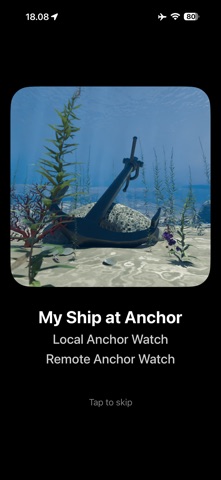
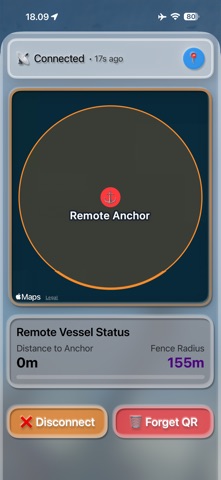
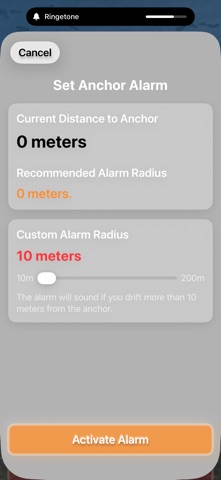
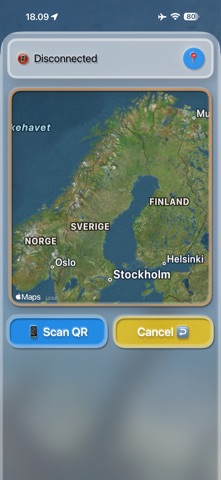


Description by Frank Kalhoj Written by the developer, not by AppBrain. Click to read.
HOW IT WORKS
1. Drop anchor
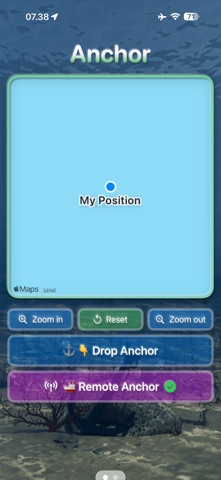
Launch the app on your iPad/iPhone (First device). Tap Drop Anchor at the spot where your anchor hits the bottom. Let out as much chain as you wish and read the live distance between the anchor drop and your current position.
2. Set your safe zone
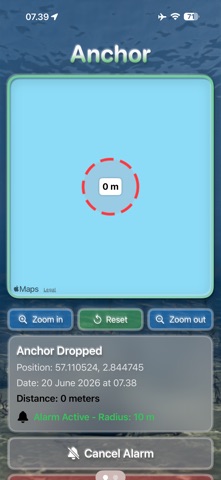
Tap Set Alarm to see your anchor manoeuvre result: distance to the drop point and a suggested safe zone (distance + 30%). Adjust the radius until you have enough swinging room, then tap Activate.
3. Anchor watch is running
The app runs silently in the background, monitoring your position 24/7. If your boat drags outside the safe zone, an audio alarm fires and a push notification appears. On silent mode your iPhone will vibrate.
REMOTE ANCHOR WATCH
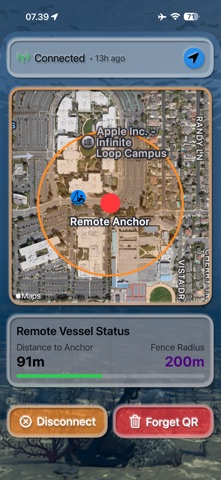
Going ashore? Enable Send Location to Cloud on the boat's device and link a second iPhone using the QR code found on the Setup page (swipe left on the first device). Your second device shows your boat's live position and safe zone on a map — and receives an alarm if your boat drags, even while you're at dinner or sleeping ashore.
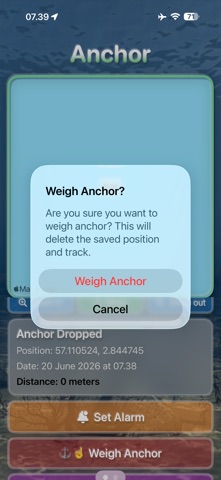
All cloud location data is automatically deleted the moment you tap Weigh Anchor. No one can track your position after that.
CLOUD SHARING — GOOD TO KNOW
Choose when location sharing starts: at Anchor Drop or when the Alarm is activated. Recommended: start when alarm is activated.
Remember to turn off cloud sharing once you are back on board.
Any QR link previously shared with family or friends can be reused the next time you activate Send Location to Cloud.
To generate a new QR code, delete and reinstall the app.
KEEP YOUR DEVICES CHARGED
When GPS is active, put your first device on a charger before leaving it aboard an unmanned boat. Make sure your second device is well charged before going ashore — you will want it healthy throughout your time on land.
Perfect for sailors, cruisers, and anyone spending the night at anchor.
Language: Bulgaria (BG), Croatia (HR), Denmark (DK), Estonia (EE), Finland (FI), France (FR), Germany (DE), Greece (GR), Italy (IT), Latvia (LV), Lithuania (LT), Netherlands (NL), Poland (PL), Portugal (PT), Spain (ES), Sweden (SE), Iceland (IS), Faroe Islands (FO)., Nowegian (NO)