My Way Keyboard is made and published by
Myung Jae Park.
AppBrain is an independent app data site and isn't affiliated with Myung Jae Park.
The app name, icon, screenshots and description belong to Myung Jae Park and are shown as
published on the App Store.
About My Way Keyboard
My Way Keyboard is an utilities app developed by Myung Jae Park.
User Ratings
The app has no ratings yet.
App Information
My Way Keyboard is freely available from the App Store. The app size is 85.17 MB. The latest version available is 1.0. The last update was on October 12, 2026.
Technical Requirements
The app has a content rating of Everyone. The app has been available on the App Store since October 2026.
Description by Myung Jae Park(from the App Store)
Type on the layout you know. Style it your way. My Way Keyboard is a keyboard for iPhone and iPad. Keep typing on the layout your thumbs already know, and make the keyboard look and sound the way you like.
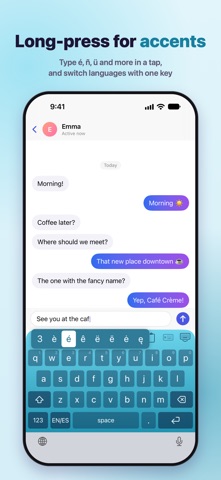
■ THE LAYOUT YOU KNOW • 17 languages in one keyboard — switch between them with one key • The layouts each language expects: QWERTY, QWERTZ and AZERTY, Japanese kana and romaji, Chinese Pinyin and Zhuyin, Vietnamese Telex and VNI, and 7 Korean layouts • Long-press for accents, plus a number row, one-handed mode, adjustable key height and spacing, and a separate landscape layout
■ THEMES, YOUR WAY • 62 themes, including 21 gradients, photo themes and Liquid Glass • Make your own gradient: pick two or three colors and an angle, or use a photo of your own • 16 key fonts, and key colors and shapes to match • Premium themes are yours to keep after watching a single ad
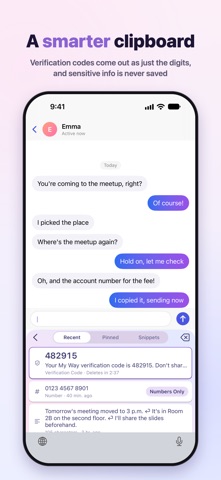
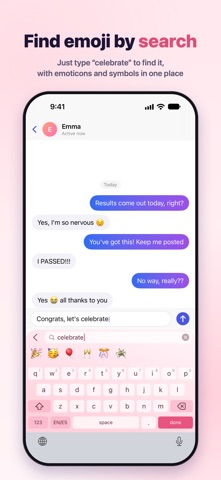
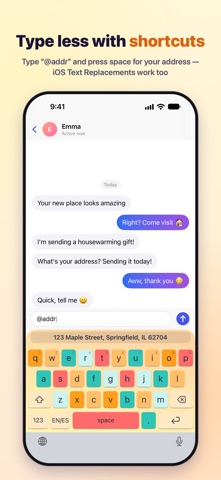
■ TYPE FASTER • Clipboard: everything you copy in one place. Verification codes paste as just the digits, and card numbers, ID numbers and passwords are never saved • Text shortcuts: type a shortcut like “@addr” and press space to expand it. iOS Text Replacements work too • Emoji search: type a word like “celebrate” to find the right emoji, with emoticons and symbols in the same panel • Edit panel: move the cursor by character, word or line, then copy, cut and paste • Hold the space bar to turn the keyboard into a trackpad and move the cursor left, right, up and down • Drag the delete key to delete whole words, and drag back to restore them
■ SOUNDS AND EFFECTS • 9 key sounds, including typewriter, mechanical and bubble • Press effects like hearts, sparkles and ripples, with adjustable haptic strength
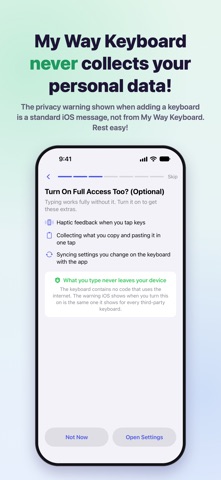
■ WHAT YOU TYPE STAYS ON YOUR DEVICE • The keyboard has no internet access. Nothing you type is ever sent anywhere • Settings, themes and clipboard history are stored only on this device • Every feature is free. Ads appear only inside the app — never in the keyboard
■ HOW TO TURN IT ON Settings › General › Keyboard › Keyboards › Add New Keyboard › My Way Keys Allow Full Access is optional. Turn it on for haptic feedback, clipboard history and syncing settings with the app — every layout works without it.
Each subscription will automatically renew 3 days before the expiration date for
the same time period. Subscriptions can be cancelled at any time before the renewal.