

myCellcom App
myCellcom App is made and published by New-Cell, Inc. AppBrain is an independent app data site and isn't affiliated with New-Cell, Inc. The app name, icon, screenshots and description belong to New-Cell, Inc. and are shown as published on the App Store.
AppBrain's verdict
EstablishedLoved by users- Rating on App Store
- 4.53
- 547 ratings
- Last updated
- October 30, 2025
Users love it: 4.5 stars from 547 ratings.
Rankings
App Store top chartsApp Store Rankings for myCellcom App
Competitors
Similar apps and more from New-Cell, Inc.Alternatives to myCellcom App


More from New-Cell, Inc.


Releases
Updates seen on the App Store- Version
- 2.21.16
- Launched
- September 2013
No changelog data
User feedback
Ratings and reviews on the App StoreComments on myCellcom App for iOS
We don't have enough comments to show example comments. Please check back later.
Technology
Found in the app by AppBrain- Price
- Free
- App size
- 5.47 MB
- Content rating
- Everyone
Technologies used by myCellcom App
About the app and developer
About myCellcom App
myCellcom App is an utilities app developed by New-Cell, Inc.
User Ratings
myCellcom App is rated 4.53 out of 5 stars. The rating is based on 550 ratings.
App Information
myCellcom App is freely available from the App Store. The app size is 5.47 MB. The latest version available is 2.21.16. The last update was on October 30, 2025.
Technical Requirements
The app has a content rating of Everyone. The app has been available on the App Store since September 2013.
Developer information for New-Cell, Inc.
Address:
Store listing
By New-Cell, Inc., from the App Store


Description by New-Cell, Inc. Written by the developer, not by AppBrain. Click to read.
•View talk, text and data usage
•View your plan and bill
•Make a payment
•Manage usage notifications
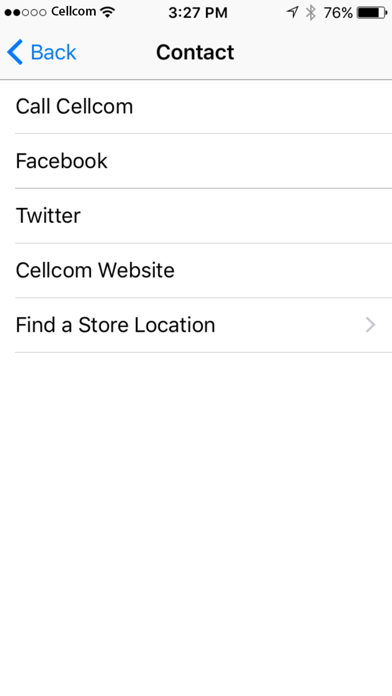
•Contact Cellcom
To use the myCellcom app, you need to have a myCellcom account set up. To register for a free myCellcom account:
•Simply go to http://my.cellcom.com select the link below the Log In button that says Click to Register, and follow the prompts to complete registration.
–If you are registering as an Account Owner, to verify your relationship with the account, you will need to provide one of the following pieces of information: Account password or social security number (last 4 digits) or federal tax ID.
–You can also choose to sign up as a Wireless User without an account password. A Wireless User account only has access to select information.
Important Note: The information provided is solely an estimate and may not accurately reflect your current usage. It is based on information that is received and processed by Cellcom at this time. There may be some delays in processing information.