

MyCollections - Gallery
MyCollections - Gallery is made and published by Atsushi Ezaki. AppBrain is an independent app data site and isn't affiliated with Atsushi Ezaki. The app name, icon, screenshots and description belong to Atsushi Ezaki and are shown as published on the App Store.
AppBrain's verdict
Established- Rating on App Store
- 3.80
- 5 ratings
- Last updated
- September 8, 2026
- Size
- 14.1 MB
It doesn't have enough ratings yet to judge what users think.
User feedback
Ratings and reviews on the App StoreComments on MyCollections - Gallery for iOS
We don't have enough comments to show example comments. Please check back later.
Store listing
By Atsushi Ezaki, from the App Store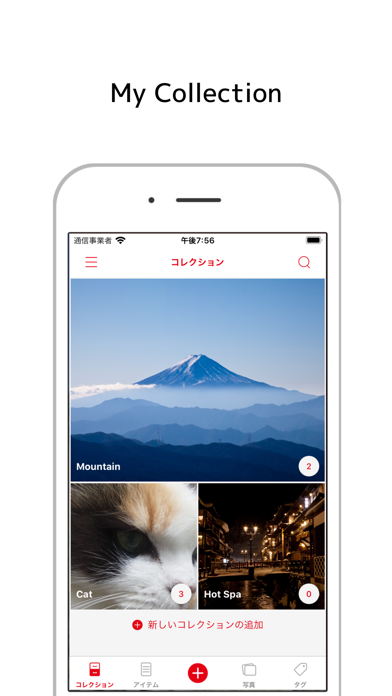
Description by Atsushi Ezaki Written by the developer, not by AppBrain. Click to read.
It is an application aimed at registering and managing collected items and organizing belongings that they possess.
For example how to use ...
· Register clothes you have> tag it and create a pattern to wear.
· Register a red seal> Register and manage photos and shrines of temples and shrines.
· Register the mountaintops and badges of Hundred Mountain Mountains> Use for managing the number of mountains.
And etc., how to use it!
I think that it is convenient for you to apologize and check that you do not buy the same thing, register the items you are collecting and look at the pictures! It is!
Please do use it by all means.
【Main function】
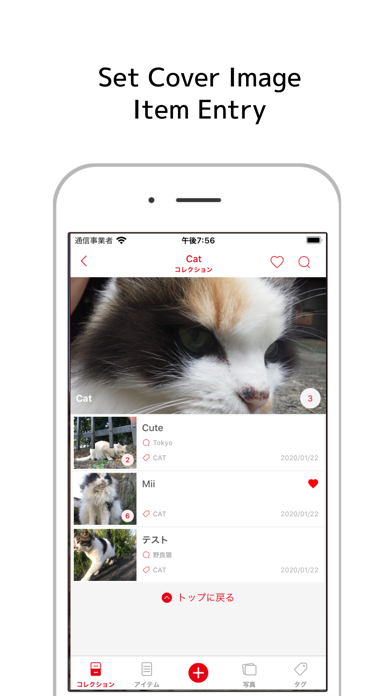
It is possible to set one cover photo in the collection group.
You can also change the display size and rearrange.
Up to 10 pictures can be registered for items to be added to the collection.
Items can be sorted in the collection.
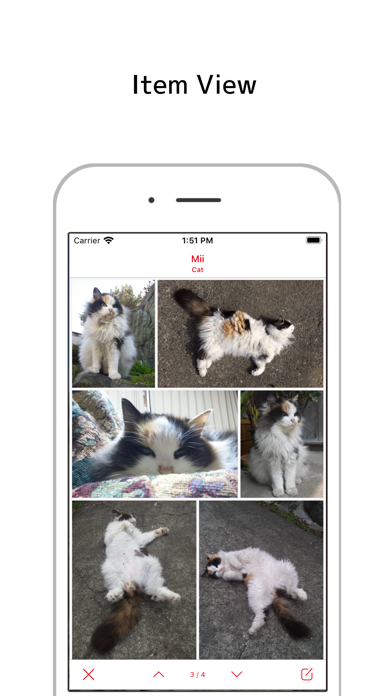
In the item list and the photo list, it is possible to check the item with the back and forth movement button.
By tagging, it is also possible to manage the items across the collection.
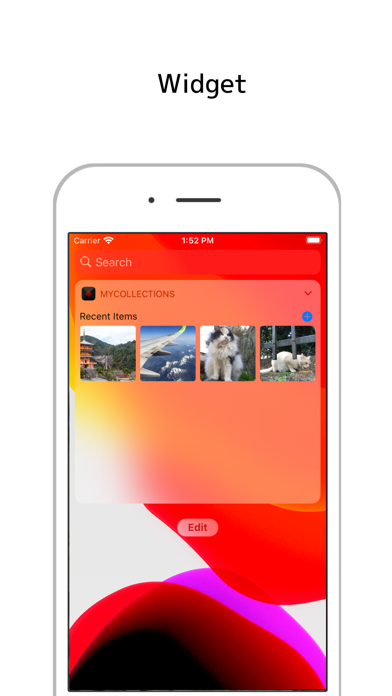
In the image widget, you can display images of recently registered items and favorite items.
As the theme function of the application,
- White mode or dark mode
- Font color setting
- Display function of badge
there is.
【screen structure】
Collection list
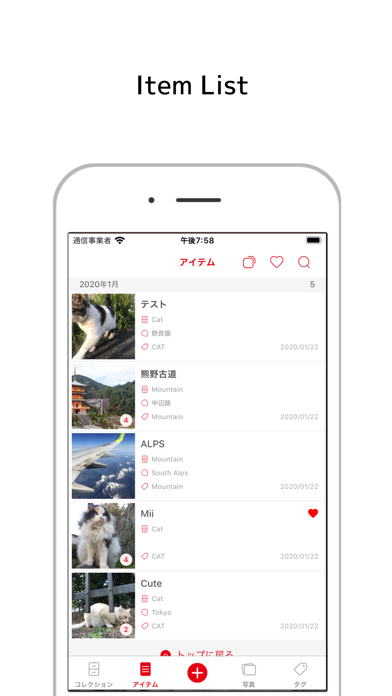
Item list
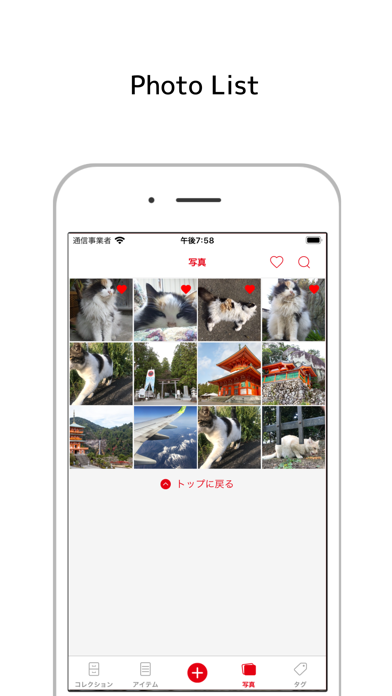
Photo list
Tag list
Collection registration edit screen
Item registration edit screen
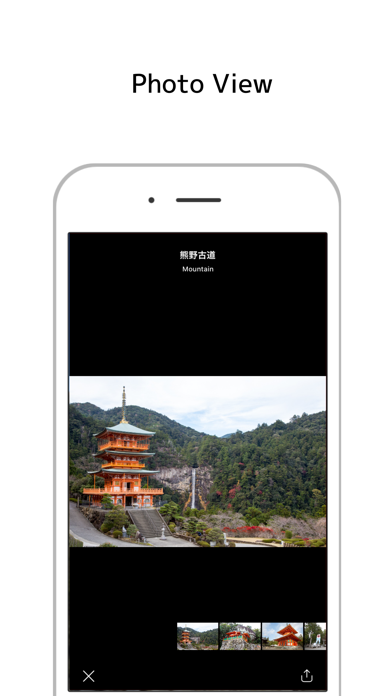
Item picture screen
settings screen
【Detailed function by screen】
■ Collection list
- Add collection
- Swipe down to change display format (list, 2 columns, individual settings)
- Change display order with long tap
- Size switching with double tap (when display format is set individually)
- Tap on collection name to transition to collection registration edit screen
■ Item list
- Swipe down to resize (list, 2 columns, 4 columns)
- Tap item name to transition to item registration edit screen
Photo list
- Swipe down to resize (large, 2 columns, 4 columns)
- Photo tap to show pictures in detail (enlargeable)
■ Tag List
- Add new tag
- Change display order with long tap
- Delete or rename with left swipe
- Tap to transition to item list screen
■ Collection registration edit screen
- Create cover image
- Size designation in list (valid when individual display)
■ Item registration edit screen
- Up to 10 photos can be sorted (sortable)
- Favorite settings
- Tag setting
■ Item picture screen
- Set the picture being displayed as the cover image of the collection
- Move backward and forward with reference to the item list of the transition source
- Transition to item edit screen
■ Setting screen
- Badge settings (none, number of items, number of items in a particular collection)
- Dark mode
- Font color setting
- Specify the initial display tab
- Backup and restore (Dropbox)
- Image widget settings (None, favorites, recently registered items, collections, specific collections, selectable from specific tags))
■ Image widget
- Up to 12 items
- Transition to item picture screen by item selection
- Access to new additions
Safety and technology
Found in the app by AppBrain- Price
- Free
- App size
- 14.1 MB
- Content rating
- Everyone
Technologies used by MyCollections - Gallery
Releases
Updates seen on the App Store- Version
- 2.6.0
- Launched
- September 2016
No changelog data
Alternatives
Similar apps and more from Atsushi EzakiAlternatives to MyCollections - Gallery








More from Atsushi Ezaki







Rankings
App Store top chartsApp Store Rankings for MyCollections - Gallery
About the app and developer
About MyCollections - Gallery
MyCollections - Gallery is a lifestyle app developed by Atsushi Ezaki.
What is the rating of MyCollections - Gallery?
MyCollections - Gallery is rated 3.80 out of 5 stars, based on 5 ratings.
Is MyCollections - Gallery free?
MyCollections - Gallery is free. The app size is 14.14 MB. The latest version available is 2.6.0. The last update was on September 8, 2026.
What are the requirements for MyCollections - Gallery?
The app has a content rating of Everyone. The app has been available on the App Store since September 2016.
Developer information for Atsushi Ezaki
Address:
Frequently asked questions about MyCollections - Gallery
Is MyCollections - Gallery free?
Yes. MyCollections - Gallery is free on the App Store.
Is MyCollections - Gallery still available?
Yes. MyCollections - Gallery is on the App Store, and the last update we saw was on September 8, 2026.
How large is MyCollections - Gallery?
MyCollections - Gallery is 14.14 MB.
Is MyCollections - Gallery suitable for children?
App Store rates the content of MyCollections - Gallery as suitable for everyone.
How do people rate MyCollections - Gallery?
MyCollections - Gallery scores 3.80 out of 5 stars, from 5 ratings on the App Store.
Who made MyCollections - Gallery?
MyCollections - Gallery was developed by Atsushi Ezaki. It is listed in the lifestyle category on the App Store.
What are the best alternatives to MyCollections - Gallery?
People looking at MyCollections - Gallery also look at these lifestyle apps: Altova MyCollections, Myアルバム - 可愛い写真整理アルバム, facePlayer-Al face play, Listify - Simple Todo App, Where's my stuff - Keep & Find.