

mySolarEdge
mySolarEdge is made and published by SolarEdge Technologies. AppBrain is an independent app data site and isn't affiliated with SolarEdge Technologies. The app name, icon, screenshots and description belong to SolarEdge Technologies and are shown as published on the App Store.
AppBrain's verdict
EstablishedLoved by users- Rating on App Store
- 4.52
- 18,956 ratings
- Last updated
- October 7, 2026
Users love it: 4.5 stars from 18,956 ratings.
Rankings
App Store top chartsApp Store Rankings for mySolarEdge
Competitors
Similar apps and more from SolarEdge TechnologiesAlternatives to mySolarEdge


More from SolarEdge Technologies


Releases
Updates seen on the App Store- Version
- 3.6
- Launched
- April 2020
No changelog data
User feedback
Ratings and reviews on the App StoreComments on mySolarEdge for iOS
We don't have enough comments to show example comments. Please check back later.
Technology
Found in the app by AppBrain- Price
- Free
- App size
- 84.7 MB
- Content rating
- Everyone
Technologies used by mySolarEdge
About the app and developer
About mySolarEdge
mySolarEdge is an utilities app developed by SolarEdge Technologies.
User Ratings
mySolarEdge is rated 4.52 out of 5 stars. The rating is based on 19 thousand ratings.
App Information
mySolarEdge is freely available from the App Store. The app size is 84.67 MB. The latest version available is 3.6. The last update was on October 7, 2026.
Technical Requirements
The app has a content rating of Everyone. The app has been available on the App Store since April 2020.
Developer information for SolarEdge Technologies
Address:
Store listing
By SolarEdge Technologies, from the App Store




Description by SolarEdge Technologies Written by the developer, not by AppBrain. Click to read.
Use mySolarEdge to maximize your SolarEdge experience as well as your electricity savings:
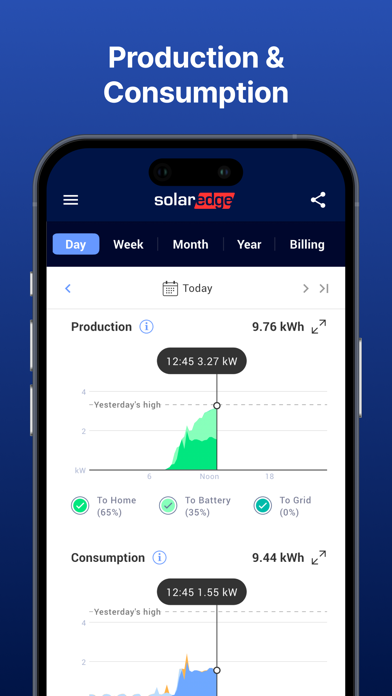
· Track your energy use and production in real-time, with mobile-optimized features
· Identify ways to become more energy efficient
· Control your smart home devices and manage SolarEdge EV charging remotely
· View solar inverter status for quick troubleshooting using step-by-step instructions and easy to read menus in SetApp-enabled inverters only
· Set-up inverter communication and network settings in SetApp-enabled inverters only
* To get monitoring permissions, contact your installer.
** For energy usage monitoring, a consumption meter is required.