

MyToday Lite
MyToday Lite is made and published by MYSLAB Corp. AppBrain is an independent app data site and isn't affiliated with MYSLAB Corp. The app name, icon, screenshots and description belong to MYSLAB Corp. and are shown as published on the App Store.
AppBrain's verdict
Established- Rating on App Store
- 4.57
- 23 ratings
- Last updated
- September 17, 2026
It doesn't have enough ratings yet to judge what users think.
Rankings
App Store top chartsApp Store Rankings for MyToday Lite
Competitors
Similar apps and more from MYSLAB Corp.Alternatives to MyToday Lite








More from MYSLAB Corp.

Releases
Updates seen on the App Store- Version
- 2.3.12
- Launched
- September 2016
No changelog data
User feedback
Ratings and reviews on the App StoreComments on MyToday Lite for iOS
We don't have enough comments to show example comments. Please check back later.
Technology
Found in the app by AppBrain- Price
- Free
- App size
- 24.0 MB
- Content rating
- Everyone
Technologies used by MyToday Lite
About the app and developer
About MyToday Lite
MyToday Lite is a lifestyle app developed by MYSLAB Corp.
User Ratings
MyToday Lite is rated 4.57 out of 5 stars. The rating is based on 23 ratings.
App Information
MyToday Lite is freely available from the App Store. The app size is 24.05 MB. The latest version available is 2.3.12. The last update was on September 17, 2026.
Technical Requirements
The app has a content rating of Everyone. The app has been available on the App Store since September 2016.
Developer information for MYSLAB Corp.
Address:
Frequently asked questions about MyToday Lite
Is MyToday Lite free?
Yes. MyToday Lite is free on the App Store.
Is MyToday Lite still available?
Yes. MyToday Lite is on the App Store, and the last update we saw was on September 17, 2026.
How large is MyToday Lite?
MyToday Lite is 24.05 MB.
Is MyToday Lite suitable for children?
App Store rates the content of MyToday Lite as suitable for everyone.
How do people rate MyToday Lite?
MyToday Lite scores 4.57 out of 5 stars, from 23 ratings on the App Store.
Who made MyToday Lite?
MyToday Lite was developed by MYSLAB Corp. It is listed in the lifestyle category on the App Store.
What are the best alternatives to MyToday Lite?
People looking at MyToday Lite also look at these lifestyle apps: My Veggie Diary, DayMore: Modern Diary, YOUKAMI, 다하자, It's meee - simple diary.
Store listing
By MYSLAB Corp., from the App Store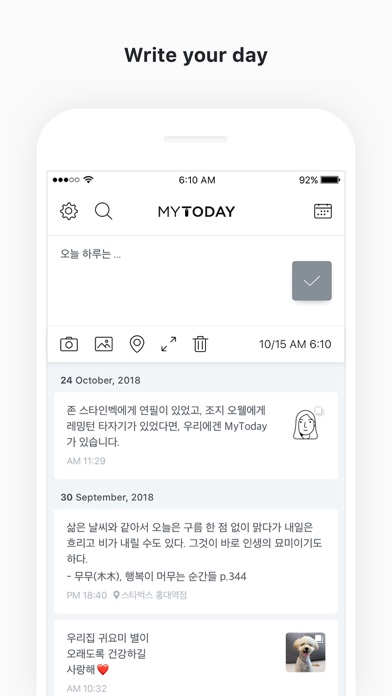
Description by MYSLAB Corp. Written by the developer, not by AppBrain. Click to read.
The app is for those who love writing diaries.
Start with MyToday.
(Lite version can only write 20 posts. Please use the full version to write more.)
—
[Please read]
My Today does not store user data on the server.
The data is saved on the user's mobile phone. If My Today data is accidentally deleted for getting device capacity,
the text will not be visible and cannot be recovered.
In order to keep your valuable articles safely, it is recommended to periodically backup to 'Dropbox' or 'Google Drive'. (Required before device change / reset)
You can Backup from the setting of the My Today App.
—
[How to use MYTODAY]
• Lite version can only write 20 posts. Please use the full version to write more.
• You can create today's diary by selecting the top area of the main screen.
• Select the camera icon to take a picture and attach it immediately.
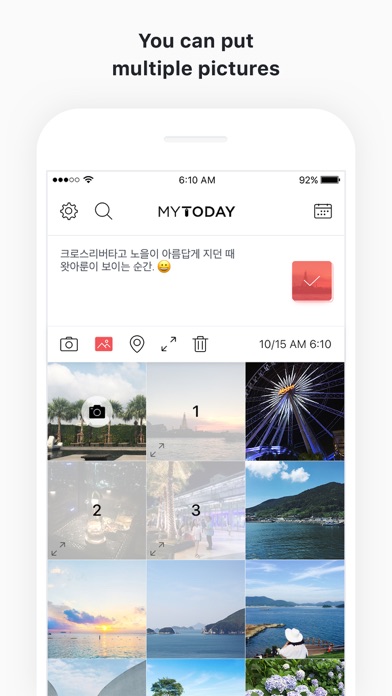
• When you select the picture icon, you can attach up to 10 pictures from the camera roll.
• The location icon can add your current location or specific location information.
• If you touch the expansion icon, you can write and edit pictures on a wide screen.
• You can edit or delete the created list in the main screen by swiping left.
• You can use the full editing function by swiping the created list on the main screen to the right.
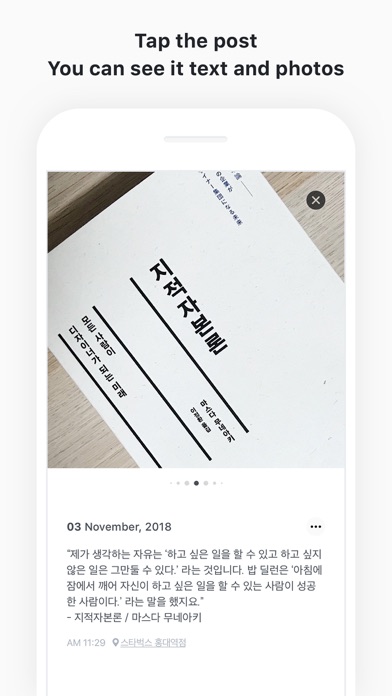
• On a 3D Touch-enabled device, you can edit or delete the list directly by tapping the list.
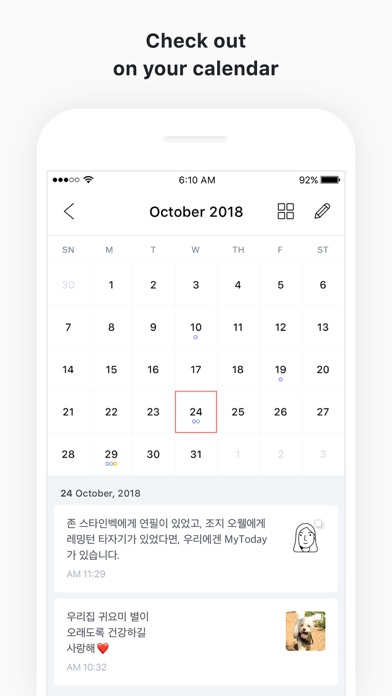
• You can check the diary by date by selecting the calendar icon in the upper right corner.
• You can find the diary by using the search icon in the upper left corner.
• Swipe up the calendar on the calendar screen to view the list on a wider screen.
• You can move the month with the left and right swipe gestures on the calendar screen, and you can see the previous year or the following year through the year view icon at the top.
• Dropbox backup and recovery is possible in the settings.
• You can back up data by e-mail in Settings.
• Notifications are available daily in Settings.
• You can check the written text only by yourself. You can make your passwords safer by setting passwords.
• For more information on backing up and restoring your data, please check the developer website.
Thank you for using My Today. :)