Download Android Apps and Games
AppBrain
  • Apps
  • Apps being viewed right now Trending apps today Most popular apps All-time most downloaded apps Top rated apps
  • Intelligence ▾
    Intelligence overview → Track any Android app or your whole market
    Track & analyze
    Keyword Tracker & OptimizerTrack & improve Play rankings App Performance ReportOne-off PDF for any app StatisticsFree Android & Play market stats
    Promote your app
    Featured Apps App Links
  • Intelligence
  • Pricing
  • Dashboard
  • Sign up
  • Log in
Last updated on: 2026-07-24
App Store Apps > Photo & Video > NanoFlick: Zero-Edit Video
NanoFlick: Zero-Edit Video icon

NanoFlick: Zero-Edit Video

1.25.15
NanoFlick LLC
5.00
12 reviews
Free
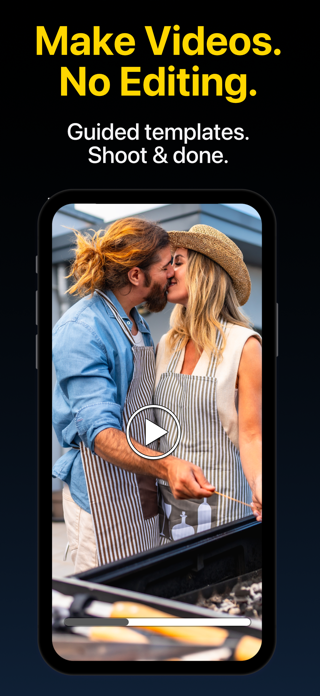
NanoFlick: Zero-Edit Video Screenshot 1 of 10
NanoFlick: Zero-Edit Video Screenshot 2 of 10
NanoFlick: Zero-Edit Video Screenshot 3 of 10
NanoFlick: Zero-Edit Video Screenshot 4 of 10
NanoFlick: Zero-Edit Video Screenshot 5 of 10
NanoFlick: Zero-Edit Video Screenshot 6 of 10
NanoFlick: Zero-Edit Video Screenshot 7 of 10
NanoFlick: Zero-Edit Video Screenshot 8 of 10
NanoFlick: Zero-Edit Video Screenshot 9 of 10
NanoFlick: Zero-Edit Video Screenshot 10 of 10
5.00 ยท 12 reviews
Download from the App Store

About NanoFlick: Zero-Edit Video

NanoFlick: Zero-Edit Video is an overall app developed by NanoFlick LLC.

Download Statistics

User Ratings

NanoFlick: Zero-Edit Video is rated 5.00 out of 5 stars. The rating is based on 12 ratings.

App Information

NanoFlick: Zero-Edit Video is FREE to download. The APK download size is 327.87 MB. The latest version available is 1.25.15. The last update was on March 11, 2026.

Technical Requirements

The app has a content rating of Everyone. The app has been available on Google Play December 2022.

Description
Make real videos — no editing required.

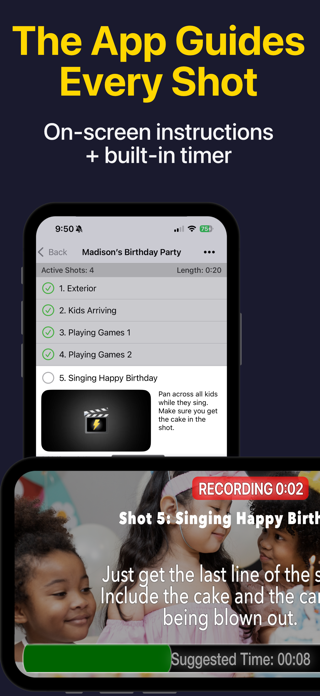
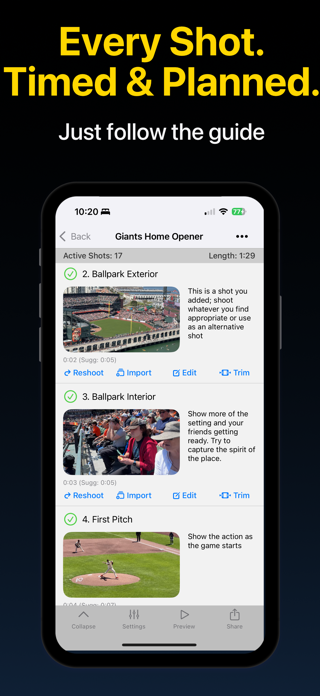
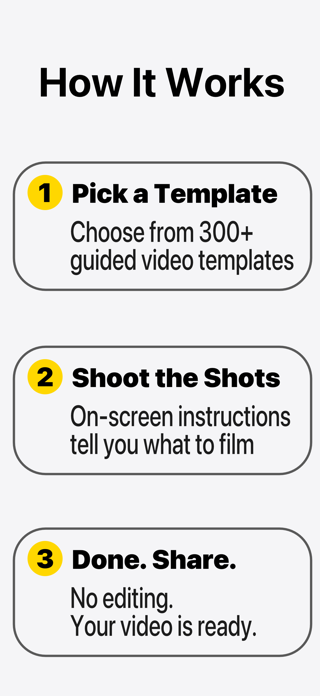
NanoFlick guides you through every shot. Follow a template, point your camera, and your video is done when you're done shooting. No timeline. No trimming. No editing.

EVERYTHING YOU NEED — FREE
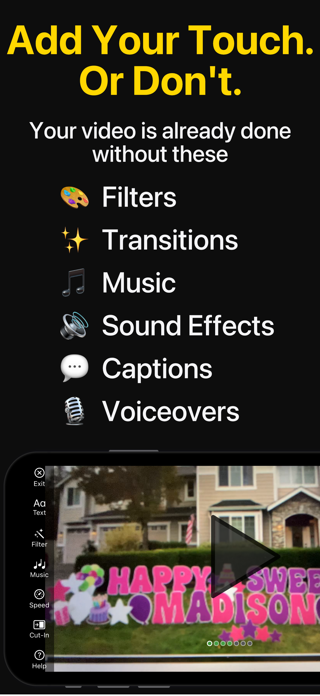
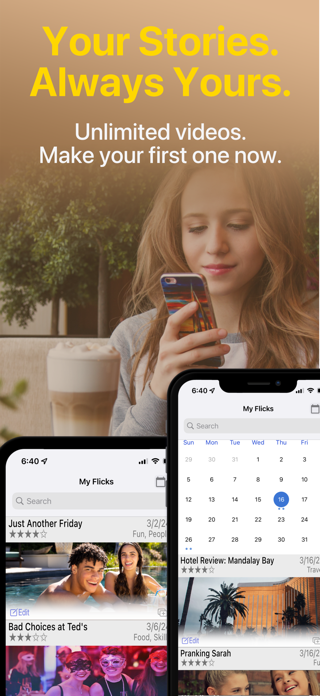
Unlimited videos. Unlimited length. Unlimited sharing. Auto-captions, voiceovers, aspect ratios, filters, transitions, music, and sound effects — all free. No trial. No catch.

SHOOT
Pick a template — or create your own. On-screen instructions tell you what to film, for how long, and when to move on. A built-in timer keeps things tight.

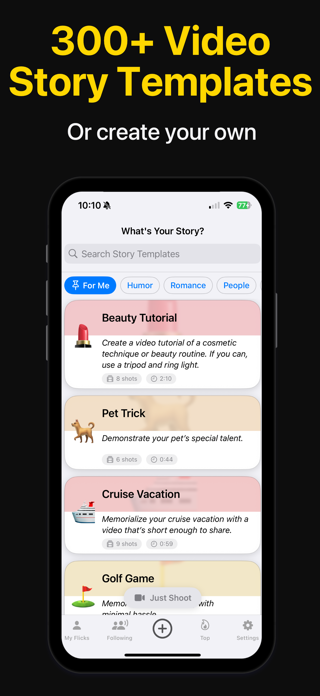
Choose from hundreds of guided video templates:

• Family: Birthdays, Vacations, Kids Sports, Parenting
• Business: Pitches, Demos, Meet-the-Team, Testimonials
• Travel: Road Trips, Hotel Reviews, Home Tours
• Food: Restaurant Reviews, Recipes, Cooking Tips
• Social: Pranks, Challenges, Skits, Jokes
• Events: Concerts, Game Nights, Parties
• People: Check-Ins, Diary Entries, Messages

New templates added regularly. Create and share your own.

Share in portrait, landscape, or square. Every shot framed perfectly for any platform.

SHARE
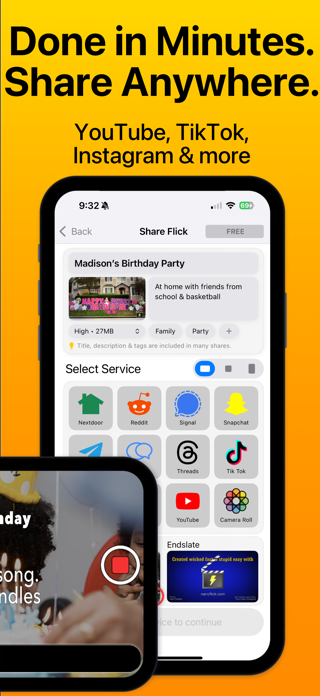
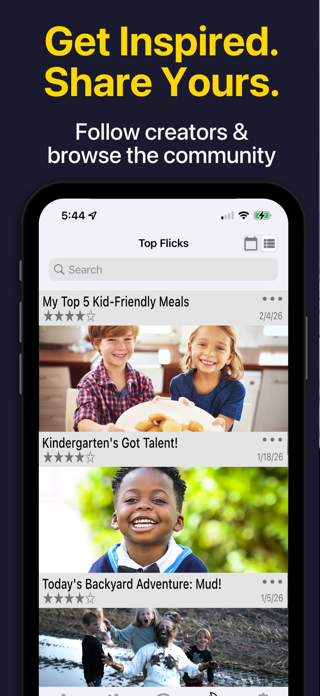
Your video is ready the moment you finish shooting. Share to YouTube, TikTok, Instagram, LinkedIn, WhatsApp, and more. Or share on NanoFlick to follow friends and discover what others are creating.

ADD YOUR VOICE
Record voiceover narration on any shot. Auto-captions put your words on screen automatically. Your story, told your way.

STABILIZE
Connect a DockKit-compatible gimbal — like Insta360 Flow 2 Pro or DJI Osmo Mobile 8 — for smooth, stabilized shots without the shake.

GO FURTHER
Premium unlocks versions — create short, medium, and extended cuts from the same shoot — plus expanded caption styles, filters, transitions, sound effects, and story-mode shot-by-shot sharing. No watermark.

Pro adds Final Cut Pro export: a complete timeline file with every clip named, numbered per shot, and caption files included. Customize or remove the endslate entirely. Professional-grade output from a 5-minute shoot.

WHO IT'S FOR
Families. Creators. Small businesses. Travelers. Anyone who wants to make videos but never wants to edit.

Your first video takes under 5 minutes.

FREE TO START
Upgrade to Premium or Pro for additional capabilities. Subscriptions billed monthly; auto-renew unless cancelled 24 hours before the end of the current period. Manage in Account Settings.

Terms of Service: https://www.nanoflick.com/tos.html
Privacy Policy: https://www.nanoflick.com/privacy.html
Show more Show less

More data about NanoFlick: Zero-Edit Video

Price Free to download
Rating 5.00 based on 12 ratings
Ranking Not ranked
Version 1.25.15
App download size 327.9 MB
Suitable for Everyone

Alternative downloads for the NanoFlick: Zero-Edit Video app

BeCollage - Photo Maker icon BeCollage - Photo Maker
Kieu Thuy
4.4
Free
9 ratings
self.log Video Editor icon self.log Video Editor
Serafim Chekalkin
4.0
Free
1 ratings
Add Text: Write on Videos icon Add Text: Write on Videos
Prashant Yadav
4.8
Free
27 ratings
Guerrilla Filmmaker: Camera icon Guerrilla Filmmaker: Camera
Guerrilla Apps Ltd
4.5
$8.99
52 ratings
90 Seconds Creator icon 90 Seconds Creator
90 Seconds
4.2
Free
8 ratings
Video Compressor: 4K Compress icon Video Compressor: 4K Compress
Sunshine Software Labs
4.5
Free
15 ratings
Supercut icon Supercut
Justin Lee
5.0
Free
2 ratings
HighDefEvents icon HighDefEvents
HDE App LLC
4.2
Free
5 ratings

More from NanoFlick LLC

AI Music Covers icon AI Music Covers
NanoFlick LLC
2.3
Free
6 ratings
iLlama icon iLlama
NanoFlick LLC
3.0
Free
4 ratings

Changelog of NanoFlick: Zero-Edit Video

No changelog data

Developer information for NanoFlick LLC

NanoFlick LLC

Address:

Share NanoFlick: Zero-Edit Video

Comments on NanoFlick: Zero-Edit Video for iOS

We don't have enough comments to show example comments. Please check back later.

App Store Rankings for NanoFlick: Zero-Edit Video

This app is not ranked

Technologies used by NanoFlick: Zero-Edit Video

Apps on sale Popular Overall Today's trending apps Apps other people are watching Top new apps
BeCollage - Photo Maker icon BeCollage - Photo Maker
self.log Video Editor icon self.log Video Editor
Add Text: Write on Videos icon Add Text: Write on Videos
Guerrilla Filmmaker: Camera icon Guerrilla Filmmaker: Camera
90 Seconds Creator icon 90 Seconds Creator
Video Compressor: 4K Compress icon Video Compressor: 4K Compress
Supercut icon Supercut
HighDefEvents icon HighDefEvents

Back to top
AppBrain Intelligence premium content

Subscribe now to get full and unlimited access to AppBrain Intelligence. You'll have access to:

  • App Intelligence dashboard (performance timeline, competitor comparison, country rankings, insight cards)
  • Detailed ranking data per app
  • Full timeline per developer
  • Device market shares data per country
  • Unlimited keyword tracking
1 Month

$75/mo
(billed every month)

SAVE 0%
Subscribe
3 Months

$65/mo
($195 billed every 3 months)

SAVE 13%
Subscribe
1 Year

$57.50/mo
($690 billed every year)

SAVE 23%
Subscribe
Each subscription will automatically renew 3 days before the expiration date for the same time period. Subscriptions can be cancelled at any time before the renewal.

AppBrain is a directory focused on discovering great apps and games. We give statistics, rankings and search options that Google Play and the App Store don't have. All trademarks are owned by their respective owners. AppBrain doesn't offer APKs or binaries, and always lets users install the official version from Google Play or the App Store.

More apps

  • Top Android apps being viewed
  • Cloudbrink for Android
  • Doc Bear's Symptom Vault Android App
  • Temple Run: Idle Explorers

Android Statistics

  • Android statistics
  • Google Play Developer stats
  • Trending Android Apps
  • Top popular Apps
  • Buy the best Android phone

About AppBrain

  • Contact
  • Privacy
  • Documentation
  • DMCA takedowns
  • Articles
  • Blog
  • The AppBrain advertising system
© 2010-2026 - AppBrain