Navi DirectionsX is made and published by
BecomingSystems.
AppBrain is an independent app data site and isn't affiliated with BecomingSystems.
The app name, icon, screenshots and description belong to BecomingSystems and are shown as
published on the App Store.
About Navi DirectionsX
Navi DirectionsX is a navigation app developed by BecomingSystems.
User Ratings
The app has no ratings yet.
App Information
Navi DirectionsX is freely available from the App Store. The app size is 53.90 MB. The latest version available is 4.0.1. The last update was on August 24, 2026.
Technical Requirements
The app has a content rating of Everyone. The app has been available on the App Store since March 2014.
Description by BecomingSystems(from the App Store)
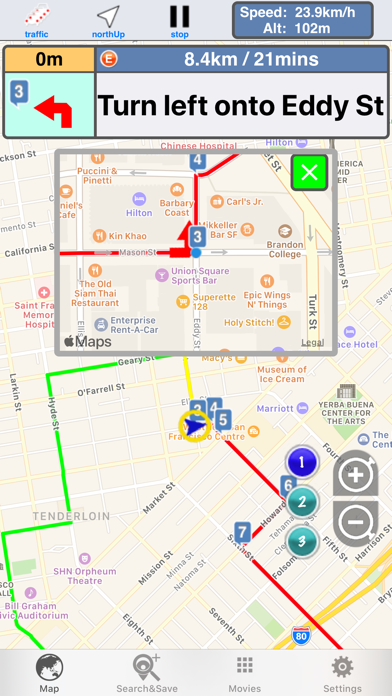
Please leave the operation to the fellow passenger. Use of DirectionsX is at the user’s own risk. New feature: ・Display of an enlarged view at the intersection ・Specify alarm sound near the target point/destination/via point: You can specify any alarm sound near 150m and 400m from each point
You can start/stop the route guidance by “Hey Siri” and “Navigation” and search a new route by “Hey Siri” and “Search a new route” on iOS12 above. Under the navigation the start point of a new route is the current location. On iOS13 you can define the shortcuts by app:shortcuts. On iOS12 you can use the shortcuts after you add the shortcuts at the settings of iOS ->Siri & Search. You turn on the switch(Search, Suggestions & Shortcuts) at the DirectionsX of the list below the "SIRI SUGGESTIONS”, if you can not find the shortcuts of DirectionsX.
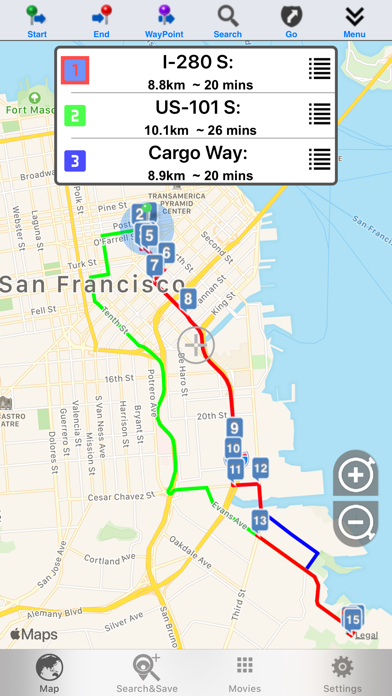
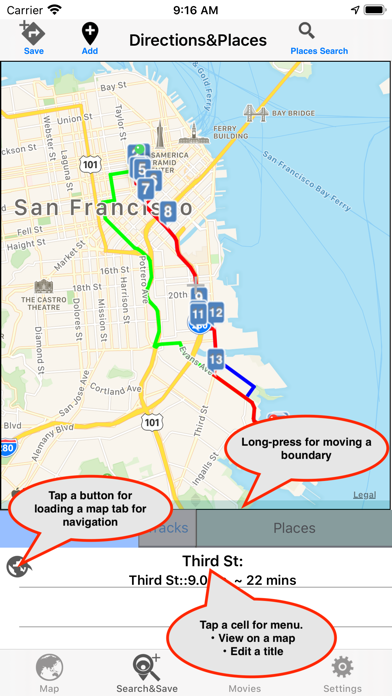
DirectionsX can search and display the route and instructions ,and provide the simple navigation. Searched route is available for driving, walk . Moved track can be displayed. Also the waypoints can be defined up to 8 points.
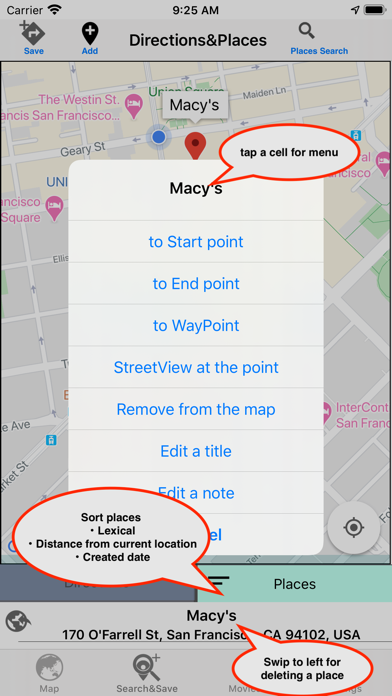
You can save and backup the points of interest. The wayPoint can be saved as POI. You can select the information of the remained distance/time to the destination or nearest waypoint. Please tap on the information window at the bottom right on the navigation mode and switch between the destination and the waypoint. Please long-press on the information window at the bottom right and you can select the ETA/remained time and auto-toggle.
The alarm sounds at about 400m from the landmark. Enlarged map at the cross road, alarm sound and saving data are added. You can save and upload to icloud the searched directions. The approaching reminder can set up at 100m and 500m.
Improving Place searching. You can search the places that are near a displayed location. Search keys (bank, subway station, store etc.) are available.
Tracking of estimated current location is turned off for 10 seconds if you want to view the other location of the map during under the navigation.
Night mode of the map: You can select the dark/light mode of the map. Auto select mode is available on the navigation mode. Please turn on the switch at settings menu.
Background Mode: You can save the track under the background mode turning on the switch at Settings at the Section of Background mode.
Add-on: noAd The advertisement does not display.
Add-on: Sending location Data This Add-on can send the current location data to app:DirectionsX on another iPad without GPS every 1 seconds. The purpose of this Add-on is the transmission of current locations to the app(DirectionsX on the device without GPS) at foreground or background state. This function supports to iPhone5 later, because it need to the tethering. This add-on makes DirectionsX on iPad/iPod without GPS to work as if it has GPS receiver. Sending Location data is available on background mode. So you can push the home button keeping sending location. usages as follows; 1. You connect your iPad without GPS receiver to iPhone that is available to the tethering by tethering. 2. Launch DirectionsX on the device without GPS. And tap "Start receiving locations" 3. Launch DirectionsX on the device with GPS. 4. Tap “Start send locations". 5. You can look the red arrow on the left side of DirectionsX without GPS when DirectionsX can receive the data of current location. 6. If pop up the window that indicates that directionsX can not be found, tap the "Stop receiving locations” button and tap "Start receiving locations" at action menu.
DirectionsX stops sending the data when DirectionsX on the device without GPS is suspended or quitted. DirectionsX stops updating the location service at background if sending data is stopped.
Notes:Please pay attention to the remaining amount of the battery. Continued use of GPS running in the background can dramatically decrease battery life in similar to foreground.
Each subscription will automatically renew 3 days before the expiration date for
the same time period. Subscriptions can be cancelled at any time before the renewal.