AppBrain
AppBrain
  • Apps
  • Apps being viewed right now Trending apps today Most popular apps All-time most installed apps Top rated apps iPhone and iPad apps
  • Intelligence ▾
    Intelligence overview → Track any Android app or your whole market
    Track & analyze
    Keyword Tracker & OptimizerTrack & improve Play rankings App Performance ReportOne-off PDF for any app StatisticsFree Android & Play market stats
    Promote your app
    Featured Apps App Links
  • Intelligence
  • Pricing
  • Dashboard
  • Sign up
  • Log in
App Store Apps > Productivity > NextNote: Notes & AI Writing
NextNote: Notes & AI Writing icon

NextNote: Notes & AI Writing

1.1.12
劲灿 陈
0.00
0 reviews
Free

NextNote: Notes & AI Writing Screenshot 1 of 9
NextNote: Notes & AI Writing Screenshot 2 of 9
NextNote: Notes & AI Writing Screenshot 3 of 9
NextNote: Notes & AI Writing Screenshot 4 of 9
NextNote: Notes & AI Writing Screenshot 5 of 9
NextNote: Notes & AI Writing Screenshot 6 of 9
NextNote: Notes & AI Writing Screenshot 7 of 9
NextNote: Notes & AI Writing Screenshot 8 of 9
NextNote: Notes & AI Writing Screenshot 9 of 9
Screenshots by 劲灿 陈, from the the App Store listing
View on the App Store

About NextNote: Notes & AI Writing

NextNote: Notes & AI Writing is a productivity app developed by 劲灿 陈.

User Ratings

The app has no ratings yet.

App Information

NextNote: Notes & AI Writing is freely available from the App Store. The app size is 80.05 MB. The latest version available is 1.1.12. The last update was on November 11, 2026.

Technical Requirements

The app has a content rating of Everyone. The app has been available on the App Store since August 2025.

NextNote: Notes & AI Writing is made and published by 劲灿 陈. AppBrain is an independent app data site and isn't affiliated with 劲灿 陈. The app name, icon, screenshots and description belong to 劲灿 陈 and are shown as published on the App Store.

Description by 劲灿 陈 (from the App Store)
Capture the thought now. Keep shaping it later.

NextNote brings quick capture, rich-text editing, voice input, organization, and AI writing tools into one continuous note-taking workflow. Use it for passing ideas, meeting notes, study material, checklists, journals, project plans, or long-form drafts that need room to grow.

CAPTURE FROM HOME

Open NextNote and start typing without choosing a complicated format first. When typing is not convenient, capture the moment with voice, photos, or video.

A quick capture is not a disconnected message or disposable draft. Once saved, it becomes a document you can keep editing, search later, organize, reuse, and share. Move from one sentence to a complete piece of writing without starting over in another tool.

NextNote works well for:
• Quick notes, memos, and everyday ideas
• Meeting notes and work documentation
• Class notes, research material, and study guides
• Journals, reading notes, and writing drafts
• To-do lists, checklists, and project planning
• Voice thoughts, photo references, and video clips

A FLEXIBLE EDITOR FOR REAL WRITING

Create a simple note or develop a longer document in the same editor. Structure your work with headings, paragraphs, rich-text formatting, numbered and bulleted lists, checklists, quotes, and links. Add images, audio, video, drawings, and other content blocks when words alone are not enough.

Start rough and refine over time. Save useful structures as templates for recurring meeting notes, weekly plans, study reviews, journals, or content production. Your capture and writing tools stay together, so organizing an idea does not require moving it across several apps.

VOICE AND MULTIMEDIA NOTES

Use voice when you need to record an idea faster than you can type, then continue working with the text. Keep images, recordings, videos, and drawings beside the written context in one document. This makes it easier to preserve source material, visual references, and the process behind your work.

You can also send text, links, images, or files to NextNote from the system share sheet, then place the imported material in a new or existing document.

AI WRITING HELP, ONE SWIPE AWAY

AI tools live inside the writing flow instead of in a separate chat. Select text and swipe left to use focused actions in the current document:
• Polish wording and improve clarity
• Expand a short thought into a fuller passage
• Highlight keywords and important points
• Find and add a relevant visual

Each action starts from text you deliberately select, so you can keep your intent and decide what to change. There is no need to copy a passage into another app or interrupt your writing session.

SEARCH, ARCHIVE, AND REUSE

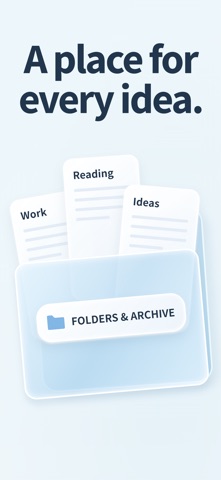
Search document titles and body text to find an earlier note quickly. Move work you do not need right now into archive folders to keep Home focused. Deleted documents go to Trash first and can be recovered during the retention period.

Turn structures you use repeatedly into templates. As your collection grows, search, folders, archives, Trash, and templates give you practical ways to manage personal notes, work records, study material, and creative projects.

LOCAL NOTES AND ICLOUD

Keep using local notes and core editing tools while offline. Online services are used only when a related feature needs them.

On supported Apple devices, you can use iCloud according to your settings to store and sync content, then continue writing across iPhone, iPad, and compatible devices.

SHARE, EXPORT, AND PUBLISH

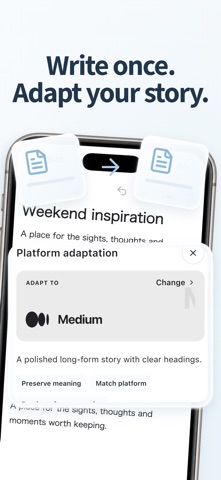
When your work is ready to leave the notebook, share it from the document. Send material to other apps, or deliberately publish a document as a web page. You can also prepare adapted versions for different content platforms when that fits your workflow.

Terms of Use (EULA): https://www.apple.com/legal/internet-services/itunes/dev/stdeula/
Show more Show less

Alternatives to NextNote: Notes & AI Writing

NoteLabZ icon NoteLabZ
Khoa Nguyen
0.0
Free
My Ideas Book icon My Ideas Book
Asmaa Almarrikhi
0.0
Free
Journami — Photo Journal icon Journami — Photo Journal
Zeus Innovations LLC
5.0
Free
1 ratings
EverHabit icon EverHabit
Eric Delattre
5.0
Free
1 ratings
Dailies: Standup Task Tracker icon Dailies: Standup Task Tracker
Ajay Odedra
0.0
Free
Spirit Level & Angle Finder icon Spirit Level & Angle Finder
Mustafa Kilic
0.0
Free
CalmCast icon CalmCast
Eric Delattre
5.0
Free
1 ratings
Notever - Writing Notes icon Notever - Writing Notes
Fatma Zehra ASLANTAS
0.0
Free

More from 劲灿 陈

BioAtlas - Wild Guide icon BioAtlas - Wild Guide
劲灿 陈
1.0
Free
1 ratings
NatureID – Plant ID & Care icon NatureID – Plant ID & Care
劲灿 陈
0.0
Free

Changelog of NextNote: Notes & AI Writing

No changelog data

Developer information for 劲灿 陈

劲灿 陈

Address:

Share NextNote: Notes & AI Writing

Comments on NextNote: Notes & AI Writing for iOS

We don't have enough comments to show example comments. Please check back later.

App Store Rankings for NextNote: Notes & AI Writing

This app is not ranked

Technologies used by NextNote: Notes & AI Writing

Frequently asked questions about NextNote: Notes & AI Writing

Is NextNote: Notes & AI Writing free?

Yes. NextNote: Notes & AI Writing is free on the App Store.

Is NextNote: Notes & AI Writing still available?

Yes. NextNote: Notes & AI Writing is on the App Store, and the last update we saw was on November 11, 2026.

How large is NextNote: Notes & AI Writing?

NextNote: Notes & AI Writing is 80.05 MB.

Is NextNote: Notes & AI Writing suitable for children?

App Store rates the content of NextNote: Notes & AI Writing as suitable for everyone.

Who made NextNote: Notes & AI Writing?

NextNote: Notes & AI Writing was developed by 劲灿 陈. It is listed in the productivity category on the App Store.

What are the best alternatives to NextNote: Notes & AI Writing?

People looking at NextNote: Notes & AI Writing also look at these productivity apps: NoteLabZ, My Ideas Book, Journami — Photo Journal, EverHabit, Dailies: Standup Task Tracker.

Top new apps Popular Productivity Apps Price drops on Google Play Today's trending apps Apps other people are watching
NoteLabZ icon NoteLabZ
My Ideas Book icon My Ideas Book
Journami — Photo Journal icon Journami — Photo Journal
EverHabit icon EverHabit
Dailies: Standup Task Tracker icon Dailies: Standup Task Tracker
Spirit Level & Angle Finder icon Spirit Level & Angle Finder
CalmCast icon CalmCast
Notever - Writing Notes icon Notever - Writing Notes
AppBrain Intelligence premium content

Subscribe now to get full and unlimited access to AppBrain Intelligence. You'll have access to:

  • App Intelligence dashboard (performance timeline, competitor comparison, country rankings, insight cards)
  • Detailed ranking data per app
  • Full timeline per developer
  • Device market shares data per country
  • Unlimited keyword tracking
1 Month

$75/mo
(billed every month)

SAVE 0%
Subscribe
3 Months

$65/mo
($195 billed every 3 months)

SAVE 13%
Subscribe
1 Year

$57.50/mo
($690 billed every year)

SAVE 23%
Subscribe
Each subscription will automatically renew 3 days before the expiration date for the same time period. Subscriptions can be cancelled at any time before the renewal.

AppBrain is an app data site, we track rankings, ratings, installs for all apps and games on Google Play and the App Store. AppBrain doesn't host app files or APKs, all install links go directly to the official store. All trademarks are owned by their respective owners.

More apps

  • Top Android apps being viewed
  • KirinFishing: fish game table
  • Farming Simulator 26 Mobile for Android
  • View ROLLIE'S: 35mm Film Camera

App statistics

  • Android statistics
  • Google Play Developer stats
  • Trending Android Apps
  • Trending iOS apps
  • Top popular Apps
  • Buy the best Android phone
  • Buy & sell app businesses

About AppBrain

  • Contact
  • Privacy
  • Documentation
  • DMCA takedowns
  • Blog
  • The best curated Android app categories
© 2010-2026 - AppBrain