noi: Life, together is a productivity app developed by MyAppDesk.
User Ratings
The app has no ratings yet.
App Information
noi: Life, together is freely available from the App Store. The app size is 127.96 MB. The latest version available is 1.2.1. The last update was on October 17, 2026.
Technical Requirements
The app has a content rating of Everyone. The app has been available on the App Store since October 2026.
noi: Life, together is made and published by
MyAppDesk.
AppBrain is an independent app data site and isn't affiliated with MyAppDesk.
The app name, icon, screenshots and description belong to MyAppDesk and are shown as published on the App Store.
Description by MyAppDesk(from the App Store)
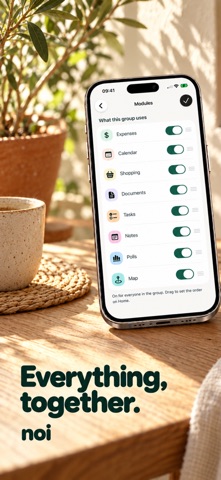
Split bills, share shopping lists and organize plans with the people in your life. noi brings your group's expenses, calendar, tasks, documents and saved places together.
For couples sharing a home, roommates sorting the bills, and friends planning their next trip.
KNOW WHO OWES WHAT Add shared expenses, record who paid and choose how to split the cost. Check everyone's balance and record repayments. Keep rent, groceries, dinners and trip costs with the group they belong to.
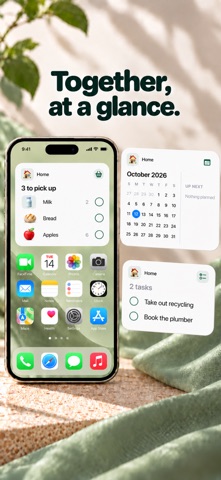
SHOP FROM THE SAME LIST Build a shared shopping list so everyone can see what you need. Add products, update quantities and check off items as you shop. Keep everyday essentials and the next group dinner organized.
MAKE PLANS TOGETHER Use a shared calendar for events and plans. Keep tasks and notes with your group, and use polls to decide together.
FIND THE IMPORTANT STUFF Keep tickets, reservations and other documents close to the plan. Save places on your group's map so you can find the apartment, dinner spot or meeting point again.
A SPACE FOR EACH GROUP Create separate groups for your home, your relationship or a trip with friends. Choose the tools each group needs and keep its money, lists and plans together.
Less chasing details in the group chat. More time for the things you planned.
Create your first group with noi.
SUBSCRIPTIONS AND TERMS
Your iTunes account will be charged upon confirmation of purchase. Subscriptions renew automatically unless canceled at least 24 hours before the end of the current period. You can manage your subscription in your account settings. Privacy Policy and Terms are available in-app.
Terms of Use (EULA): https://www.apple.com/legal/internet-services/itunes/dev/stdeula/
Each subscription will automatically renew 3 days before the expiration date for
the same time period. Subscriptions can be cancelled at any time before the renewal.