

Notebook Calculator is made and published by 俊 姜. AppBrain is an independent app data site and isn't affiliated with 俊 姜. The app name, icon, screenshots and description belong to 俊 姜 and are shown as published on the App Store.
AppBrain's verdict
- Last updated
- June 30, 2025
- Size
- 3.66 MB
User feedback
Ratings and reviews on the App StoreComments on Notebook Calculator for iOS
We don't have enough comments to show example comments. Please check back later.
Store listing
By 俊 姜, from the App Store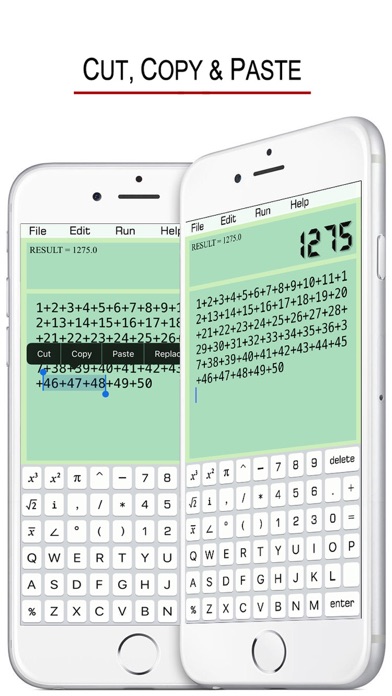
Description by 俊 姜 Written by the developer, not by AppBrain. Click to read.
GO BACK & CHANGE ERRORS EASILY !
JUST LIKE TYPE IN A TEXT FIELD !
COPY + CUT + PASTE
EDIT & SAVE CALCULATION HISTORY !
SCIENTIFIC & GRAPHIC CALCULATOR !
• It Supports the File Management !
- Create a file
- Save
- Open
- Delete
• Mathematical Functions:
SIN(X) : sine of x
COS(X) : cosine of x
TAN(X) : tangent of x
COT(X) : cotangent of x
ASIN(X) : arcsine of x
ACOS(X) : arccosine of x
ATAN(X) : arctangent of x
SINH(X) : hyperbolic sine
COSH(X) : hyperbolic cosine
TANH(X) : hyperbolic tangent
ASINH(X) : inverse hyperbolic sine
ACOSH(X) : inverse hyperbolic cosine
ATANH(X) : inverse hyperbolic tangent
SQRT(X) : square root of x
ABS(X) : absolute value of x
FCT(X) : x factorial
LOG(X,Y) : logarithm of y to base x
LN(X) : natural logarithm of x
LOG(X) : base-10 logarithm of x
LOG10(X) : base-10 logarithm of x
LOG2(X) : base-2 logarithm of x
EXP(X) : base-e exponential of x
ERF(X) : the error function of x
ERFC(X) : the complementary error function of x
ROUND(X) : integral nearest to x
CEIL(X) : the smallest integral that is not less than x
FLOOR(X) : the largest integral that is not greater than x
TGAMMA(X) : the gamma function of x
LGAMMA(X) : the natural logarithm of the absolute value of the gamma function of x
X^Y : y-th power of x
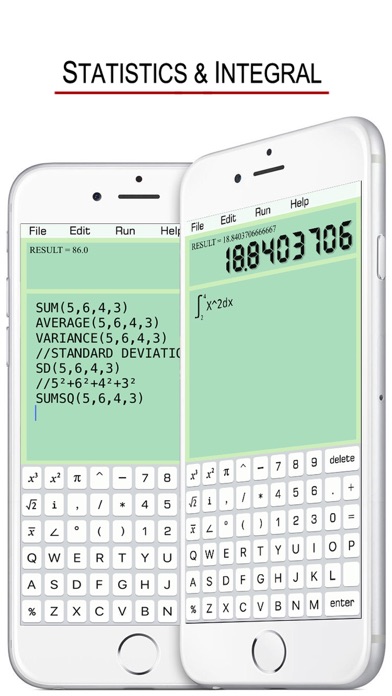
• Statistical functions:
SUM(a1,a2,a3,a4) : a1+a2+a3+a4
AVERAGE(a1,a2,a3,a4) : (a1+a2+a3+a4)÷4
VARIANCE(a1,a2,a3,a4) : variance
SD(...) : standard deviation
SUMSQ(...) : sum of squares
AD(...) : absolute deviation
CV(...) : coefficient of variation
SVARIANCE(...) : sample variance
SSD(...) : sample standard deviation
SCV(...) : sample coefficient of variance
• Help Manual:
“//” means a line comment or annotation.
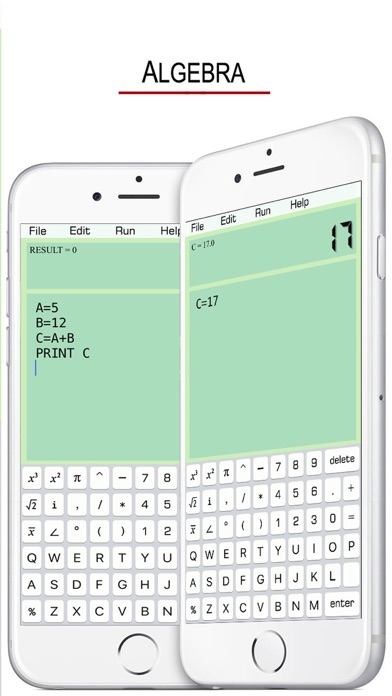
A=2
B=3
C=A+B
Click “Run”, the screen shows:
C=5
If the line C=A+B is annotated ,
A=2
B=3
//C=A+B
Click “Run”, the screen shows:
B=3
- Variable Naming Rules:
Start with letters, and not involving keywords.
A, A1, B25, HAT (right)
PRINT1, COS (wrong)
- The Usage of PRINT:
A=10+5
B=10/5
PRITN A,B
Click “Run”, the screen shows:
A=15
B=2
Default variable name is RESULT , e.g.
16+5*6
Click “Run”, the screen shows:
RESULT=46
- Combination & Arrangement:
C(n,k) = n!/(k!(n-k)!)
A(n,k) = n!/(n-k)!
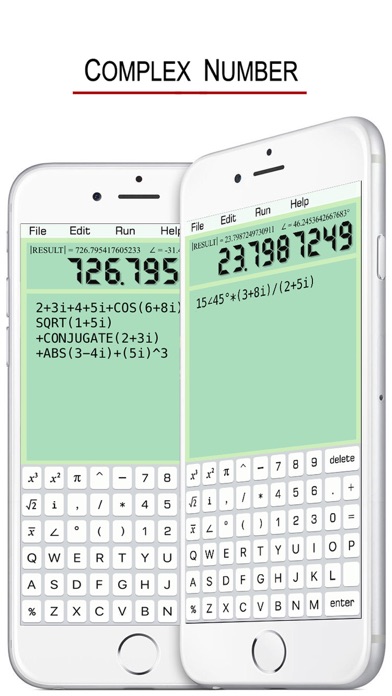
- Complex Number
When there is “i” or “∠” on the screen, it automatically enters Complex Number Calculation Mode.
e.g. X=3+4i or X=5∠53.1°
9 functions are available for the Mode.
SIN(X), COS(X), TAN(X)
COT(X), SINH(X), COSH(X)
SQRT(X), ABS(X), CONJUGATE(X)
- Integral
INTEGRAL X²,2,4
Default precision is 300 times of calculations. It can be more accurate, e.g. 500 times.
INTEGRAL X²,2,4,500
- Graphics
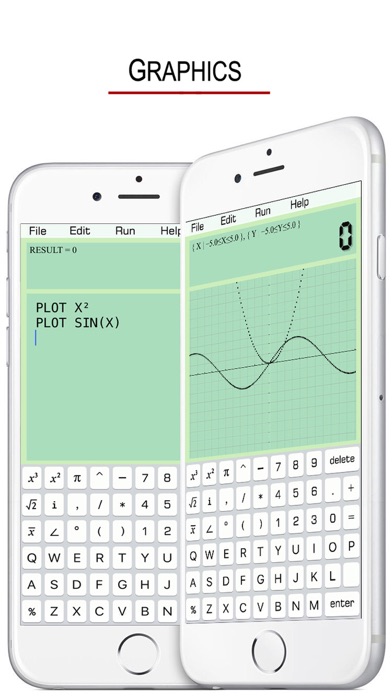
PLOT SIN(X)
PLOT X²
Default length = 10, width = 10. Specify the lenght = 20, width = 5. Then we have,
PLOT X²,20,5
Default dense is 150 points. It also can be customized, e.g. 200 points.
PLOT X²,20,5,200
Safety and technology
Found in the app by AppBrain- Price
- $1.99
- App size
- 3.66 MB
- Content rating
- Everyone
Technologies used by Notebook Calculator
Releases
Updates seen on the App Store- Version
- 1.4
- Launched
- December 2016
No changelog data
Alternatives
Similar apps and more from 俊 姜Alternatives to Notebook Calculator







More from 俊 姜







Rankings
App Store top chartsApp Store Rankings for Notebook Calculator
About the app and developer
About Notebook Calculator
Notebook Calculator is an utilities app developed by 俊 姜.
User Ratings
The app has no ratings yet.
App Information
Notebook Calculator costs $1.99. The app size is 3.66 MB. The latest version available is 1.4. The last update was on June 30, 2025.
Technical Requirements
The app has a content rating of Everyone. The app has been available on the App Store since December 2016.
Developer information for 俊 姜
Address:
Frequently asked questions about Notebook Calculator
Is Notebook Calculator free?
No. Notebook Calculator costs $1.99 on the App Store.
Is Notebook Calculator still available?
Yes. Notebook Calculator is on the App Store, and the last update we saw was on June 30, 2025.
How large is Notebook Calculator?
Notebook Calculator is 3.66 MB.
Is Notebook Calculator suitable for children?
App Store rates the content of Notebook Calculator as suitable for everyone.
Who made Notebook Calculator?
Notebook Calculator was developed by 俊 姜. It is listed in the utilities category on the App Store.
What are the best alternatives to Notebook Calculator?
People looking at Notebook Calculator also look at these utilities apps: SFX Scientific Calc Premium, Money Notepad, Fast Ledger-Clear and Neat, CalcMate – Notes Calculator, Big Button Calculator Pro.