

Noteflow+ Digital Notebook
Noteflow+ Digital Notebook is made and published by Qrayon, LLC. AppBrain is an independent app data site and isn't affiliated with Qrayon, LLC. The app name, icon, screenshots and description belong to Qrayon, LLC and are shown as published on the App Store.
AppBrain's verdict
EstablishedWell rated- Best rank
- #73
- Top Paid, South Korea
- Rating on App Store
- 4.40
- 187 ratings
- Last updated
- February 23, 2025
Users rate it well: 4.4 stars from 187 ratings. Its best ranking is #73 in Top Paid, Business in South Korea.
Rankings
App Store top charts- Highest rank
- #73
- Chart
- Top Paid
- Business
- Country
- South Korea
App Store Rankings for Noteflow+ Digital Notebook
Top rankings
| Rank | Country | Category | List |
|---|---|---|---|
| 73 | South Korea | Business | Top Paid |
Ranking history in South Korea
Competitors
Similar apps and more from Qrayon, LLCAlternatives to Noteflow+ Digital Notebook







More from Qrayon, LLC





Releases
Updates seen on the App Store- Version
- 3.4
- Launched
- September 2017
No changelog data
User feedback
Ratings and reviews on the App StoreComments on Noteflow+ Digital Notebook for iOS
We don't have enough comments to show example comments. Please check back later.
Technology
Found in the app by AppBrain- Price
- $14.99
- App size
- 15.9 MB
- Content rating
- Everyone
Technologies used by Noteflow+ Digital Notebook
About the app and developer
About Noteflow+ Digital Notebook
Noteflow+ Digital Notebook is a business app developed by Qrayon, LLC.
User Ratings
Noteflow+ Digital Notebook is rated 4.40 out of 5 stars. The rating is based on 190 ratings.
App Information
Noteflow+ Digital Notebook costs $14.99. The app size is 15.88 MB. The latest version available is 3.4. The last update was on February 23, 2025.
Technical Requirements
The app has a content rating of Everyone. The app has been available on the App Store since September 2017.
Developer information for Qrayon, LLC
Address:
Frequently asked questions about Noteflow+ Digital Notebook
Is Noteflow+ Digital Notebook free?
No. Noteflow+ Digital Notebook costs $14.99 on the App Store.
Is Noteflow+ Digital Notebook still available?
Yes. Noteflow+ Digital Notebook is on the App Store, and the last update we saw was on February 23, 2025.
How large is Noteflow+ Digital Notebook?
Noteflow+ Digital Notebook is 15.88 MB.
Is Noteflow+ Digital Notebook suitable for children?
App Store rates the content of Noteflow+ Digital Notebook as suitable for everyone.
How do people rate Noteflow+ Digital Notebook?
Noteflow+ Digital Notebook scores 4.40 out of 5 stars, from 187 ratings on the App Store.
Who made Noteflow+ Digital Notebook?
Noteflow+ Digital Notebook was developed by Qrayon, LLC. It is listed in the business category on the App Store.
What are the best alternatives to Noteflow+ Digital Notebook?
People looking at Noteflow+ Digital Notebook also look at these business apps: Mental Note for iPad ๛, Smart Note PRO, Numerously, Scrivener Companion - Scrivo 3, MeMinder.
Store listing
By Qrayon, LLC, from the App Store
Description by Qrayon, LLC Written by the developer, not by AppBrain. Click to read.
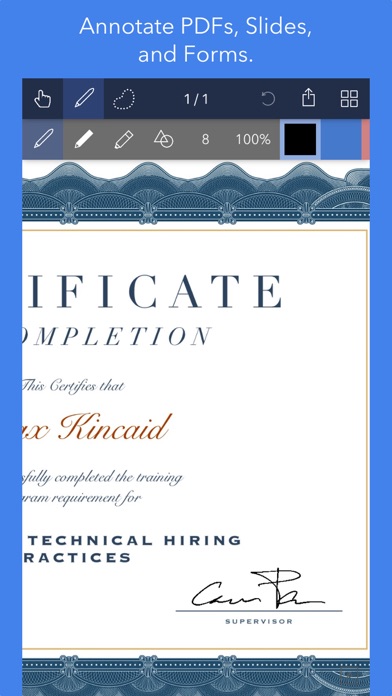
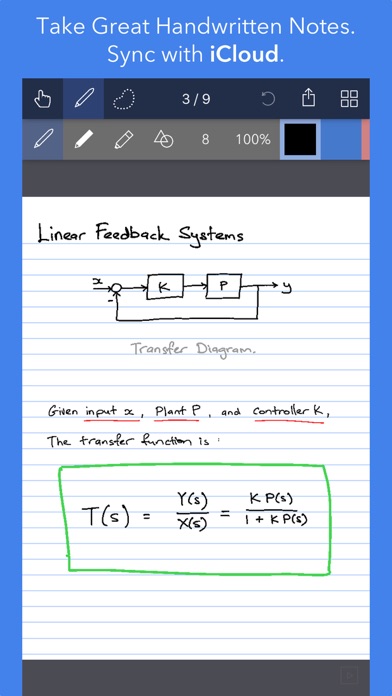
Use it for taking notes, annotating PDFs, sketching and doodling, plus a whole lot more:
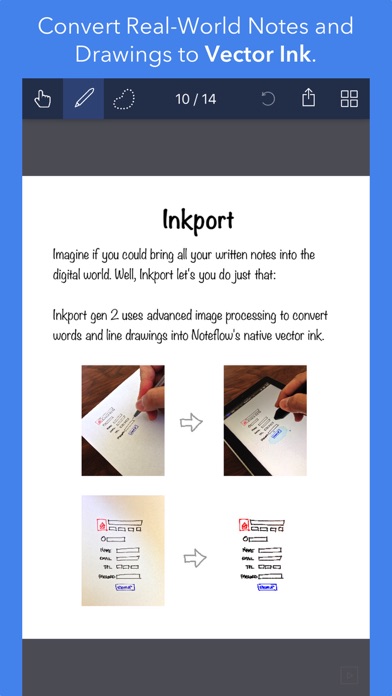
Copy and paste from the real world: Use Inkport gen 2 to snap a picture of a whiteboard or writing and convert it into Noteflow's native vector ink. No special paper needed. Then resize, re-color, or edit as if you wrote it in Noteflow.
Create layered drawings without layers: Use the highlighter tool to color and shade behind existing ink. Use Color-Select to separate and edit individual colors. It's a much more fluid and natural editing experience than with layers. Use the straight-line tool with a grid for fast and intuitive wireframes and drafting.
Drag-and-drop, cloud-storage, and more: Noteflow natively integrates with iOS's file system and drag-and-drop capabilities. Drop photos and text into Noteflow, and drag your drawings into other apps. Store your files locally or sync with the cloud service of your choice. Make Noteflow a seamless part of your workflow, the way you like.
SPACE FOR YOUR IDEAS TO ROAM
Our vision for Noteflow is simple: to be digital pen and paper.
The magic of pen and paper is in their versatility. They are useful for so many things, but particularly for the freeform capture of ideas. Noteflow expands upon this quality.
You can naturally do all the things you normally do with pen and paper: take notes in meetings or class, and jot down flashes of inspirations on the go. And you can take that to a whole new level:
One of Noteflow’s best uses is for "thinking on digital paper": quickly capture key ideas and concepts, then move and organize them on the screen.
Noteflow's vector ink engine lets you scale and edit your work without any loss of quality. Your words and drawings remain tack sharp when zoomed in, giving you a huge effective working canvas even on a single page.
There are analogues in the physical world, such as sketchnotes or everyday working on a white board, but being able to fluidly edit and move your ideas around the page is something you can only do digitally.
When you represent the ideas in your head with your own personal scribbles on the screen, it effectively becomes an extension of your mind - giving you more room to think.
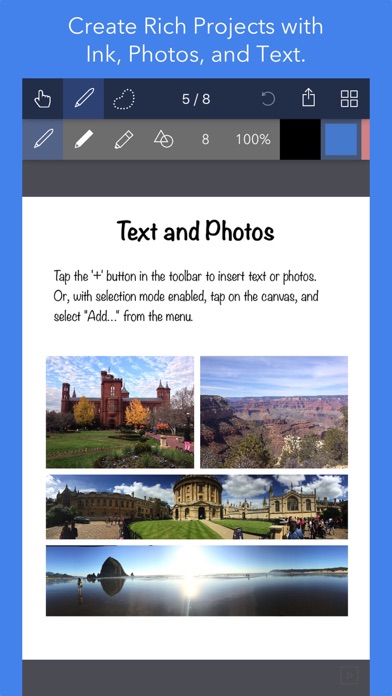
We've designed every part of Noteflow to let you intuitively capture and work on your ideas the way you like. Whether it's dropping in existing information, quickly sketching concepts, or assembling polished presentations for others.
By resizing ink and zooming in, you have a huge effective canvas to work with, even on a single page.
As your ideas shape up, Noteflow has all the tools you need to tidy them up and format them to share with others.
DIGITAL TOOLS FOR A DIGITAL AGE
I hope you'll find Noteflow a useful part of your workflow, and that you'll discover new ways to do things with it that weren't easy before.
We're very proud of the work we've put into Noteflow, but we're also just seen the beginning of what's possible with powerful new digital platforms like the iPad.
Our goal is to push these platforms to their limits to craft useful tools. Tools that can help us think a little more clearly, communicate a bit more effectively, and connect with other in new and enriching ways.
Thanks for joining us on this journey!
-- The App Makers @ Qrayon.