Noteflow: Simple Notes is made and published by
Qrayon, LLC.
AppBrain is an independent app data site and isn't affiliated with Qrayon, LLC.
The app name, icon, screenshots and description belong to Qrayon, LLC and are shown as
published on the App Store.
About Noteflow: Simple Notes
Noteflow: Simple Notes is a productivity app developed by Qrayon, LLC.
What is the rating of Noteflow: Simple Notes?
Noteflow: Simple Notes is rated 4.16 out of 5 stars, based on 180 ratings.
Is Noteflow: Simple Notes free?
Noteflow: Simple Notes is free. The app size is 14.02 MB. The latest version available is 3.5. The last update was on March 25, 2026.
What are the requirements for Noteflow: Simple Notes?
The app has a content rating of Everyone. The app has been available on the App Store since September 2017.
Description by Qrayon, LLC(from the App Store)
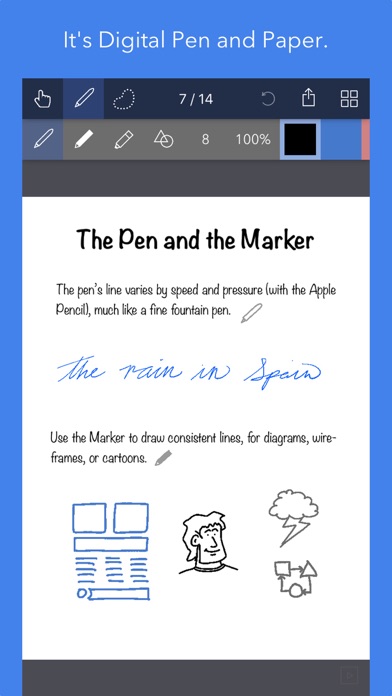
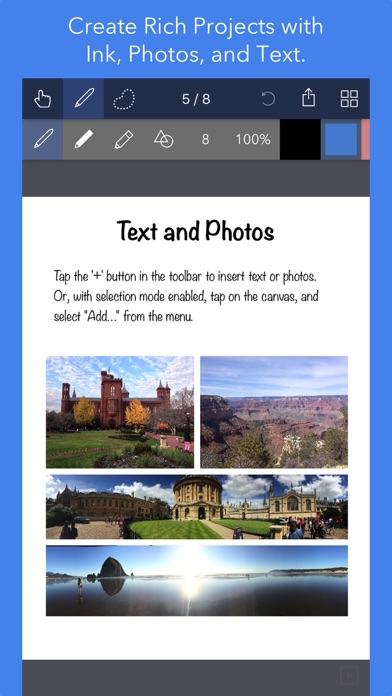
Noteflow is designed to replace pen and paper. It is a modern digital notebook that lets you get the most from your iPad and iPhone.
Use it for taking notes, annotating PDFs, sketching and doodling, plus a whole lot more:
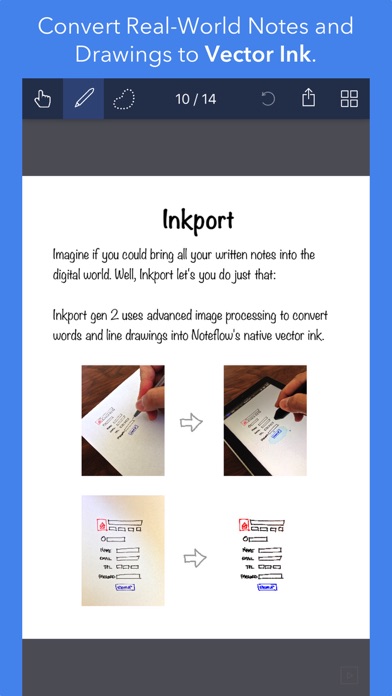
Copy and paste from the real world: Use Inkport gen 2 to snap a picture of a whiteboard or writing and convert it into Noteflow's native vector ink. No special paper needed. Then resize, re-color, or edit as if you wrote it in Noteflow.
Create layered drawings without layers: Use the highlighter tool to color and shade behind existing ink. Use Color-Select to separate and edit individual colors. It's a much more fluid and natural editing experience than with layers. Use the straight-line tool with a grid for fast and intuitive wireframes and drafting.
Drag-and-drop, cloud-storage, and more: Noteflow natively integrates with iOS's file system and drag-and-drop capabilities. Drop photos and text into Noteflow, and drag your drawings into other apps. Store your files locally or sync with the cloud service of your choice. Make Noteflow a seamless part of your workflow, the way you like.
SPACE FOR YOUR IDEAS TO ROAM
Our vision for Noteflow is simple: to be digital pen and paper.
The magic of pen and paper is in their versatility. They are useful for so many things, but particularly for the freeform capture of ideas. Noteflow expands upon this quality.
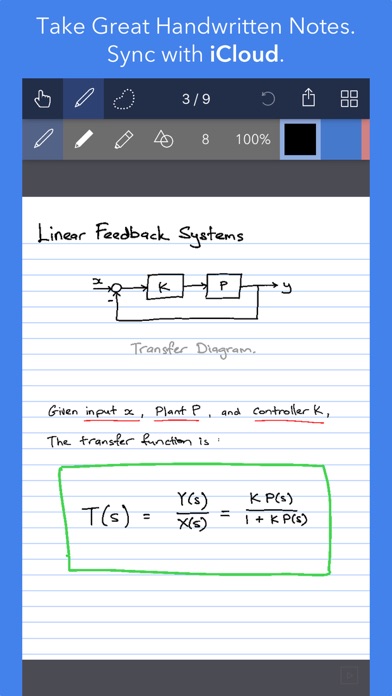
You can naturally do all the things you normally do with pen and paper: take notes in meetings or class, and jot down flashes of inspirations on the go. And you can take that to a whole new level:
One of Noteflow’s best uses is for "thinking on digital paper": quickly capture key ideas and concepts, then move and organize them on the screen.
Noteflow's vector ink engine lets you scale and edit your work without any loss of quality. Your words and drawings remain tack sharp when zoomed in, giving you a huge effective working canvas even on a single page.
There are analogues in the physical world, such as sketchnotes or everyday working on a white board, but being able to fluidly edit and move your ideas around the page is something you can only do digitally.
When you represent the ideas in your head with your own personal scribbles on the screen, it effectively becomes an extension of your mind - giving you more room to think.
We've designed every part of Noteflow to let you intuitively capture and work on your ideas the way you like. Whether it's dropping in existing information, quickly sketching concepts, or assembling polished presentations for others.
EVALUATE NOTEFLOW RISK FREE
Rather than just read about Noteflow, go ahead and try it out: We've decided to make the Basic Edition completely FREE. The Basic Edition is a full featured note-taking and sketching app. It comes with the Fountain Pen with black ink, photos, and a standard set of 5 popular fonts for text. Books max out at 20 pages each, but you can create as many as you like.
NOTEFLOW+
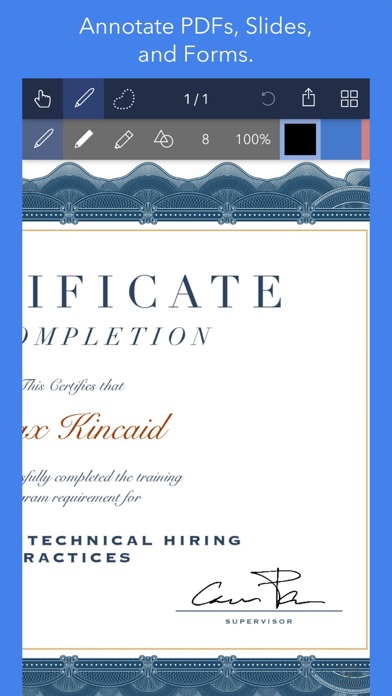
Upgrade instantly at any time to get: + Inkport + Import and annotate PDFs + A customizable, full color palette, + The Marker, Write-Behind Highlighter and Straight Line tools. + Rotate, Cut, Copy, Paste Ink, and Page Management, + Notebooks with unlimited pages, + Page backgrounds and sizes, + An additional 50+ fonts, + And more!
Learn more in the in-app Quickstart Guide.
DIGITAL TOOLS FOR A DIGITAL AGE
I hope you'll find Noteflow a useful part of your workflow, and that you'll discover new ways to do things with it that weren't easy before.
We're very proud of the work we've put into Noteflow, but we're also just seen the beginning of what's possible with powerful new digital platforms like the iPad.
Our goal is to push these platforms to their limits to craft useful tools. Tools that can help us think a little more clearly, communicate a bit more effectively, and connect with other in new and enriching ways.
Each subscription will automatically renew 3 days before the expiration date for
the same time period. Subscriptions can be cancelled at any time before the renewal.