

Noteleaf: Handwritten Notes
Noteleaf: Handwritten Notes is made and published by masafumi matsumoto. AppBrain is an independent app data site and isn't affiliated with masafumi matsumoto. The app name, icon, screenshots and description belong to masafumi matsumoto and are shown as published on the App Store.
AppBrain's verdict
- Last updated
- October 12, 2026
Rankings
App Store top chartsApp Store Rankings for Noteleaf: Handwritten Notes
Competitors
Similar apps and more from masafumi matsumotoAlternatives to Noteleaf: Handwritten Notes


More from masafumi matsumoto


Releases
Updates seen on the App Store- Version
- 1.8
- Launched
- June 2026
No changelog data
User feedback
Ratings and reviews on the App StoreComments on Noteleaf: Handwritten Notes for iOS
We don't have enough comments to show example comments. Please check back later.
Technology
Found in the app by AppBrain- Price
- Free
- App size
- 15.8 MB
- Content rating
- Everyone
Technologies used by Noteleaf: Handwritten Notes
About the app and developer
About Noteleaf: Handwritten Notes
Noteleaf: Handwritten Notes is a productivity app developed by masafumi matsumoto.
User Ratings
The app has no ratings yet.
App Information
Noteleaf: Handwritten Notes is freely available from the App Store. The app size is 15.83 MB. The latest version available is 1.8. The last update was on October 12, 2026.
Technical Requirements
The app has a content rating of Everyone. The app has been available on the App Store since June 2026.
Developer information for masafumi matsumoto
Address:
Store listing
By masafumi matsumoto, from the App Store


Description by masafumi matsumoto Written by the developer, not by AppBrain. Click to read.
■ Key Features
Looseleaf Feel
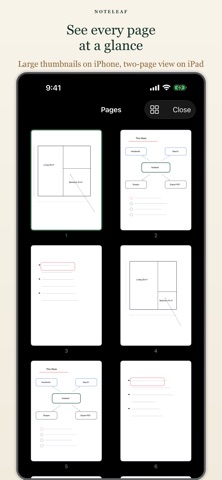
Pages can be reordered freely, just like real looseleaf paper. Move, insert, or remove pages to organize your notes the way you want.
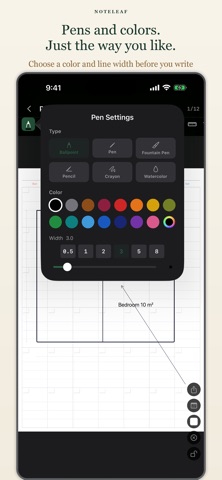
Handwriting with Apple Pencil
Write naturally with Apple Pencil. Supports Scribble. Turn on Apple Pencil-Only Mode in Settings to prevent accidental palm touches.
Ruler Tool
Draw perfectly straight lines at any angle using the on-screen ruler — no physical ruler needed.
10 Page Templates
Choose from blank, lined, wide-ruled, grid, dot grid, Cornell, and more. Mix templates freely within a single notebook.
16 Leather Cover Colors
Personalize each notebook with a color that suits you — 16 rich leather-style covers to choose from.
PDF Export
Export any notebook as a PDF to share or archive your notes.
Notebook Sharing
Share notebooks with others in the app's native format. Device Sharing and notebook sharing work when either device has Premium — the other device doesn't need to purchase.
■ One-Time Purchase
Noteleaf is free to download. One in-app purchase unlocks:
・ Unlimited notebooks (free tier: 1 notebook)
・ PDF export
・ Notebook sharing
All handwriting features are available for free. No subscription. No account required.