

Nozbe Classic: Get tasks done
Nozbe Classic: Get tasks done is made and published by Nozbe.com. AppBrain is an independent app data site and isn't affiliated with Nozbe.com. The app name, icon, screenshots and description belong to Nozbe.com and are shown as published on the App Store.
AppBrain's verdict
- Last updated
- February 19, 2025
Rankings
App Store top chartsApp Store Rankings for Nozbe Classic: Get tasks done
Competitors
Similar apps and more from Nozbe.comMore from Nozbe.com


Releases
Updates seen on the App Store- Version
- 3.26
- Launched
- May 2012
No changelog data
User feedback
Ratings and reviews on the App StoreComments on Nozbe Classic: Get tasks done for iOS
We don't have enough comments to show example comments. Please check back later.
Technology
Found in the app by AppBrain- Price
- Free
- App size
- 9.25 MB
- Content rating
- Everyone
Technologies used by Nozbe Classic: Get tasks done
About the app and developer
About Nozbe Classic: Get tasks done
Nozbe Classic: Get tasks done is a business app developed by Nozbe.com.
User Ratings
The app has no ratings yet.
App Information
Nozbe Classic: Get tasks done is freely available from the App Store. The app size is 9.25 MB. The latest version available is 3.26. The last update was on February 19, 2025.
Technical Requirements
The app has a content rating of Everyone. The app has been available on the App Store since May 2012.
Developer information for Nozbe.com
Address:
Frequently asked questions about Nozbe Classic: Get tasks done
Is Nozbe Classic: Get tasks done free?
Yes. Nozbe Classic: Get tasks done is free on the App Store.
Is Nozbe Classic: Get tasks done still available?
Yes. Nozbe Classic: Get tasks done is on the App Store, and the last update we saw was on February 19, 2025.
How large is Nozbe Classic: Get tasks done?
Nozbe Classic: Get tasks done is 9.25 MB.
Is Nozbe Classic: Get tasks done suitable for children?
App Store rates the content of Nozbe Classic: Get tasks done as suitable for everyone.
Who made Nozbe Classic: Get tasks done?
Nozbe Classic: Get tasks done was developed by Nozbe.com. It is listed in the business category on the App Store.
Store listing
By Nozbe.com, from the App Store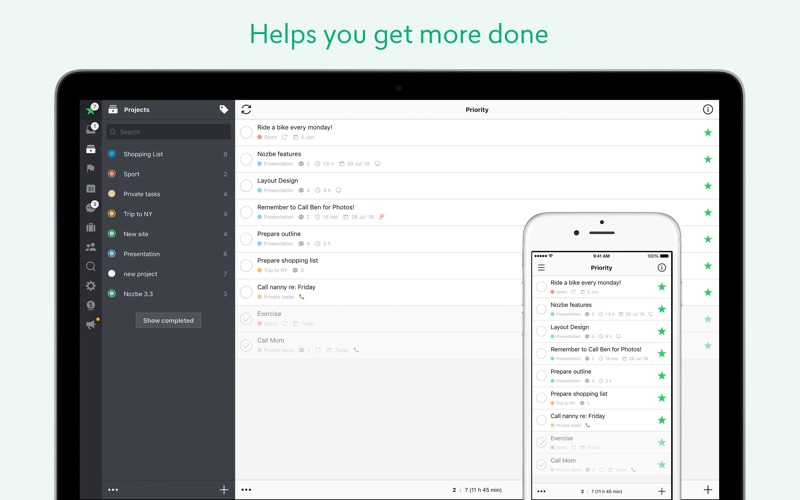

Description by Nozbe.com Written by the developer, not by AppBrain. Click to read.
Join over 500,000 professionals using Nozbe and boost your efficiency. Get your projects done on time and stay organized. Use Nozbe's flexibility to create your own productivity system.
YOUR ULTIMATE TO-DO LIST AND TASK MANAGER
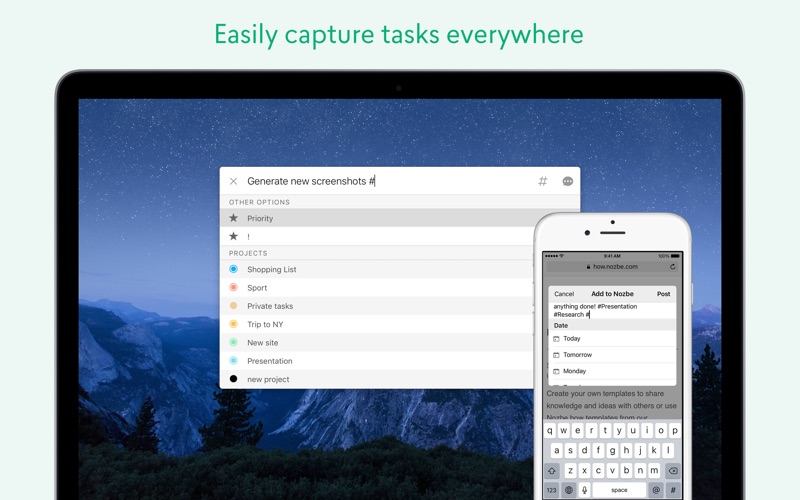
• Easily add 'to-do's and tasks on the go – with Quick Add, through e-mail and more
• Access your tasks from anywhere – install Nozbe on all your devices, including Apple Watch
• Manage your priorities – add deadlines, time needed and categories
• Run your projects efficiently – keep all tasks, comments and files in one place, manage projects, and use labels
• Never miss a thing thanks to reminders and calendar integrations
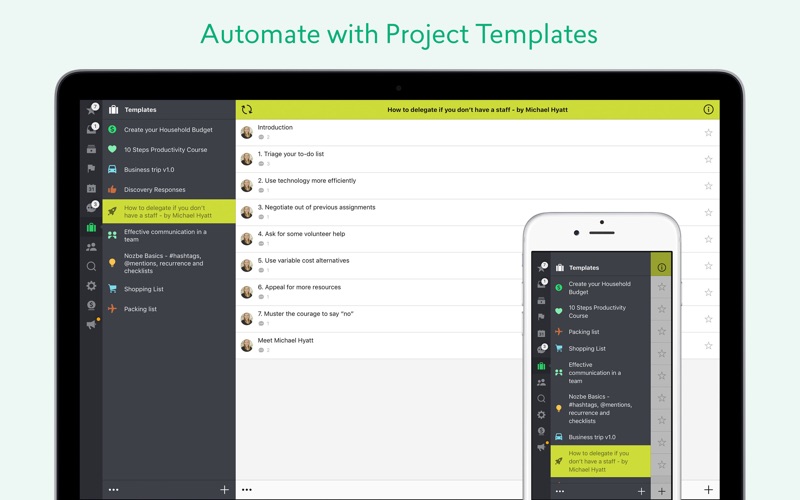
• Use templates and repeat tasks to automate things and save your time
• Work offline and have your data synchronized once you're back online
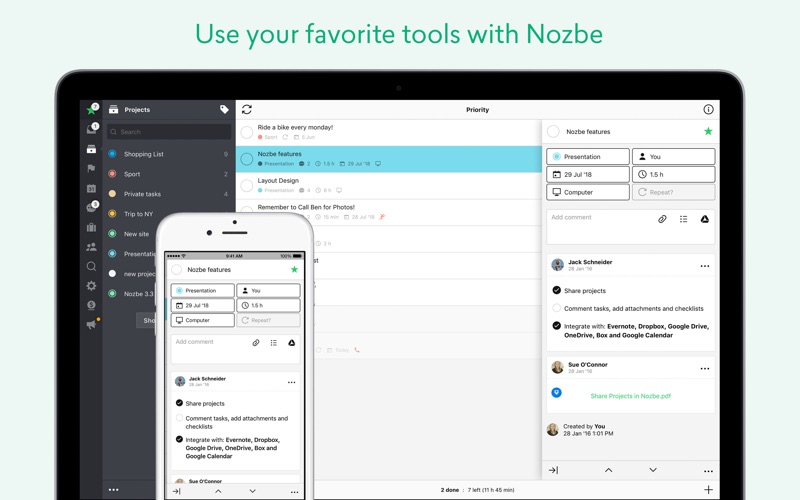
• Use powerful task's comments with markdown support, files and 3rd party attachments
• Integrate with Google Calendar, Evernote, Dropbox, OneDrive and more
• Get stuff done using powerful keyboard shortcuts
Join over 500,000 professionals from all over the world in using Nozbe and boost your efficiency. Use Nozbe's flexibility to create your own productivity system. Get your projects done on time and stay organized – alone and with your team.
NOZBE Subscriptions (monthly or yearly):
• NOZBE FREE – The full version of the app with up to 5 active projects and max. 100MB of data. Available after 30 days of the Nozbe Trial. Exclusively for single-user accounts.
• NOZBE SOLO/DUO - For busy professionals, unlimited projects, shared projects, unlimited storage.
• NOZBE SMALL BUSINESS - For small growing teams, unlimited projects, shared projects, unlimited storage.
• NOZBE BUSINESS - For growing teams and businesses, additional shared projects features, more comprehensive productivity reports, dedicated premium support.
Your payment will be charged to your iTunes Account once you confirm your purchase. Your iTunes account will be charged again when your subscription automatically, renews at the end of your current subscription period unless auto-renew is turned off at least 24 hours prior to the end of the current period. You can manage or turn off auto-renew in your Apple ID Account Settings at any time after purchase.
Terms and Privacy policy: nozbe.com/individuals/terms