

NQSky UEM
NQSky UEM is made and published by Beijing Nation Sky Network Technology Co., Ltd. AppBrain is an independent app data site and isn't affiliated with Beijing Nation Sky Network Technology Co., Ltd. The app name, icon, screenshots and description belong to Beijing Nation Sky Network Technology Co., Ltd and are shown as published on the App Store.
AppBrain's verdict
Established- Rating on App Store
- 5.00
- 1 ratings
- Last updated
- December 29, 2020
It doesn't have enough ratings yet to judge what users think.
Rankings
App Store top chartsApp Store Rankings for NQSky UEM
Competitors
Similar apps and more from Beijing Nation Sky Network Technology Co., LtdAlternatives to NQSky UEM







Releases
Updates seen on the App Store- Version
- 6.0.1
- Launched
- August 2014
No changelog data
User feedback
Ratings and reviews on the App StoreComments on NQSky UEM for iOS
We don't have enough comments to show example comments. Please check back later.
Technology
Found in the app by AppBrain- Price
- Free
- App size
- 18.7 MB
- Content rating
- Everyone
Technologies used by NQSky UEM
About the app and developer
About NQSky UEM
NQSky UEM is a business app developed by Beijing Nation Sky Network Technology Co., Ltd.
User Ratings
NQSky UEM is rated 5.00 out of 5 stars. The rating is based on one rating ratings.
App Information
NQSky UEM is freely available from the App Store. The app size is 18.66 MB. The latest version available is 6.0.1. The last update was on December 29, 2020.
Technical Requirements
The app has a content rating of Everyone. The app has been available on the App Store since August 2014.
Developer information for Beijing Nation Sky Network Technology Co., Ltd
Store listing
By Beijing Nation Sky Network Technology Co., Ltd, from the App Store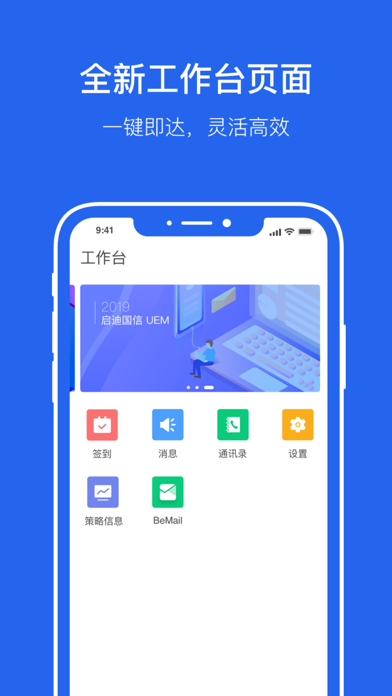


Description by Beijing Nation Sky Network Technology Co., Ltd Written by the developer, not by AppBrain. Click to read.
Main features :
• Enroll mobile devices over-the-air
• Enforce security of mobile devices by restrictions and encryption
• Set up compliance policies
• Configure corporate-specified profiles, Install certificates for secure access
• Capture device detail information
• Track devices location through GPS
• Push notification to devices
Instructions for Device Enrollment:
Step 1: Make sure NQSky Management Console has been deployed .
Step 2: Administrator sets up user name and password, and send an enrollment invitation mail.
Step 3: Open the mail, input activation information or scan QR code to download the NQSky UEM Client app. Then, enter activation code written in mail.
Step 4: According to the system prompt, jumping to the Safari browser to install the required configuration file.
Step 5: Set up app password, and complete enrollment.
Notes:
• Continued use of GPS running in the background can dramatically decrease battery life.