

OBD2 Cat: Car Scanner
OBD2 Cat: Car Scanner is made and published by Roman Tikhonychev. AppBrain is an independent app data site and isn't affiliated with Roman Tikhonychev. The app name, icon, screenshots and description belong to Roman Tikhonychev and are shown as published on the App Store.
AppBrain's verdict
- Rating on App Store
- 5.00
- 1 ratings
- Last updated
- October 19, 2026
It doesn't have enough ratings yet to judge what users think.
Rankings
App Store top chartsApp Store Rankings for OBD2 Cat: Car Scanner
Competitors
Similar apps and more from Roman TikhonychevAlternatives to OBD2 Cat: Car Scanner


Releases
Updates seen on the App Store- Version
- 0.5.2
- Launched
- August 2025
No changelog data
User feedback
Ratings and reviews on the App StoreComments on OBD2 Cat: Car Scanner for iOS
We don't have enough comments to show example comments. Please check back later.
Technology
Found in the app by AppBrain- Price
- Free
- App size
- 14.6 MB
- Content rating
- Everyone
Technologies used by OBD2 Cat: Car Scanner
About the app and developer
About OBD2 Cat: Car Scanner
OBD2 Cat: Car Scanner is an utilities app developed by Roman Tikhonychev.
User Ratings
OBD2 Cat: Car Scanner is rated 5.00 out of 5 stars. The rating is based on one rating ratings.
App Information
OBD2 Cat: Car Scanner is freely available from the App Store. The app size is 14.58 MB. The latest version available is 0.5.2. The last update was on October 19, 2026.
Technical Requirements
The app has a content rating of Everyone. The app has been available on the App Store since August 2025.
Developer information for Roman Tikhonychev
Address:
Store listing
By Roman Tikhonychev, from the App Store



Description by Roman Tikhonychev Written by the developer, not by AppBrain. Click to read.
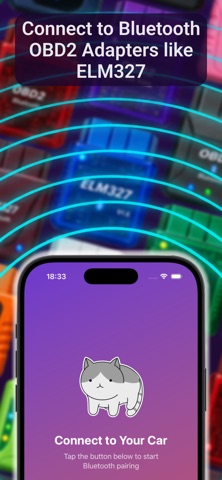
OBD2 Cat is a straightforward Bluetooth OBD2 car scanner for compatible vehicles and adapters. Read diagnostic trouble codes, view live vehicle data, and check key vehicle details from your iPhone.
With OBD2 Cat, you can:
- Read Check Engine diagnostic trouble codes (DTCs)
- Clear supported trouble codes
- View supported live engine and sensor data
- Check and copy your VIN, plus available make, model, and model year
- Turn on Auto Scan to scan for codes after connecting
- See the active OBD protocol and connection status
Designed for drivers who want a simple first look when a dashboard warning appears, without the clutter of a professional workshop tool.
Use a Bluetooth OBD2 adapter compatible with your iPhone and vehicle. If you use an ELM327-style adapter, make sure it supports Bluetooth Low Energy (BLE).
Important: Clearing a trouble code does not repair the underlying issue. A warning light may return if the fault remains. For safety-critical warnings or persistent problems, have the vehicle inspected by a qualified technician.