

OCEANUS Connected
OCEANUS Connected is made and published by CASIO COMPUTER CO., LTD. AppBrain is an independent app data site and isn't affiliated with CASIO COMPUTER CO., LTD. The app name, icon, screenshots and description belong to CASIO COMPUTER CO., LTD. and are shown as published on the App Store.
AppBrain's verdict
EstablishedLoved by users- Rating on App Store
- 4.65
- 120 ratings
- Last updated
- August 3, 2022
Users love it: 4.7 stars from 120 ratings.
Rankings
App Store top chartsApp Store Rankings for OCEANUS Connected
Competitors
Similar apps and more from CASIO COMPUTER CO., LTD.











Releases
Updates seen on the App Store- Version
- 3.0
- Launched
- June 2017
No changelog data
User feedback
Ratings and reviews on the App StoreComments on OCEANUS Connected for iOS
We don't have enough comments to show example comments. Please check back later.
Technology
Found in the app by AppBrain- Price
- Free
- App size
- 221.9 MB
- Content rating
- Everyone
Technologies used by OCEANUS Connected
About the app and developer
About OCEANUS Connected
OCEANUS Connected is an utilities app developed by CASIO COMPUTER CO., LTD.
User Ratings
OCEANUS Connected is rated 4.65 out of 5 stars. The rating is based on 120 ratings.
App Information
OCEANUS Connected is freely available from the App Store. The app size is 221.92 MB. The latest version available is 3.0. The last update was on August 3, 2022.
Technical Requirements
The app has a content rating of Everyone. The app has been available on the App Store since June 2017.
Developer information for CASIO COMPUTER CO., LTD.
Address:
Frequently asked questions about OCEANUS Connected
Is OCEANUS Connected free?
Yes. OCEANUS Connected is free on the App Store.
Is OCEANUS Connected still available?
Yes. OCEANUS Connected is on the App Store, and the last update we saw was on August 3, 2022.
How large is OCEANUS Connected?
OCEANUS Connected is 221.92 MB.
Is OCEANUS Connected suitable for children?
App Store rates the content of OCEANUS Connected as suitable for everyone.
How do people rate OCEANUS Connected?
OCEANUS Connected scores 4.65 out of 5 stars, from 120 ratings on the App Store.
Who made OCEANUS Connected?
OCEANUS Connected was developed by CASIO COMPUTER CO., LTD. It is listed in the utilities category on the App Store.
What are the best alternatives to OCEANUS Connected?
People looking at OCEANUS Connected also look at these utilities apps: Clock Wave, Radio Wave Sync, Watch Tracker, Twelve O'clock, Time Calibrator.
Store listing
By CASIO COMPUTER CO., LTD., from the App Store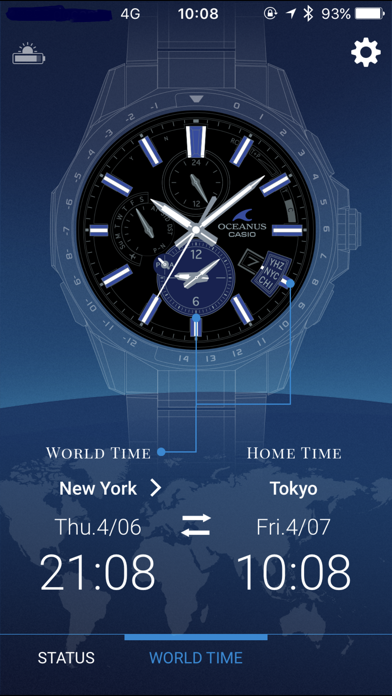
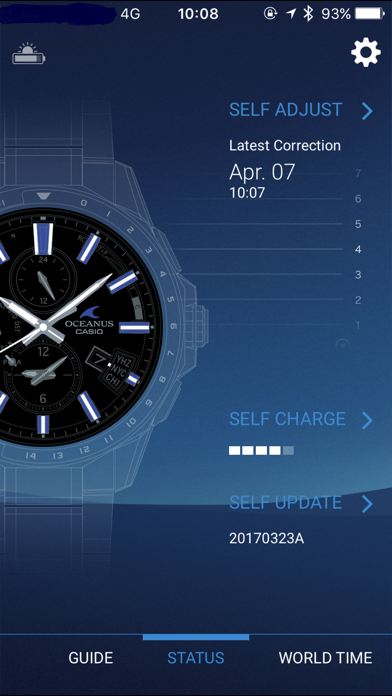
Description by CASIO COMPUTER CO., LTD. Written by the developer, not by AppBrain. Click to read.
Request to Transfer to the CASIO WATCHES App (Support Termination Notification)
The functionality of this app will be transferred to the new watch app, CASIO WATCHES.
By updating to version 3.0, users of this app will be able to transfer their user data to CASIO WATCHES via this app.
While we understand this may be inconvenient for some users, we ask that you transfer your data across, and continue using CASIO WATCHES in place of this app.
●Description
This is the basic application for connecting and communicating with a Bluetooth(R) v4.0 enabled CASIO watch.
Pairing your watch with an iPhone enables use of a variety of different Mobile Link functions that greatly enhance the iPhone experience.
The OCEANUS Connected app also simplifies certain watch operations by letting you perform them on your phone screen.
Visit the website below for details.
http://www.casio-watches.com/oceanus/
We recommend using OCEANUS Connected on the following operating systems.
Operation is not guaranteed for any operating system not listed below.
Even if an operating system has been confirmed as compatible, software updates or display specifications may prevent proper display and/or operation.
⋅ iOS 14 or later.
Applicable Watches: OCW-G2000, OCW-S4000, OCW-T3000, OCW-T200, OCW-S5000, OCW-P2000, OCW-T4000
*Some watches unavailable in your region may be displayed in the application.
This application uses location information to obtain accurate time.
For "Location Service" in iPhone privacy settings, please "Always". If it is not "Always", the application will not work properly.
Continued use of GPS running in the background can dramatically decrease battery life.