

OCR - Lite is made and published by 浩 张. AppBrain is an independent app data site and isn't affiliated with 浩 张. The app name, icon, screenshots and description belong to 浩 张 and are shown as published on the App Store.
AppBrain's verdict
- Last updated
- January 26, 2024
- Size
- 120.6 MB
User feedback
Ratings and reviews on the App StoreComments on OCR - Lite for iOS
We don't have enough comments to show example comments. Please check back later.
Store listing
By 浩 张, from the App Store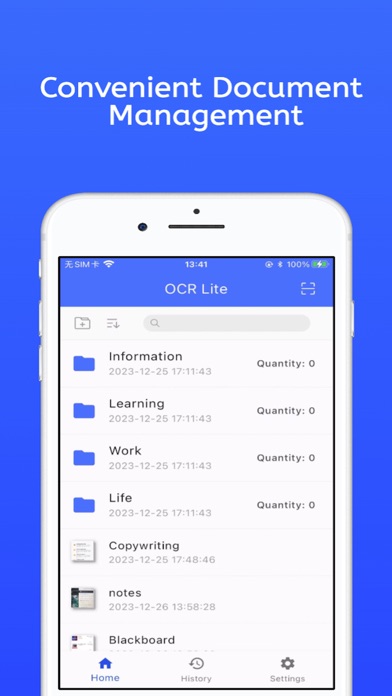

Screenshots by 浩 张, from the the App Store listing
Description by 浩 张 Written by the developer, not by AppBrain. Click to read.
Text Recognition
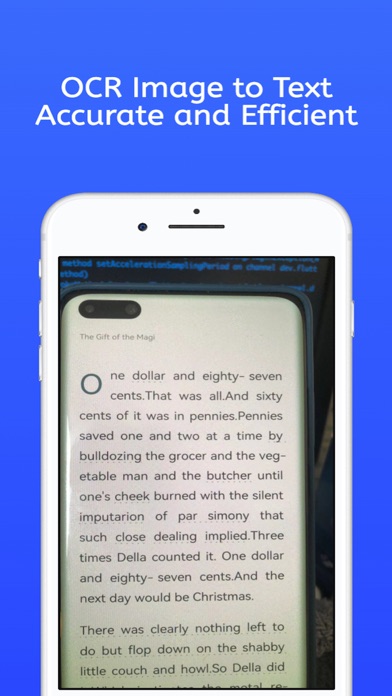
Introducing LightScan, a text scanning software that translates images into text. With a powerful image reader and fast text extraction capabilities, you will be able to precisely capture the text you want from images.
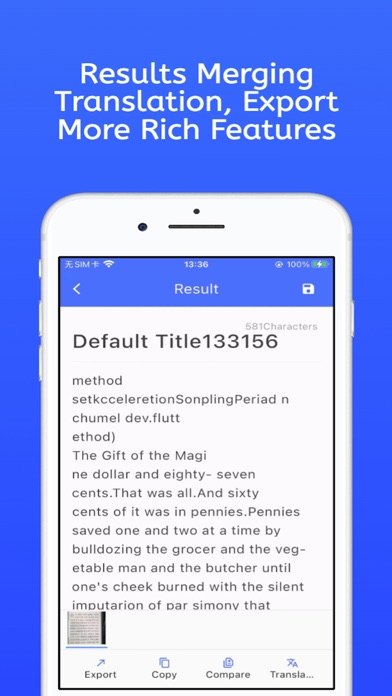
Convert photos to text, then copy, save, share, or translate
Our image-to-text scanning app is user-friendly and a versatile OCR converter. Use the OCR camera to text feature to extract text from images and translate it. The text scanner can convert pictures to text, allowing you to copy, save, or share the text. The image-to-text converter app also enables offline text retrieval from pictures using the text scanner.
Text Extraction
Unlike most free image-to-text apps, our OCR to text is designed with the latest OCR text scanning technology that can recognize text under various lighting conditions. This text grabber supports scanning documents, books, PNG, and JPG images with your phone.
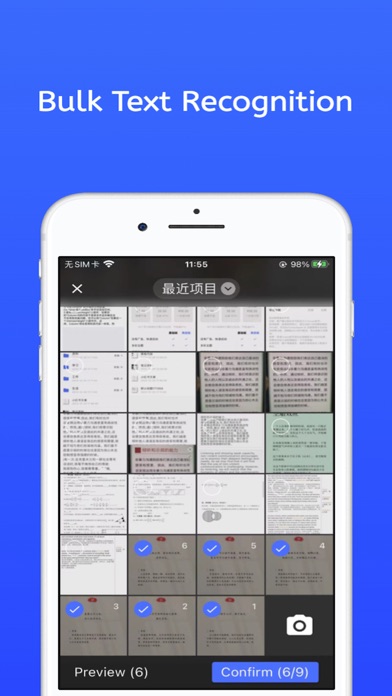
Scan Multiple Photos & Convert Photo Text Files
Our OCR scanner app image to text can scan multiple photos and convert them into text files. Compared to most OCR photo scanner apps, our text extractor can automatically detect the edges of an image and offers text cropping or cutting from the image.
Image-to-Text Converter Supports All Languages
The image-to-text app now supports text recognition in all languages, such as English, Spanish, German, French, Russian, Dutch, Italian, Portuguese, Turkish, Chinese, Hindi, Japanese, Korean, and many more.
Features of the Photo to Text Scanner App:
- Scan with the text scanner from the camera or image.
- The image-to-text converter supports offline translation for all languages.
- Capture images and scan the text within them.
- Copy, share, and save text extracted from images.
- Extract text with the highest precision by cropping the image to select specific areas.
- Convert handwritten text into digital text.
- Supports offline scanning of photos and documents.
How to Use the Text Recognition App:
- Install the image-to-text app.
- Click "Camera" to capture a photo or select "Gallery".
- Crop, rotate, flip to select the desired part of the image.
- The app will then scan the text in the image.
- Copy, share, save, translate, switch to plain text.
- Our image-to-text app offers offline translation.
- The image-to-text converter pro version supports all languages.
Install the free text recognition app and enjoy unlimited conversions of images to text!
About subscribing members
·Payment will be charged to your iTunes account for confirmation.
·Users can cancel your subscription at any time in Subscription Management.
·If you need to cancel automatic subscription, please cancel the automatic subscription renewal function at least 24 hours before the end of the current subscription period.
·If the subscription is not canceled, the account will be charged the renewal fee within 24 hours before the end of the current subscription period. After the deduction is successful, the subscription period will be automatically extended by one cycle.
·If the membership does not take effect after payment, please click the restore purchase button above.
·For first-time purchasers, please go to the App Store to bind WeChat Pay, Alipay or UnionPay cards.
·Member status is bound to the account used for payment.
You can send an email to any question you have` knight0zh@gmail.com consulting service
Terms of Use: https://scantext.haoye.tech/terms.html
Privacy Policy: https://scantext.haoye.tech/privacy.html
Safety and technology
Found in the app by AppBrain- Price
- Free
- App size
- 120.6 MB
- Content rating
- Everyone
Technologies used by OCR - Lite
Releases
Updates seen on the App Store- Version
- 1.0.3
- Launched
- January 2024
No changelog data
Alternatives
Similar apps and more from 浩 张Alternatives to OCR - Lite




More from 浩 张


Rankings
App Store top chartsApp Store Rankings for OCR - Lite
This app is not ranked
About the app and developer
About OCR - Lite
OCR - Lite is a productivity app developed by 浩 张.
User Ratings
The app has no ratings yet.
App Information
OCR - Lite is freely available from the App Store. The app size is 120.57 MB. The latest version available is 1.0.3. The last update was on January 26, 2024.
Technical Requirements
The app has a content rating of Everyone. The app has been available on the App Store since January 2024.
Developer information for 浩 张
Address: