

OctoPod for OctoPrint
OctoPod for OctoPrint is made and published by Gaston Dombiak. AppBrain is an independent app data site and isn't affiliated with Gaston Dombiak. The app name, icon, screenshots and description belong to Gaston Dombiak and are shown as published on the App Store.
AppBrain's verdict
EstablishedLoved by users- Rating on App Store
- 4.88
- 3,659 ratings
- Last updated
- August 24, 2026
- Size
- 21.9 MB
Users love it: 4.9 stars from 3,659 ratings.
User feedback
Ratings and reviews on the App StoreComments on OctoPod for OctoPrint for iOS
We don't have enough comments to show example comments. Please check back later.
Store listing
By Gaston Dombiak, from the App Store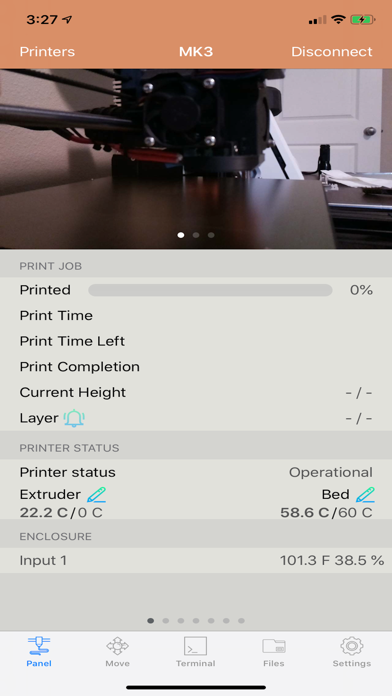


Description by Gaston Dombiak Written by the developer, not by AppBrain. Click to read.
OctoPod is a free, open-source OctoPrint client for iPhone, iPad, Apple Watch and Apple TV. Monitor multiple printers, watch live camera feeds, manage print jobs, receive notifications and control your printers from one app—with no subscription required.
Connect directly on your local network or use services such as OctoEverywhere and Obico for secure remote access.
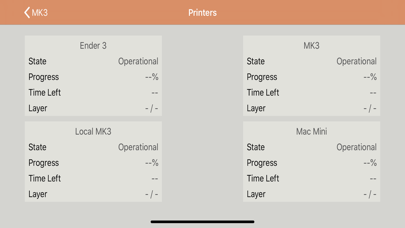
MULTIPLE PRINTERS
• Add an unlimited number of OctoPrint printers
• Monitor every printer from a single dashboard
• Quickly switch between printers
• Synchronize printer configurations between your iOS devices
• Automatically discover OctoPrint installations on your network
MONITOR YOUR PRINTS
• View print status, progress, elapsed time and estimated completion time
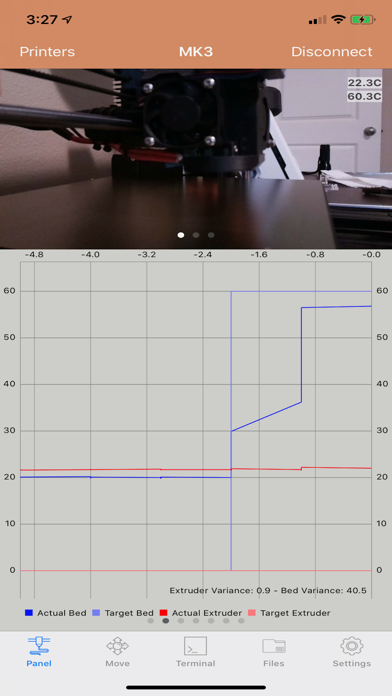
• Monitor extruder, bed and heated-chamber temperatures
• View live temperature charts and history
• Watch multiple MJPEG or HLS cameras
• Open cameras full screen, zoom and use supported picture-in-picture features
• Monitor Raspberry Pi temperature and receive overheating alerts
• View file thumbnails generated by supported slicer plugins
CONTROL YOUR PRINTER
• Start, pause, resume, restart, cancel and stop prints
• Set target temperatures
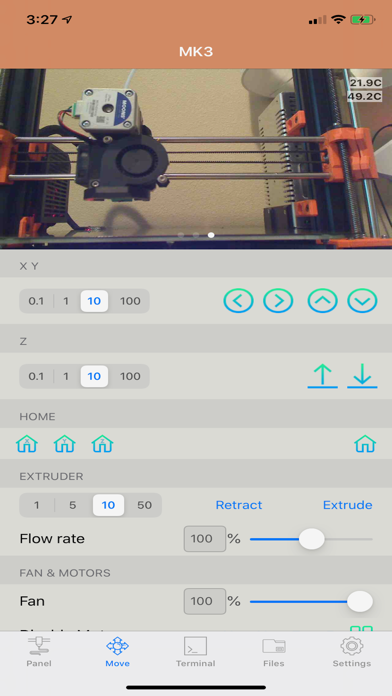
• Move the X, Y, Z and extruder axes
• Home individual axes
• Adjust fan speed, flow rate and feed rate
• Disable individual motors
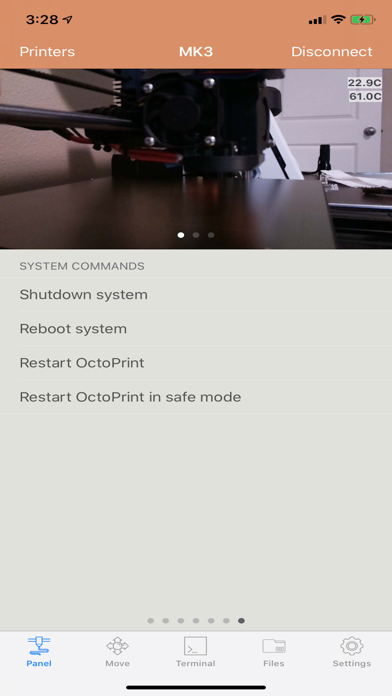
• Run OctoPrint system commands and custom controls
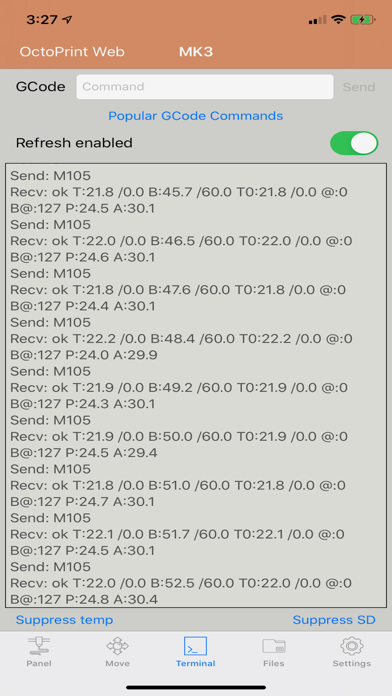
• View the terminal and send G-code commands
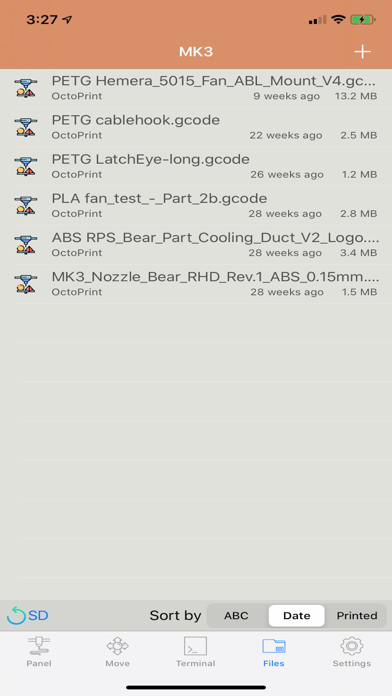
• Manage files stored in OctoPrint or on an SD card
• Upload and print files from iCloud Drive and other Files-compatible providers
• Watch, save and share timelapse videos
LIVE ACTIVITIES AND NOTIFICATIONS
Install the free OctoPod plugin for OctoPrint to receive:
• Push notifications with optional images
• Live Activity updates on the Lock Screen and Dynamic Island
• Printing milestones and completion alerts
• Temperature and printer-status notifications
APPLE WATCH
• Monitor multiple printers from your wrist
• View print progress and printer status
• Use Apple Watch complications
• Control supported printer functions
APPLE TV
Monitor your printers and camera feeds from your television using the included Apple TV app.
SIRI AND SHORTCUTS
Use Siri and Shortcuts to monitor or control printers, supported smart switches, enclosures and Palette devices.
WIDGETS
View printer status from Home Screen, Lock Screen and desktop widgets and open the appropriate printer directly from a widget.
REMOTE ACCESS
OctoPod supports direct OctoPrint connections as well as:
• OctoEverywhere
• Obico, including self-hosted servers
• Basic and Digest HTTP authentication
• Reverse-proxy and custom-header configurations
PLUGIN INTEGRATIONS
Supported OctoPrint integrations include:
• Cancel Object
• DisplayLayerProgress
• PrintTimeGenius
• Spool Manager and Filament Manager
• OctoLight Home Assistant
• Enclosure
• BLTouch
• OctoRelay
• PSU Control
• TP-Link Smartplug
• Domoticz
• Wemo
• Tasmota
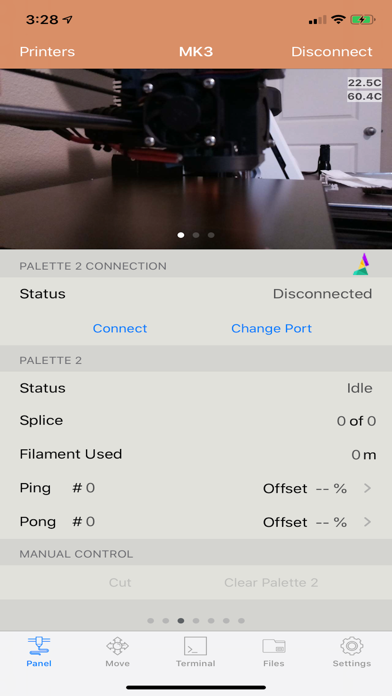
• Palette 2
PERSONALIZATION AND ACCESSIBILITY
• Light and Dark Mode
• Multiple app themes
• Dynamic Type and larger-text support
• App Locked read-only mode to help prevent accidental commands
OctoPod is available in English, German, Italian, French, Spanish, Norwegian, Czech, Swedish, Russian, Dutch and Simplified Chinese.
OctoPod is an independent, open-source application and is not affiliated with the OctoPrint project.
Source code:
https://github.com/gdombiak/OctoPod
FAQ and setup assistance:
https://github.com/gdombiak/OctoPod/wiki/FAQ-using-the-app
Safety and technology
Found in the app by AppBrain- Price
- Free
- App size
- 21.9 MB
- Content rating
- Everyone
Technologies used by OctoPod for OctoPrint
Releases
Updates seen on the App Store- Version
- 3.35
- Launched
- August 2018
No changelog data
Alternatives
Similar apps and more from Gaston DombiakAlternatives to OctoPod for OctoPrint






More from Gaston Dombiak

Rankings
App Store top chartsApp Store Rankings for OctoPod for OctoPrint
About the app and developer
About OctoPod for OctoPrint
OctoPod for OctoPrint is an utilities app developed by Gaston Dombiak.
User Ratings
OctoPod for OctoPrint is rated 4.88 out of 5 stars. The rating is based on 3.7 thousand ratings.
App Information
OctoPod for OctoPrint is freely available from the App Store. The app size is 21.91 MB. The latest version available is 3.35. The last update was on August 24, 2026.
Technical Requirements
The app has a content rating of Everyone. The app has been available on the App Store since August 2018.
Developer information for Gaston Dombiak
Address: