OfficeTimer is a business app developed by INFOTIMER TECHNOLOGIES PRIVATE LIMITED.
User Ratings
OfficeTimer is rated 3.40 out of 5 stars. The rating is based on 5 ratings.
App Information
OfficeTimer is freely available from the App Store. The app size is 19.41 MB. The latest version available is 7.0.0. The last update was on October 9, 2026.
Technical Requirements
The app has a content rating of Everyone. The app has been available on the App Store since October 2015.
OfficeTimer is made and published by
INFOTIMER TECHNOLOGIES PRIVATE LIMITED.
AppBrain is an independent app data site and isn't affiliated with INFOTIMER TECHNOLOGIES PRIVATE LIMITED.
The app name, icon, screenshots and description belong to INFOTIMER TECHNOLOGIES PRIVATE LIMITED and are shown as published on the App Store.
Description by INFOTIMER TECHNOLOGIES PRIVATE LIMITED(from the App Store)
OfficeTimer mobile app is your one stop solution for your company's office automation and workflow management in the areas of attendance, leave management, timesheet, time tracking, expense management, project and task management.
Now you can record your OfficeTimer time sheet, time off, vacations and attendance on the go. Very soon you will be able to record your expenses and manage your approvals as well. You may login to this app using your existing OfficeTimer account.
We have designed this app keeping simplicity in mind. Every screen is designed so that you will need to spend the least amount of time in entering and managing your time-sheet, time off and attendance.
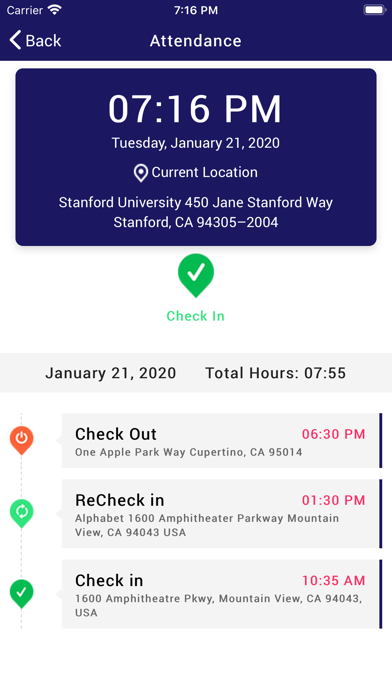
You can mark your attendance on the go along with your geo-tagging. Your manager will get instant notification with all details every time you check-in or check-out. Attendance marking can be configured to be done from specific IP addresses or can be Geo-fenced.
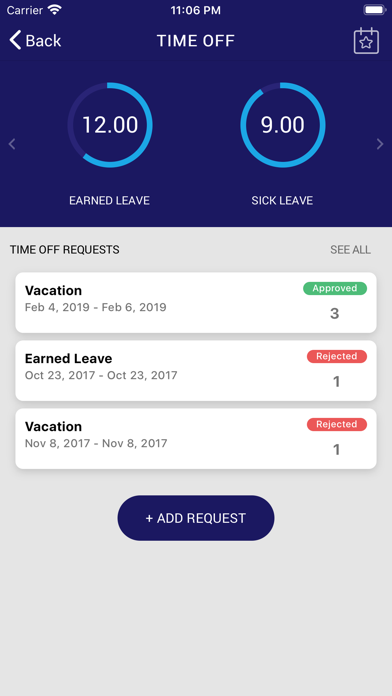
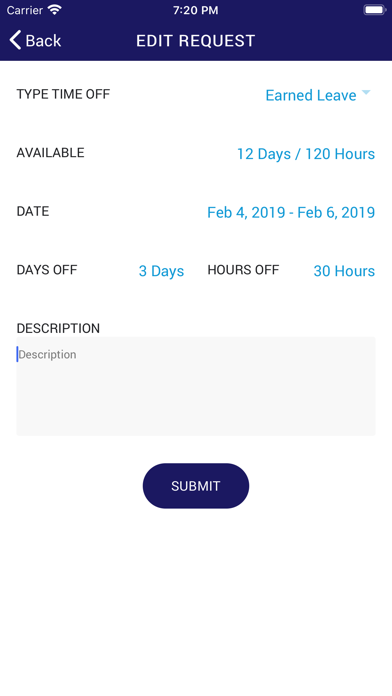
Track your leaves or plan your vacations with the tap of your phone. Request, edit or update your leave requests on the go. Know your leave balance instantly and request for different types of leaves as per your company's policy.
Your company's leave policy can be simple or complex, OfficeTimer will meet all your requirements. You can set different policies for different groups of employees. Create unlimited leave or time off types, set earning for different periods like weekly, monthly or yearly. You can configure restricted dates, negative validations, maximum earnings and maximum carry forwards for each leave type.
You can set multi level approvals for leave requests and get instant notifications whenever your leave request is approved.
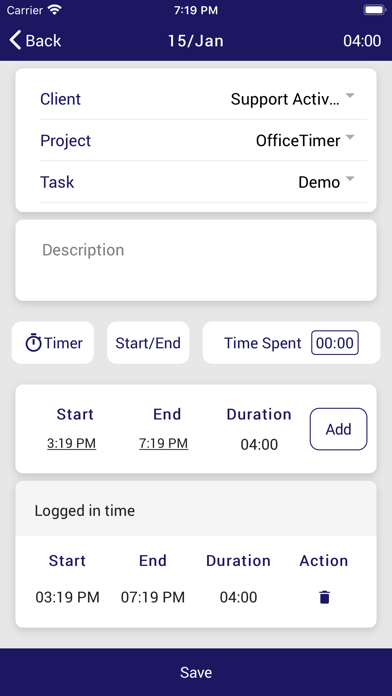
Enter your entire day's work report in the OfficeTimer timesheet in a few seconds just with your thumb! The timesheet can be configured to be as simple as entering the time spent against a task or can be as detailed as selecting a client, project and task. Save and submit your timesheet for approval by your project manager or employee manager or client manager or all of them in series for multi-level approval.
You can classify the tasks as billable or non-billable to the client and know exactly what your cost has been for each employee's activity on a client's work. You can have each employee's billing and cost rate stored in OfficeTimer and have OfficeTimer pull up your billing and costing report instantly. Each project billing and cost rate can be employee-wise or role-wise or task-wise.
Visualize and plan your tasks using KANBAN boards. Change their status or milestones or priority just by dragging and dropping. Let your team know in real time the progress or the status of the task with broadcast comments.
Each subscription will automatically renew 3 days before the expiration date for
the same time period. Subscriptions can be cancelled at any time before the renewal.